ChatGPT API Adds Invisible Characters. They Break Your Users' Documents. Strip Them First.
Integrate invisible-character removal into your AI writing tool. One endpoint gives every user clean, portable text. 40+ invisible Unicode types removed in <100ms.
const response = await fetch(
  "https://api.gptwatermarkremover.com/v1/clean",
  {
    method: "POST",
    headers: {
      "X-API-Key": "YOUR_API_KEY",
      "Content-Type": "application/json"
    },
    body: JSON.stringify({ text: "Your AI-generated text here" })
  }
);

const { cleaned_text } = await response.json();
The Hidden Character Problem
AI APIs embed invisible Unicode characters. Your users paste the text. It breaks formatting, corrupts code, and leaks the source. You lose users.
1. Your SaaS Calls ChatGPT
You use openai.chat.completions.create() to generate content for users.
2. Response Has Invisible Characters
ChatGPT embeds invisible Unicode characters (U+200B, U+00AD, etc.) into the output.
3. Users Hit Formatting Bugs → Churn
User pastes into Google Docs, a CMS, or code. Hidden characters break layout, fail validation, and quietly tag the text as machine-generated. User blames your tool and leaves. Note: AI-writing detectors don't read these characters — they score the visible wording — so removing them is about clean, portable text, not dodging a detector.
The Fix: Strip Invisible Characters Before Returning to Users
Add one API call between ChatGPT and your user: ChatGPT API → Invisible Character Removal API → Clean text to user. Text stays word-for-word identical. Only invisible Unicode is removed, so output pastes cleanly anywhere.
// Your SaaS calls ChatGPT API
const aiResponse = await openai.chat.completions.create({
  model: "gpt-4",
  messages: [{ role: "user", content: "Write an email..." }]
});
const aiText = aiResponse.choices[0].message.content; // Has watermarks!

// Strip watermarks before showing to user
const cleanResponse = await fetch(
  'https://api.gpt-watermark-remover.com/v1/remove',
  {
    method: 'POST',
    headers: { 'X-API-Key': 'your_api_key' },
    body: JSON.stringify({ text: aiText })
  }
);
const { clean_text } = await cleanResponse.json();

// Return clean text to user - no watermarks
return clean_text;  // ✅ Protected
Integration in 3 Steps
Add watermark removal to your existing AI workflow
Get API Key
Sign up, get your API key. 250 free calls to test integration.
Add Middleware Call
After ChatGPT responds, POST text to /v1/remove endpoint.
Return Clean Text
Show the clean_text field to users. No invisible characters — output that pastes cleanly into any editor, CMS, or codebase.
Simple Pricing
API access included with every premium subscription
Premium Subscription
Everything you need to get started
- 1,000 API calls per month
- 100,000 characters per request
- All web features included
- Instant API key generation
Developer Tiers
Higher volume plans for production apps
- Higher volume tiers
- Team and organization plans
- Custom enterprise solutions
Watermark Types We Detect
Our API detects and removes all known invisible Unicode characters used by AI systems like ChatGPT, Claude, Gemini, and others to watermark generated text.
Zero-Width Characters
Invisible characters with no visual width, commonly inserted by AI systems to mark generated text.
Formatting Characters
Characters that affect text rendering or spacing without being visible.
Bidirectional Control
Characters that control text direction, often invisible and exploitable for watermarking.
Variation Selectors
Characters that modify how preceding characters render, often invisibly.
Annotation Characters
Characters for interlinear annotations, invisible in most contexts.
Why Do AI Systems Add Watermarks?
Text from LLMs sometimes carries invisible Unicode characters. Our API removes them.
Developer FAQ
Technical questions about API integration
Stop Losing Users to Broken, Pasted Text
Join developers giving millions of users clean, portable output with invisible-character removal. One endpoint. 1,000 free API calls. No credit card required.
Free tier included with Premium subscription • No credit card required
Learn More
Related Articles
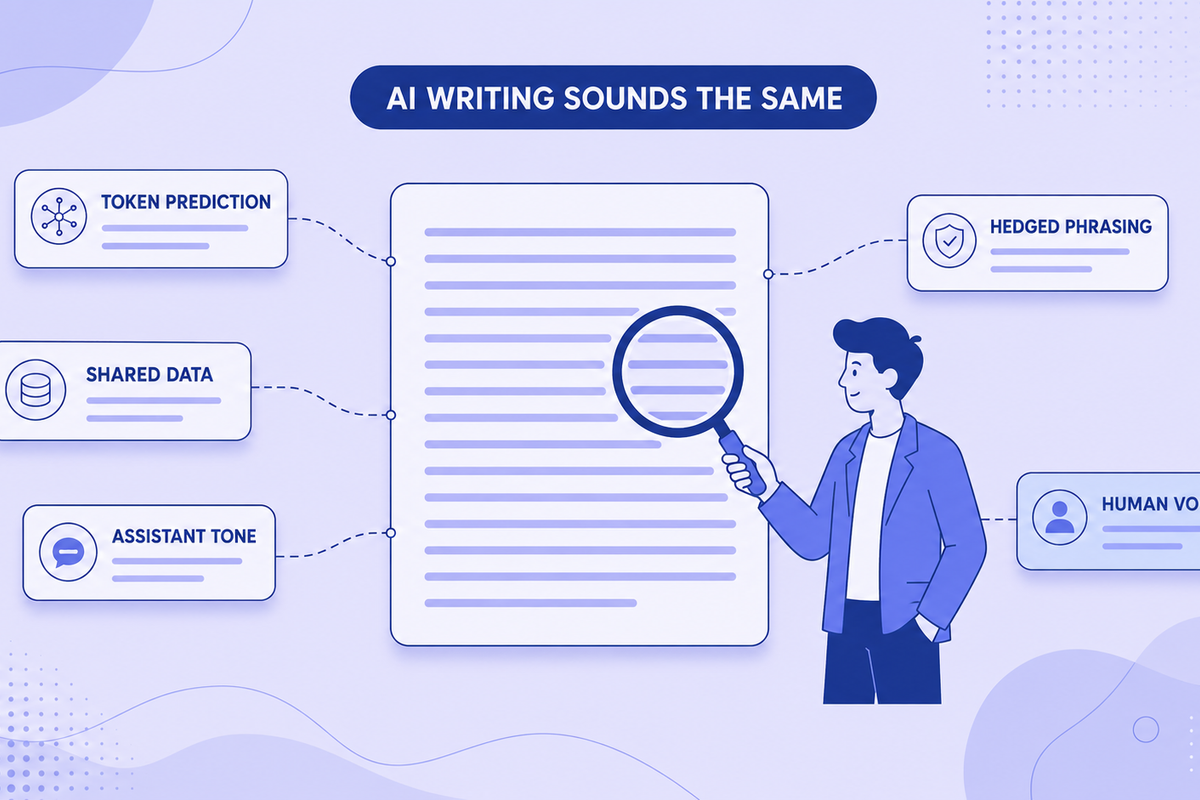
Why All AI Writing Sounds the Same (+ How to Fix It)
AI writing sounds identical due to token prediction and training overlap. Learn the technical causes plus practical fixes for style and watermarks.
Read more: Why All AI Writing Sounds...
Invisible Watermarks in ChatGPT Text: How They Work and How To Find Them
Discover how invisible watermarks are embedded in ChatGPT text, how to detect them, and how to clean your text safely. Complete guide to zero-width characters and AI text markers.
Read more: Invisible Watermarks in C...