Can Recruiters Tell If You Used ChatGPT? What Job Seekers Need to Know in 2026
Learn how recruiters detect ChatGPT-written resumes and cover letters. Understand detection methods, hidden invisible characters, and how to use AI tools responsibly in job applications.
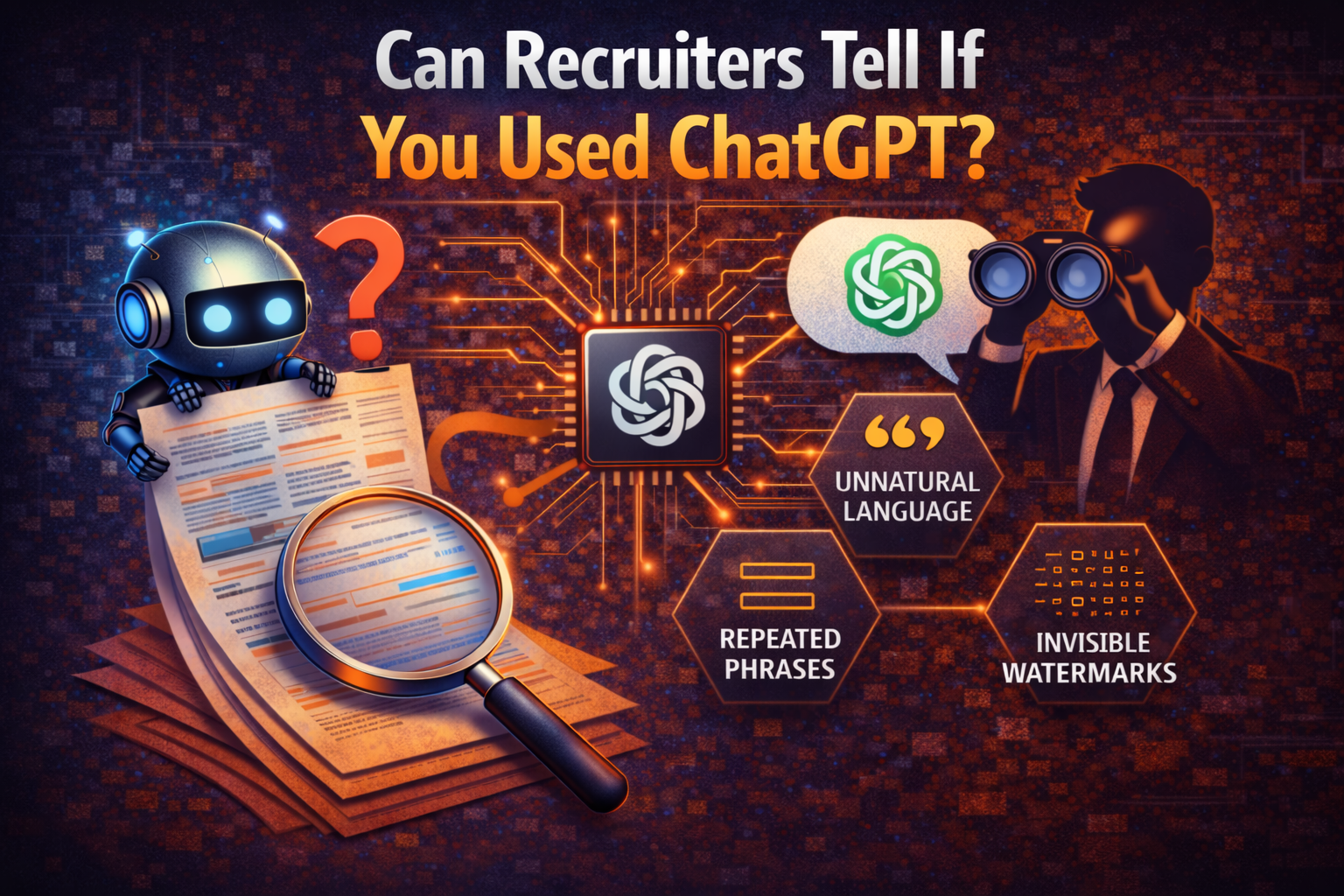
Quick Answer: Yes, recruiters often can tell if you used ChatGPT. Detection happens on two levels: (1) experienced recruiters spot telltale signs like generic language, overused words like "delve" and "pivotal," and lack of concrete examples, and (2) some companies use AI detection tools that analyse linguistic patterns in your visible writing. About 25% of job applications now show clear signs of AI generation.
If you've used ChatGPT to write your resume, cover letter, or job application, you're not alone. Studies suggest that roughly half of all job applicants now use AI writing tools to polish their applications. But here's the question keeping job seekers up at night: can recruiters tell if you used ChatGPT?
The short answer is yes, recruiters often can tell. But the full picture is more complicated than most career advice articles let on. Detection happens on two different levels, and understanding both is crucial if you want to use AI tools effectively in your job search.
How Recruiters Spot ChatGPT-Written Applications
Experienced recruiters have developed a sharp eye for AI-generated content. According to interviews with hiring professionals, approximately 25% of job applications now show clear signs of AI generation. Recruiters say they can spot an AI-written application "from a mile away."
So what gives it away? Recruiters consistently point to several telltale signs:
Generic, Formulaic Language
ChatGPT tends to produce polished but impersonal text. When your cover letter could apply to any company in your industry, recruiters notice. They're looking for specific details about why you want this particular role at this particular company.
Overuse of Certain Words and Phrases
Research has identified several words that appear far more frequently in AI-generated text than in human writing. Words like "delve," "pivotal," "intricate," "realm," and "showcasing" have become red flags. Recruiters also report seeing "adept," "tech-savvy," and "cutting-edge" repeatedly in applications that were rare before ChatGPT.
Lack of Concrete Examples
AI-generated resumes often list impressive-sounding skills without backing them up with real achievements. Phrases like "excellent communicator" or "strong analytical skills" mean nothing without specific examples from your actual work history.
Copy-Paste Errors
Some applicants don't even edit what ChatGPT produces. Recruiters report seeing placeholder text like "[add numbers here]" or formatting artifacts left directly in submitted applications. This signals carelessness and poor attention to detail.
The Detail Nobody Talks About: Invisible Characters in AI Text
While most career advice focuses on writing style, there's a technical detail about AI-generated text that rarely gets discussed: hidden characters.
When you copy text from ChatGPT, Claude, or other AI tools, the output often contains characters that are completely invisible to human readers. These include zero-width spaces, zero-width joiners, and other Unicode characters that serve no visible purpose. You can't see them, your spell checker won't flag them, and Word won't show any problems, but they can cause formatting glitches and quietly reveal that text was pasted from an AI tool.
To be clear about what this does and doesn't do: mainstream AI detectors such as Turnitin analyse your visible writing, measuring statistical patterns in word choice and sentence rhythm. Cleaning characters fixes formatting and privacy; changing a detection result would mean changing the writing.
Where these hidden characters do matter is presentation. Pasting them into an Applicant Tracking System (ATS) or a recruiter's inbox can break formatting, mangle spacing, or leave odd artifacts that make an application look sloppy. Cleaning them keeps your document tidy and free of metadata you didn't intend to share.
What Actually Happens When You Submit an AI-Written Application
Understanding the modern application process helps explain why this matters. Here's how many companies now handle incoming applications:
Stage 1: ATS Filtering
Your resume passes through an Applicant Tracking System that scans for keywords, qualifications, and formatting. This stage is purely about matching you to job requirements.
Stage 2: AI Detection (at some companies)
A growing number of organizations run applications through AI detection software. According to industry research, 40% of job seekers who used ChatGPT reported their interviewer was aware of it, and 35% of those didn't get hired as a result. This automated layer can flag applications before they reach recruiters.
Stage 3: Human Review
Recruiters who receive flagged applications often approach them with heightened skepticism. They'll scrutinize the language more carefully and note any signs of AI involvement.
Stage 4: Interview Verification
If you make it to the interview stage, hiring managers often use behavioral questions specifically designed to verify the claims and experiences listed in your application. If you can't speak fluently about achievements your resume highlights, the disconnect becomes obvious.
The key insight here is that detection happens at multiple points. Even if your application passes initial automated screening, human reviewers may still notice stylistic red flags. And if you clear both hurdles, the interview itself becomes the final verification.
How AI Detection Actually Works
To understand how recruiters and detection systems identify AI-generated content, it helps to know how AI detectors work.
Mainstream AI detectors such as Turnitin analyse your visible writing, measuring statistical patterns in word choice and sentence rhythm. Cleaning characters fixes formatting and privacy; changing a detection result would mean changing the writing.
In practice, that analysis examines patterns in your prose. AI-generated text tends to have predictable characteristics: lower "perplexity" (meaning more predictable word choices), consistent "burstiness" (uniform sentence structure), and specific vocabulary patterns. Human writing naturally varies more in rhythm, word choice, and structure. Notably, even OpenAI has admitted that their own AI detection tools were ineffective, which is why they discontinued their AI Text Classifier in 2023.
This is also why linguistic analysis can produce false positives, incorrectly flagging human-written text. No detector reads the hidden Unicode characters discussed earlier as a verdict on whether you used AI; those characters are a formatting and privacy issue, not a detection signal.
The takeaway for job seekers is that the only way to make an application read as authentically yours is to write it that way. Removing hidden characters keeps your document clean, but it won't change a detection result, and it won't make robotic prose sound human.
A Practical Approach: How to Use AI Tools Responsibly
The goal isn't to avoid AI tools entirely. Used properly, they can help you articulate your experience more clearly, catch grammatical errors, and organize your thoughts. The goal is to use them in ways that enhance rather than replace your authentic voice.
Here's a practical workflow:
Step 1: Clean Invisible Characters
If your text touched an AI tool, run it through a watermark remover so your document is free of hidden characters that can cause formatting glitches. This keeps your application tidy when it lands in an ATS or a recruiter's inbox.
Step 2: Rewrite for Authenticity
Don't submit AI output directly. Use it as a starting point, then rewrite in your own voice. Add specific examples from your experience. Replace generic phrases with concrete achievements. Include details that only you would know.
Step 3: Check for Flagged Words
Search your document for commonly flagged AI terms like "delve," "pivotal," "leverage," "utilize," and "synergize." Replace them with simpler, more natural alternatives.
Step 4: Read It Aloud
AI-generated text often sounds stilted when spoken. Reading your application aloud helps identify sentences that don't flow naturally or phrases that no human would actually say.
Step 5: Get Feedback from a Real Person
Ask a friend or colleague to read your application. They can often spot passages that sound generic or impersonal in ways you might miss.
What Recruiters Actually Want to See
Understanding what recruiters value helps you create applications that succeed regardless of AI involvement.
Recruiters consistently emphasize that they want to see your unique story. Generic qualifications don't differentiate you from hundreds of other applicants. What makes you memorable is specificity: the particular project you led, the specific problem you solved, the measurable impact you had.
The most effective applications combine professional presentation with authentic personal voice. AI can help with the former, but only you can provide the latter.
Think about what makes your experience unique. What challenges have you overcome? What approaches do you bring that others might not? What specific results can you point to? These details are impossible for AI to fabricate convincingly, which is precisely why recruiters look for them.
The Interview Problem
Even if your application passes all screening stages, the interview creates additional challenges if you've relied too heavily on AI.
Interviewers increasingly use targeted questions to verify resume claims. If your cover letter mentions "developing innovative solutions that improved efficiency by 40%," expect detailed follow-up questions. What exactly was the solution? What metrics did you use? What obstacles did you face?
If you can't speak fluently and specifically about the achievements listed in your application, the gap becomes obvious. And at that point, the question of whether you used ChatGPT becomes secondary to whether you can actually do the job.
This is why using AI as a drafting tool rather than a ghostwriter matters. When you genuinely collaborate with AI, using it to clarify and organize your real experiences, you can still speak authentically about those experiences in interviews.
Students and Early-Career Applicants: Special Considerations
Students and recent graduates face unique challenges with AI detection. With limited work experience, there's more temptation to let AI fill in the gaps. But this approach often backfires.
Academic institutions increasingly use AI detection tools like Turnitin, and employers hiring for entry-level positions are often especially vigilant about AI use. The reasoning is straightforward: if you're applying for your first professional role, your communication skills and authenticity matter more, not less.
For students, the better approach is using AI to organize and present your genuine experiences more effectively. Campus activities, volunteer work, class projects, and part-time jobs all provide material for authentic applications. AI can help you articulate the value of these experiences, but the experiences themselves need to be real and specifically described.
Why False Positives Matter
Here's something that doesn't get enough attention: AI detectors can flag completely human-written text. These false positives happen because linguistic analysis isn't perfect. Some people naturally write in ways that pattern-match to AI characteristics.
If you tend to write in a formal or structured style, you can't fully control whether a detector flags you, because that comes down to the statistical patterns in your prose. What you can control is presentation: running your text through a watermark checker strips any invisible characters picked up from document templates, copied text, or other sources, so your file stays clean. That won't change a detection result, but it does keep your formatting tidy and your document free of metadata you didn't mean to share.
The point isn't paranoia. It's recognition that AI detection systems are imperfect tools, and understanding what they actually measure, and what character cleanup does and doesn't do, helps you navigate them more effectively.
Putting It All Together
Can recruiters tell if you used ChatGPT? Often, yes. Detection happens through both human observation and technical analysis, and the combination makes pure AI-generated applications increasingly risky.
But this doesn't mean you can't use AI tools at all. The key is using them thoughtfully:
-
Clean invisible characters before submitting any text that touched AI tools. This keeps your document free of hidden Unicode that can break formatting in an ATS or recruiter's inbox.
-
Rewrite AI output in your own voice, with specific examples and authentic details that only you could provide. This is what actually changes how your writing reads to a recruiter or a detector.
-
Prepare to discuss everything in your application fluently and specifically in interviews.
-
Focus on what makes you genuinely unique rather than trying to sound impressive in generic ways.
The job market is competitive, and AI tools offer real advantages when used properly. The applicants who succeed will be those who understand both the benefits and the detection risks, and who use AI to enhance rather than replace their authentic professional voice.
Frequently Asked Questions
Can recruiters tell if I paraphrased ChatGPT content?
Recruiters can sometimes detect paraphrased AI content. While paraphrasing changes the exact wording, it often preserves structural patterns and vocabulary choices that detection tools recognize. The reliable fix isn't lighter editing but genuinely rewriting in your own voice with specific, real examples. (Note that copying and pasting can also carry over invisible Unicode characters; cleaning those tidies your formatting but does not change a detection result.)
Do all companies use AI detection on job applications?
No, not all companies use AI detection tools. However, the practice is growing, particularly among larger organizations and tech companies. Even without formal detection tools, experienced recruiters often spot AI-generated content through stylistic patterns.
Is it illegal to use ChatGPT for job applications?
Using ChatGPT for job applications is not illegal. However, submitting work represented as entirely your own when it was AI-generated could be considered misrepresentation. Most career advisors recommend using AI as a tool to improve your writing rather than as a replacement for it.
What words should I avoid that flag content as AI-generated?
Common AI red flags include: "delve," "pivotal," "intricate," "leverage," "synergy," "cutting-edge," "realm," "showcasing," "navigate," and "harness." These words appear far more frequently in AI-generated text than in typical human writing.
Can I use ChatGPT for interview preparation instead?
Yes, using ChatGPT for interview preparation is generally safer and more effective than using it for application materials. You can practice answering common questions, refine your talking points, and prepare stories about your experiences. Because interviews are verbal, there's no document to detect at all, and the preparation helps you speak authentically about your background, which is exactly what hiring managers are listening for.
Ready to Remove AI Watermarks?
Try our free AI watermark removal tool. Detect and clean invisible characters from your text and documents in seconds.
Try GPT Watermark RemoverRecommended Articles
Is AI Content Bad For SEO? What Google Actually Says (And What Nobody Tells You)
Learn if AI content hurts SEO rankings. Google's official stance, hidden watermark issues, and best practices for AI-generated content in 2026.
How to Check If a Text Has a ChatGPT Watermark (Complete Guide 2025)
Learn 7 proven methods to check if text has ChatGPT watermarks. From instant online tools to advanced detection techniques—identify invisible AI markers in any content.
How to Use AI for Your Resume the Right Way (2026)
Learn the smart workflow for using AI to write resumes in 2026. Clean up invisible characters, optimize for ATS systems, and make your application authentically yours.