How to Check If a Text Has a ChatGPT Watermark (Complete Guide 2025)
Learn 7 proven methods to check if text has ChatGPT watermarks. From instant online tools to advanced detection techniques—identify invisible AI markers in any content.

Introduction
Need to verify if a piece of text contains ChatGPT watermarks? Whether you're checking student submissions, reviewing documents, debugging code, or simply curious, this guide provides seven reliable methods to detect invisible AI markers.
From instant online checkers to advanced technical approaches, you'll learn how to identify ChatGPT watermarks with confidence—even when they're designed to be undetectable.
Quick Answer: The Fastest Way to Check
The 30-Second Method:
- Visit GPT Watermark Remover
- Paste your text (or upload document)
- Click "Check for Watermarks" or "Detect"
- View instant results
What you'll see:
- ✅ "No watermarks detected" (clean text)
- ⚠️ "47 watermarks found" (detailed breakdown)
Time: 5-10 seconds Accuracy: 99%+ for character-based watermarks Privacy: 100% browser-based
Now let's explore all methods in detail.
Method 1: Online Watermark Checker (Recommended)
Why This Method Is Best
Advantages: ✅ No technical knowledge required ✅ Instant results (under 10 seconds) ✅ Detects all common watermark types ✅ Visual highlighting of problematic areas ✅ Works with documents (Word, Pages, PDF) ✅ 100% private (browser-based processing) ✅ Free unlimited checks
Step-by-Step Process
Step 1: Prepare Your Text
For plain text:
- Copy the text you want to check
- No special preparation needed
For documents:
- Keep file in original format (.docx, .pages, .pdf)
- No conversion necessary
Step 2: Access the Checker
Navigate to GPT Watermark Remover
Step 3: Input Your Content
Option A - Paste Text:
- Click in the text area
- Paste content (
Ctrl+V/Cmd+V) - Text can be any length
Option B - Upload Document:
- Click "Upload Document"
- Select file from computer
- Supported formats: .docx, .pages, .pdf, .txt, .rtf
Step 4: Run Detection
Click the detection button:
- "Check for Watermarks"
- "Detect Invisible Characters"
- "Analyze Text"
Step 5: Interpret Results
Clean Text Result:
✓ No ChatGPT watermarks detected

Analysis:
- Zero-width spaces: 0
- Zero-width non-joiners: 0
- Zero-width joiners: 0
- Other invisible characters: 0

Assessment: This text appears clean
Watermarked Text Result:
⚠ Watermarks Detected: 47 invisible characters
Breakdown:
- Zero-Width Space (U+200B): 23 occurrences
- Zero-Width Non-Joiner (U+200C): 15 occurrences
- Zero-Width Joiner (U+200D): 9 occurrences
Distribution: Regular pattern detected
Density: 4.7 watermarks per 100 characters
Likelihood: High probability of AI watermarking
Location Preview:
Line 3: "The implementation of this..."
Line 7: "We recommend using the..."
[View all locations]
Recommendation: Remove watermarks before use
Step 6: Take Action
Based on results:
- No watermarks: Text is clean, use freely
- Watermarks found: Click "Remove Watermarks" for cleaned version
Interpreting Watermark Density
| Density | Count (per 1000 chars) | Assessment |
|---|---|---|
| None | 0 | Clean text |
| Very Low | 1-5 | Possibly accidental |
| Low | 6-20 | Suspicious |
| Medium | 21-50 | Likely watermarked |
| High | 51-100 | Definitely watermarked |
| Very High | 100+ | Heavily watermarked |
Method 2: Character Count Comparison Test
This simple method reveals invisible characters without any tools.
How It Works
Invisible characters add to file size but not visual character count.
Step-by-Step Process
Step 1: Check Visual Character Count
In Microsoft Word:
- Select all text (
Ctrl+A/Cmd+A) - Check status bar (shows character count)
- Note: "1,247 characters"
In Google Docs:
- Tools → Word Count
- Note character count (with spaces)
In any text editor:
- Select all and copy
- Paste into character counter (search "character counter online")
- Note the count
Step 2: Check Byte Size
Windows:
# Save text as UTF-8 file, then:
dir /s filename.txt
# Note size in bytes
Mac/Linux:
wc -c filename.txt
# Returns byte count
Or use programming:
const text = "Your text here";
const byteSize = new Blob([text]).size;
console.log(`Bytes: ${byteSize}`);
Step 3: Compare
Visual characters: 1,247
Byte size: 1,312 bytes

Difference: 65 bytes
Invisible characters: ~21 (assuming 3 bytes per character)

Verdict: Text contains invisible characters (likely watermarks)
Rule of thumb:
- Difference < 5 bytes: Likely clean
- Difference 5-20 bytes: Possibly a few invisible chars
- Difference > 20 bytes: Likely watermarked
Limitations
- Doesn't identify which characters or where
- Different encodings affect byte counts
- Can't distinguish between watermarks and legitimate Unicode
Method 3: Text Editor Visibility Check
Most text editors can reveal invisible characters if you know where to look.
Microsoft Word
Method A: Show Formatting Marks
- Click "Home" tab
- Click ¶ (Show/Hide button) in Paragraph group
- Look for unusual dots or marks between words
- Normal space shows as
·(middle dot) - Invisible characters show as small boxes or nothing
Method B: Copy-Paste Test
- Copy text to plain Notepad
- Paste and look for:
- Unexpected line breaks
- Unusual spacing
- Strange cursor behavior
- Try selecting text—invisible chars show as selection gaps
Method C: Find Function
- Press
Ctrl+F - Click "More >>"
- Search for:
^u200B - If found: watermarks present
- Repeat for:
^u200C,^u200D,^u00AD,^u2060
VS Code / Text Editors
Enable whitespace visualization:
VS Code:
- View → Render Whitespace
- Or press
Ctrl+Shift+P→ "View: Toggle Render Whitespace" - Invisible characters show as colored dots or symbols
Sublime Text:
- View → Show Console
- Paste detection code:
import re
text = view.substr(sublime.Region(0, view.size()))
count = len(re.findall(r'[\u200B-\u200D\uFEFF\u00AD\u2060]', text))
sublime.message_dialog(f"Watermarks found: {count}")
Notepad++:
- View → Show Symbol → Show All Characters
- Invisible characters appear as special symbols
- Or use Find (
Ctrl+F) → Extended mode - Search for:
\x{200B},\x{200C},\x{200D}
Method 4: Browser DevTools Check
For technically-minded users, browser DevTools provide powerful detection.
Chrome/Edge DevTools
Step 1: Open DevTools
- Press
F12orCtrl+Shift+I(Windows) - Press
Cmd+Option+I(Mac)
Step 2: Go to Console Click "Console" tab at top
Step 3: Paste Text into Variable
const text = `Paste your text here`;
Step 4: Run Detection Code
// Comprehensive watermark check
function checkWatermarks(text) {
  const types = {
    'Zero-Width Space': /\u200B/g,
    'Zero-Width Non-Joiner': /\u200C/g,
    'Zero-Width Joiner': /\u200D/g,
    'Soft Hyphen': /\u00AD/g,
    'Word Joiner': /\u2060/g,
    'Byte Order Mark': /\uFEFF/g
  };

  console.log('%c=== Watermark Detection Results ===', 'color: blue; font-size: 16px; font-weight: bold');

  let totalFound = 0;
  const findings = [];

  for (const [name, pattern] of Object.entries(types)) {
    const matches = text.match(pattern);
    const count = matches ? matches.length : 0;

    if (count > 0) {
      console.log(`%c${name}: ${count}`, 'color: red; font-weight: bold');
      totalFound += count;
      findings.push({ name, count });
    }
  }

  if (totalFound === 0) {
    console.log('%c✓ No watermarks detected!', 'color: green; font-size: 14px; font-weight: bold');
  } else {
    console.log(`%c\n⚠ Total watermarks found: ${totalFound}`, 'color: red; font-size: 14px; font-weight: bold');

    // Calculate density
    const density = (totalFound / text.length * 1000).toFixed(2);
    console.log(`%cDensity: ${density} per 1000 characters`, 'color: orange');

    // Show first occurrence
    const firstMatch = text.search(/[\u200B-\u200D\uFEFF\u00AD\u2060]/);
    if (firstMatch !== -1) {
      const preview = text.substring(Math.max(0, firstMatch - 20), firstMatch + 20);
      console.log(`%cFirst occurrence context: "${preview}"`, 'color: purple');
    }
  }

  return { totalFound, findings };
}

// Run the check
checkWatermarks(text);
Step 5: Review Console Output
Results appear color-coded:
- Green: No watermarks
- Red: Watermarks found
- Numbers showing count by type
Advanced: Position Mapping
Find exact locations:
function mapWatermarkPositions(text) {
  const pattern = /[\u200B-\u200D\uFEFF\u00AD\u2060]/g;
  const positions = [];

  let match;
  while ((match = pattern.exec(text)) !== null) {
    const char = match[0];
    const pos = match.index;
    const line = text.substring(0, pos).split('\n').length;
    const col = pos - text.lastIndexOf('\n', pos - 1);

    positions.push({
      character: `U+${char.charCodeAt(0).toString(16).toUpperCase()}`,
      position: pos,
      line: line,
      column: col,
      context: text.substring(pos - 10, pos + 10).replace(/[\u200B-\u200D\uFEFF\u00AD\u2060]/g, '[⚠]')
    });
  }

  console.table(positions);
  return positions;
}

mapWatermarkPositions(text);
This creates a table showing:
- Character type (Unicode code)
- Exact position
- Line and column numbers
- Surrounding context
Method 5: Command-Line Detection
For developers, scripts provide powerful automation.
Python Script
#!/usr/bin/env python3
"""
Check text for ChatGPT watermarks
Usage: python check_watermarks.py file.txt
"""

import sys
import re
from pathlib import Path

# Invisible characters pattern
PATTERN = r'[\u200B-\u200D\uFEFF\u00AD\u2060]'

WATERMARK_TYPES = {
    '\u200B': 'Zero-Width Space',
    '\u200C': 'Zero-Width Non-Joiner',
    '\u200D': 'Zero-Width Joiner',
    '\u00AD': 'Soft Hyphen',
    '\u2060': 'Word Joiner',
    '\uFEFF': 'Byte Order Mark'
}

def check_file(filepath):
    """Check a file for watermarks"""
    try:
        with open(filepath, 'r', encoding='utf-8') as f:
            text = f.read()

        # Find all watermarks
        matches = re.finditer(PATTERN, text)
        watermarks = list(matches)

        print(f"\n{'='*60}")
        print(f"File: {filepath}")
        print(f"{'='*60}")

        if not watermarks:
            print("✓ No watermarks detected")
            return False

        # Count by type
        type_counts = {}
        for match in watermarks:
            char = match.group()
            char_type = WATERMARK_TYPES.get(char, 'Unknown')
            type_counts[char_type] = type_counts.get(char_type, 0) + 1

        # Report findings
        total = len(watermarks)
        print(f"⚠ Watermarks detected: {total}\n")

        print("Breakdown:")
        for char_type, count in sorted(type_counts.items()):
            print(f"  - {char_type}: {count}")

        # Calculate density
        density = (total / len(text) * 1000) if text else 0
        print(f"\nDensity: {density:.2f} per 1000 characters")

        # Assess likelihood
        if density > 50:
            likelihood = "Very high"
        elif density > 20:
            likelihood = "High"
        elif density > 5:
            likelihood = "Medium"
        else:
            likelihood = "Low"

        print(f"Likelihood of intentional watermarking: {likelihood}")

        return True

    except Exception as e:
        print(f"Error: {e}")
        return False

if __name__ == "__main__":
    if len(sys.argv) < 2:
        print("Usage: python check_watermarks.py <file>")
        sys.exit(1)

    filepath = sys.argv[1]
    has_watermarks = check_file(filepath)
    sys.exit(1 if has_watermarks else 0)
Usage:
# Check single file
python check_watermarks.py document.txt

# Check and capture exit code
python check_watermarks.py file.txt && echo "Clean" || echo "Watermarked"

# Check multiple files
for file in *.txt; do
  python check_watermarks.py "$file"
done
Bash One-Liner
Quick terminal check:
# Count watermarks
grep -o Remove AI Watermarksfrom ChatGPT Text
Free AI watermark remover. Detect and remove invisible characters like zero-width spaces from text pasted out of AI chat tools. No registration, no data stored.
Removes invisible AI watermarksInstant detection and cleaningPrivate & secure - no data stored


 8,583 writers trust us
 Detected WatermarksExampleThis sample paragraph containshiddencharacters you can't seeCleanedThis sample paragraph contains hidden characters you can't see8,583Users100%In-browserProfessional AI Text Cleaning
Remove AI Watermarks
Professional AI text detection and cleaning
EditPreview500 / 5005/5 scansInstall Chrome ExtensionDashes (— – ‒ ―)60-second cooldown between scans
Sign in for enhanced features
Clean Word Documents (.docx)
Remove AI watermarks from Word files while preserving all formatting
Drop your Word document here
or click to browse files
Only .docx files • Max 50MB
All processing happens locally in your browser. Your document never leaves your device.
Clean Apple Pages Documents (.pages)
Remove AI watermarks from Pages files while preserving all formatting
Drop your Pages document here
or click to browse files
Only .pages files • Max 50MB
All processing happens locally in your browser. Your document never leaves your device.
Fully Private
All processing happens in your browser
Preserves Formatting
Your document stays visually identical
Instant Processing
Cleaned in seconds
New!Remove Gemini Image Watermarks for free
Clean AI-generated images from Google Gemini. Remove the visible watermark and strip EXIF metadata including GPS location - 100% free and private. SynthID embedded in the image pixels is not affected.
Remove visible watermarksStrip all metadata100% privateClean Images Now Before & AfterWhy Remove AI Watermarks?
Here's why you should remove invisible AI watermarks:
With Watermarks
Formatting
Invisible characters can break spacing, line wrapping, and alignment in Word, Google Docs, and PDFs
Code & data
Zero-width characters corrupt code, JSON, and find/search functions
Copy & paste
Hidden markers silently transfer between apps and documents
Privacy
Invisible characters mean what you paste isn't exactly what you copied
After Removal
Formatting
Clean, predictable spacing and layout wherever you paste
Code & data
Text behaves correctly in editors, terminals, and search
Copy & paste
What you copy is exactly what you get, with nothing hidden
Privacy
What you share should be exactly the characters you see. Cleaned text contains nothing you can't see.
Ready for clean text?Specialized Solutions for Every AI Model
Tailored guides and tools for ChatGPT, Gemini, Claude, and more.
ChatGPT Watermarks
What invisible characters appear in ChatGPT text and how to remove them.
Explore ChatGPT WatermarksGemini Watermarks
What's really in Gemini text (including SynthID) and what this tool can clean.
Explore Gemini WatermarksClaude Watermarks
How Claude's watermarking actually works, what this tool can and cannot remove, and how to clean invisible characters from Claude output.
Explore Claude WatermarksFor Students
Remove invisible characters that corrupt essay formatting, break citations, and cause copy-paste glitches in Word and Google Docs, plus guidance on using AI in line with your institution's policy.
Explore For StudentsBlogLatest Articles
Explore our latest guides on AI watermark detection, removal, and privacy.
Does Claude Watermark Its Text? Anthropic's Invisible Watermark, Explained
Claude now embeds an invisible watermark in generated text. Here's what Anthropic has confirmed, what a detected mark actually proves, and what weakens it.
Read more: Does Claude Watermark Its Text...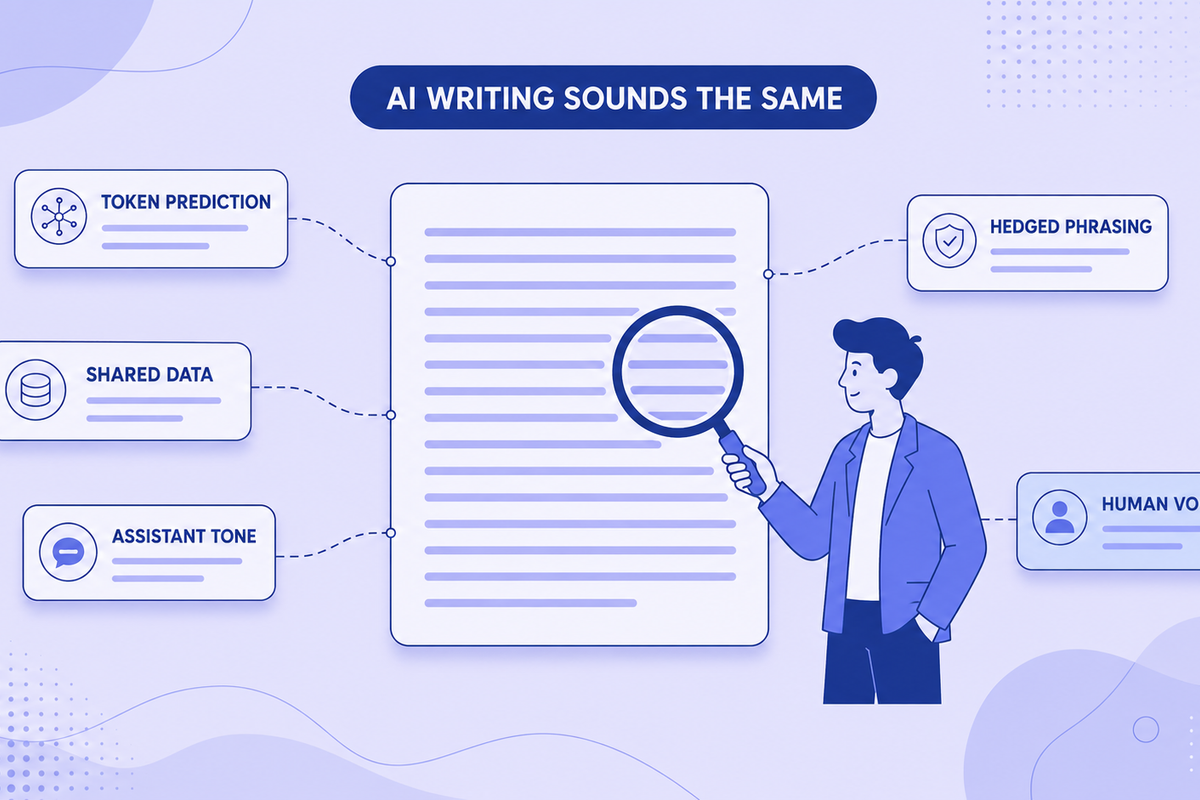
Why All AI Writing Sounds the Same (+ How to Fix It)
AI writing sounds identical due to token prediction and training overlap. Learn the technical causes plus practical fixes for style and watermarks.
Read more: Why All AI Writing Sounds the ...
Can Employers Tell If You Used AI? Spotting AI-Generated Text in Job Applications (2026)
Can recruiters detect an AI-written cover letter? What employers actually check in 2026, why AI detectors get it wrong, and why sounding like yourself matters more than hidden characters.
Read more: Can Employers Tell If You Used...
Em Dashes and ChatGPT: Why the Model Loves Them and How to Remove Them
ChatGPT overuses em dashes, a telltale AI signal. Why it happens, prompt-level fixes, and how to clean text that's already generated.
Read more: Em Dashes and ChatGPT: Why the...
Common AI Words to Avoid: The Complete List (Plus Why Your Text Gets Flagged)
50+ common AI words that flag your text as machine-written, with better alternatives. Plus what invisible Unicode characters are and the formatting problems they cause.
Read more: Common AI Words to Avoid: The ...
Does ChatGPT Watermark Text? What We Actually Know in 2026
Does ChatGPT watermark text? Here's what we actually know about invisible characters in AI output, what OpenAI has said, and what it means for detection.
Read more: Does ChatGPT Watermark Text? W...Learn MoreKnowledge Center
Explore technical explanations of AI watermarking, detection methods, and removal techniques. Each article covers mechanisms, applications, and limitations.
What Are AI Watermarks? (Text Watermarks Explained)
AI watermarks are invisible markers embedded into text generated by large language models (LLMs). Their purpose is to help identify whether a piece...
Read article: What Are AI Watermarks? (...Watermark Removal vs AI Detection: What's the Difference?
AI watermark removal and AI content detection are two separate processes that address different parts of how large language models (LLMs) generate ...
Read article: Watermark Removal vs AI D...Token Distribution in AI Watermarking: Why It Matters for Detection
Token distribution in AI watermarking refers to the intentional manipulation of token probability patterns within LLM-generated text to embed a hid...
Read article: Token Distribution in AI ...Why AI Detectors Fail: False Positives, False Negatives, and Model Bias
AI detectors attempt to estimate whether a piece of text was generated by a large language model (LLM). They rely on statistical patterns, token en...
Read article: Why AI Detectors Fail: Fa...Your Feedback MattersMissing Something? Have Ideas for Improvement?
We're constantly improving this tool and your ideas help us make it even better. Tell us what features you'd love to see!
Request a Feature
Have an idea for a new feature? Want to suggest an improvement? We listen and implement the best ideas!
New feature ideasImprovement suggestionsUser experience feedbackGeneral feedbackShare NowEvery idea counts - together we make this tool even better!Help & SupportFrequently Asked Questions
Find answers to the most common questions about our AI watermark remover.
AI watermarks are invisible characters, like zero-width spaces, that some AI tools insert into generated text. They don't affect readability, and their presence or absence has no bearing on whether AI-detection tools flag the text.
Our tool scans your text for invisible characters commonly used as AI watermarks, such as zero-width spaces and ASCII control characters. It then highlights these markers and can remove them completely while preserving your original content.
No. All text processing happens directly in your browser. We don't store, log, or transmit your text anywhere. Your privacy is our priority.
We detect various invisible characters including zero-width spaces, zero-width joiners, soft hyphens, word joiners, and ASCII control characters that AI tools might use as watermarks.
No. The tool only removes invisible characters used as watermarks. Your visible text, formatting, and meaning remain exactly the same.
Yes, the free version currently has a 500-character limit per operation. Signed-in users get 1,500 characters. This helps ensure fast processing and optimal performance.
Yes! You can upload Word (.docx) documents directly to our tool. We'll scan and remove invisible watermark characters from all sections including main content, headers, footers, footnotes, and comments—all while preserving your document's formatting and layout. Processing happens entirely in your browser, so your documents remain private.
Yes! You can upload Apple Pages (.pages) documents directly to our tool. We support both modern and legacy Pages formats. We'll scan and remove invisible watermark characters from your entire document while preserving all formatting, styles, and layout. All processing happens locally in your browser, ensuring your documents stay completely private.
Your documents are 100% secure and never leave your device. All document processing happens entirely in your browser using JavaScript. When you upload a Word or Pages document, it's read and modified locally on your computer—we never send your files to any server. This means your sensitive documents, personal information, and private content remain completely confidential. Even we can't see what you're processing. This client-side approach ensures maximum privacy and security for your documents.
If you clean a document using our document uploader and then copy-paste the text into the text detection area, you might see watermarks detected. This is normal and doesn't mean the cleaning failed. Here's why: Document cleaning preserves all formatting (bold, italics, spacing, etc.) to keep your document looking identical. When you copy this formatted text, some harmless formatting characters (like special spaces or unicode formatting marks) come along. Our text detection tool, which is designed to be more aggressive, might flag these formatting characters as potential watermarks. The document itself is clean—these are just formatting artifacts from the copy-paste process, not actual AI watermarks. For best results, use the cleaned document directly rather than copy-pasting its content.
Zero-width characters are invisible Unicode characters that take up no visual space but exist in the text data. Some AI systems, including ChatGPT, insert these into generated text as a byproduct of how the content was produced. Common types include zero-width spaces (U+200B), zero-width joiners (U+200D), and zero-width non-joiners (U+200C). Our tool detects and removes these invisible markers.
Our tool is free, processes text locally in your browser for privacy, and works on text from any source, because it operates on characters rather than on the model. Unlike other tools, we never store your text, offer document cleaning for Word and Pages files, and give signed-in users a 1,500-character limit, unlimited with Premium.
Yes! Simply copy text from ChatGPT, Claude, Gemini, or any AI chat and paste it directly into our tool. Our invisible character detector highlights any hidden characters, and you can clean the text with one click. This clean paste workflow is designed to be fast and seamless.
Paste your text into our detector tool. We'll scan for dozens of invisible Unicode characters, including zero-width spaces, zero-width joiners and other zero-width and control characters. Detected watermarks are highlighted so you can see exactly where they are in your text.
More Questions?
Try our tool and discover for yourself how easy it is!
Remove AI Watermarksfrom ChatGPT Text
Free AI watermark remover. Detect and remove invisible characters like zero-width spaces from text pasted out of AI chat tools. No registration, no data stored.
Removes invisible AI watermarksInstant detection and cleaningPrivate & secure - no data stored8,583 writers trust usDetected WatermarksExampleThis sample paragraph containshiddencharacters you can't seeCleanedThis sample paragraph contains hidden characters you can't see8,583Users100%In-browserProfessional AI Text CleaningRemove AI Watermarks
Professional AI text detection and cleaning
EditPreview500 / 5005/5 scansInstall Chrome ExtensionDashes (— – ‒ ―)60-second cooldown between scans
Sign in for enhanced features
Clean Word Documents (.docx)
Remove AI watermarks from Word files while preserving all formatting
Drop your Word document here
or click to browse files
Only .docx files • Max 50MB
All processing happens locally in your browser. Your document never leaves your device.
Clean Apple Pages Documents (.pages)
Remove AI watermarks from Pages files while preserving all formatting
Drop your Pages document here
or click to browse files
Only .pages files • Max 50MB
All processing happens locally in your browser. Your document never leaves your device.
Fully Private
All processing happens in your browser
Preserves Formatting
Your document stays visually identical
Instant Processing
Cleaned in seconds
New!Remove Gemini Image Watermarks for free
Clean AI-generated images from Google Gemini. Remove the visible watermark and strip EXIF metadata including GPS location - 100% free and private. SynthID embedded in the image pixels is not affected.
Remove visible watermarksStrip all metadata100% privateClean Images Now Before & AfterWhy Remove AI Watermarks?
Here's why you should remove invisible AI watermarks:
With Watermarks
Formatting
Invisible characters can break spacing, line wrapping, and alignment in Word, Google Docs, and PDFs
Code & data
Zero-width characters corrupt code, JSON, and find/search functions
Copy & paste
Hidden markers silently transfer between apps and documents
Privacy
Invisible characters mean what you paste isn't exactly what you copied
After Removal
Formatting
Clean, predictable spacing and layout wherever you paste
Code & data
Text behaves correctly in editors, terminals, and search
Copy & paste
What you copy is exactly what you get, with nothing hidden
Privacy
What you share should be exactly the characters you see. Cleaned text contains nothing you can't see.
Ready for clean text?Specialized Solutions for Every AI Model
Tailored guides and tools for ChatGPT, Gemini, Claude, and more.
ChatGPT Watermarks
What invisible characters appear in ChatGPT text and how to remove them.
Explore ChatGPT WatermarksGemini Watermarks
What's really in Gemini text (including SynthID) and what this tool can clean.
Explore Gemini WatermarksClaude Watermarks
How Claude's watermarking actually works, what this tool can and cannot remove, and how to clean invisible characters from Claude output.
Explore Claude WatermarksFor Students
Remove invisible characters that corrupt essay formatting, break citations, and cause copy-paste glitches in Word and Google Docs, plus guidance on using AI in line with your institution's policy.
Explore For StudentsBlogLatest Articles
Explore our latest guides on AI watermark detection, removal, and privacy.
Does Claude Watermark Its Text? Anthropic's Invisible Watermark, Explained
Claude now embeds an invisible watermark in generated text. Here's what Anthropic has confirmed, what a detected mark actually proves, and what weakens it.
Read more: Does Claude Watermark Its Text...Why All AI Writing Sounds the Same (+ How to Fix It)
AI writing sounds identical due to token prediction and training overlap. Learn the technical causes plus practical fixes for style and watermarks.
Read more: Why All AI Writing Sounds the ...Can Employers Tell If You Used AI? Spotting AI-Generated Text in Job Applications (2026)
Can recruiters detect an AI-written cover letter? What employers actually check in 2026, why AI detectors get it wrong, and why sounding like yourself matters more than hidden characters.
Read more: Can Employers Tell If You Used...Em Dashes and ChatGPT: Why the Model Loves Them and How to Remove Them
ChatGPT overuses em dashes, a telltale AI signal. Why it happens, prompt-level fixes, and how to clean text that's already generated.
Read more: Em Dashes and ChatGPT: Why the...Common AI Words to Avoid: The Complete List (Plus Why Your Text Gets Flagged)
50+ common AI words that flag your text as machine-written, with better alternatives. Plus what invisible Unicode characters are and the formatting problems they cause.
Read more: Common AI Words to Avoid: The ...Does ChatGPT Watermark Text? What We Actually Know in 2026
Does ChatGPT watermark text? Here's what we actually know about invisible characters in AI output, what OpenAI has said, and what it means for detection.
Read more: Does ChatGPT Watermark Text? W...Learn MoreKnowledge Center
Explore technical explanations of AI watermarking, detection methods, and removal techniques. Each article covers mechanisms, applications, and limitations.
What Are AI Watermarks? (Text Watermarks Explained)
AI watermarks are invisible markers embedded into text generated by large language models (LLMs). Their purpose is to help identify whether a piece...
Read article: What Are AI Watermarks? (...Watermark Removal vs AI Detection: What's the Difference?
AI watermark removal and AI content detection are two separate processes that address different parts of how large language models (LLMs) generate ...
Read article: Watermark Removal vs AI D...Token Distribution in AI Watermarking: Why It Matters for Detection
Token distribution in AI watermarking refers to the intentional manipulation of token probability patterns within LLM-generated text to embed a hid...
Read article: Token Distribution in AI ...Why AI Detectors Fail: False Positives, False Negatives, and Model Bias
AI detectors attempt to estimate whether a piece of text was generated by a large language model (LLM). They rely on statistical patterns, token en...
Read article: Why AI Detectors Fail: Fa...Your Feedback MattersMissing Something? Have Ideas for Improvement?
We're constantly improving this tool and your ideas help us make it even better. Tell us what features you'd love to see!
Request a Feature
Have an idea for a new feature? Want to suggest an improvement? We listen and implement the best ideas!
New feature ideasImprovement suggestionsUser experience feedbackGeneral feedbackShare NowEvery idea counts - together we make this tool even better!Help & SupportFrequently Asked Questions
Find answers to the most common questions about our AI watermark remover.
AI watermarks are invisible characters, like zero-width spaces, that some AI tools insert into generated text. They don't affect readability, and their presence or absence has no bearing on whether AI-detection tools flag the text.
Our tool scans your text for invisible characters commonly used as AI watermarks, such as zero-width spaces and ASCII control characters. It then highlights these markers and can remove them completely while preserving your original content.
No. All text processing happens directly in your browser. We don't store, log, or transmit your text anywhere. Your privacy is our priority.
We detect various invisible characters including zero-width spaces, zero-width joiners, soft hyphens, word joiners, and ASCII control characters that AI tools might use as watermarks.
No. The tool only removes invisible characters used as watermarks. Your visible text, formatting, and meaning remain exactly the same.
Yes, the free version currently has a 500-character limit per operation. Signed-in users get 1,500 characters. This helps ensure fast processing and optimal performance.
Yes! You can upload Word (.docx) documents directly to our tool. We'll scan and remove invisible watermark characters from all sections including main content, headers, footers, footnotes, and comments—all while preserving your document's formatting and layout. Processing happens entirely in your browser, so your documents remain private.
Yes! You can upload Apple Pages (.pages) documents directly to our tool. We support both modern and legacy Pages formats. We'll scan and remove invisible watermark characters from your entire document while preserving all formatting, styles, and layout. All processing happens locally in your browser, ensuring your documents stay completely private.
Your documents are 100% secure and never leave your device. All document processing happens entirely in your browser using JavaScript. When you upload a Word or Pages document, it's read and modified locally on your computer—we never send your files to any server. This means your sensitive documents, personal information, and private content remain completely confidential. Even we can't see what you're processing. This client-side approach ensures maximum privacy and security for your documents.
If you clean a document using our document uploader and then copy-paste the text into the text detection area, you might see watermarks detected. This is normal and doesn't mean the cleaning failed. Here's why: Document cleaning preserves all formatting (bold, italics, spacing, etc.) to keep your document looking identical. When you copy this formatted text, some harmless formatting characters (like special spaces or unicode formatting marks) come along. Our text detection tool, which is designed to be more aggressive, might flag these formatting characters as potential watermarks. The document itself is clean—these are just formatting artifacts from the copy-paste process, not actual AI watermarks. For best results, use the cleaned document directly rather than copy-pasting its content.
Zero-width characters are invisible Unicode characters that take up no visual space but exist in the text data. Some AI systems, including ChatGPT, insert these into generated text as a byproduct of how the content was produced. Common types include zero-width spaces (U+200B), zero-width joiners (U+200D), and zero-width non-joiners (U+200C). Our tool detects and removes these invisible markers.
Our tool is free, processes text locally in your browser for privacy, and works on text from any source, because it operates on characters rather than on the model. Unlike other tools, we never store your text, offer document cleaning for Word and Pages files, and give signed-in users a 1,500-character limit, unlimited with Premium.
Yes! Simply copy text from ChatGPT, Claude, Gemini, or any AI chat and paste it directly into our tool. Our invisible character detector highlights any hidden characters, and you can clean the text with one click. This clean paste workflow is designed to be fast and seamless.
Paste your text into our detector tool. We'll scan for dozens of invisible Unicode characters, including zero-width spaces, zero-width joiners and other zero-width and control characters. Detected watermarks are highlighted so you can see exactly where they are in your text.
More Questions?
Try our tool and discover for yourself how easy it is!
Remove AI Watermarksfrom ChatGPT Text
Free AI watermark remover. Detect and remove invisible characters like zero-width spaces from text pasted out of AI chat tools. No registration, no data stored.
Removes invisible AI watermarksInstant detection and cleaningPrivate & secure - no data stored8,583 writers trust usDetected WatermarksExampleThis sample paragraph containshiddencharacters you can't seeCleanedThis sample paragraph contains hidden characters you can't see8,583Users100%In-browserProfessional AI Text CleaningRemove AI Watermarks
Professional AI text detection and cleaning
EditPreview500 / 5005/5 scansInstall Chrome ExtensionDashes (— – ‒ ―)60-second cooldown between scans
Sign in for enhanced features
Clean Word Documents (.docx)
Remove AI watermarks from Word files while preserving all formatting
Drop your Word document here
or click to browse files
Only .docx files • Max 50MB
All processing happens locally in your browser. Your document never leaves your device.
Clean Apple Pages Documents (.pages)
Remove AI watermarks from Pages files while preserving all formatting
Drop your Pages document here
or click to browse files
Only .pages files • Max 50MB
All processing happens locally in your browser. Your document never leaves your device.
Fully Private
All processing happens in your browser
Preserves Formatting
Your document stays visually identical
Instant Processing
Cleaned in seconds
New!Remove Gemini Image Watermarks for free
Clean AI-generated images from Google Gemini. Remove the visible watermark and strip EXIF metadata including GPS location - 100% free and private. SynthID embedded in the image pixels is not affected.
Remove visible watermarksStrip all metadata100% privateClean Images Now Before & AfterWhy Remove AI Watermarks?
Here's why you should remove invisible AI watermarks:
With Watermarks
Formatting
Invisible characters can break spacing, line wrapping, and alignment in Word, Google Docs, and PDFs
Code & data
Zero-width characters corrupt code, JSON, and find/search functions
Copy & paste
Hidden markers silently transfer between apps and documents
Privacy
Invisible characters mean what you paste isn't exactly what you copied
After Removal
Formatting
Clean, predictable spacing and layout wherever you paste
Code & data
Text behaves correctly in editors, terminals, and search
Copy & paste
What you copy is exactly what you get, with nothing hidden
Privacy
What you share should be exactly the characters you see. Cleaned text contains nothing you can't see.
Ready for clean text?Specialized Solutions for Every AI Model
Tailored guides and tools for ChatGPT, Gemini, Claude, and more.
ChatGPT Watermarks
What invisible characters appear in ChatGPT text and how to remove them.
Explore ChatGPT WatermarksGemini Watermarks
What's really in Gemini text (including SynthID) and what this tool can clean.
Explore Gemini WatermarksClaude Watermarks
How Claude's watermarking actually works, what this tool can and cannot remove, and how to clean invisible characters from Claude output.
Explore Claude WatermarksFor Students
Remove invisible characters that corrupt essay formatting, break citations, and cause copy-paste glitches in Word and Google Docs, plus guidance on using AI in line with your institution's policy.
Explore For StudentsBlogLatest Articles
Explore our latest guides on AI watermark detection, removal, and privacy.
Does Claude Watermark Its Text? Anthropic's Invisible Watermark, Explained
Claude now embeds an invisible watermark in generated text. Here's what Anthropic has confirmed, what a detected mark actually proves, and what weakens it.
Read more: Does Claude Watermark Its Text...Why All AI Writing Sounds the Same (+ How to Fix It)
AI writing sounds identical due to token prediction and training overlap. Learn the technical causes plus practical fixes for style and watermarks.
Read more: Why All AI Writing Sounds the ...Can Employers Tell If You Used AI? Spotting AI-Generated Text in Job Applications (2026)
Can recruiters detect an AI-written cover letter? What employers actually check in 2026, why AI detectors get it wrong, and why sounding like yourself matters more than hidden characters.
Read more: Can Employers Tell If You Used...Em Dashes and ChatGPT: Why the Model Loves Them and How to Remove Them
ChatGPT overuses em dashes, a telltale AI signal. Why it happens, prompt-level fixes, and how to clean text that's already generated.
Read more: Em Dashes and ChatGPT: Why the...Common AI Words to Avoid: The Complete List (Plus Why Your Text Gets Flagged)
50+ common AI words that flag your text as machine-written, with better alternatives. Plus what invisible Unicode characters are and the formatting problems they cause.
Read more: Common AI Words to Avoid: The ...Does ChatGPT Watermark Text? What We Actually Know in 2026
Does ChatGPT watermark text? Here's what we actually know about invisible characters in AI output, what OpenAI has said, and what it means for detection.
Read more: Does ChatGPT Watermark Text? W...Learn MoreKnowledge Center
Explore technical explanations of AI watermarking, detection methods, and removal techniques. Each article covers mechanisms, applications, and limitations.
What Are AI Watermarks? (Text Watermarks Explained)
AI watermarks are invisible markers embedded into text generated by large language models (LLMs). Their purpose is to help identify whether a piece...
Read article: What Are AI Watermarks? (...Watermark Removal vs AI Detection: What's the Difference?
AI watermark removal and AI content detection are two separate processes that address different parts of how large language models (LLMs) generate ...
Read article: Watermark Removal vs AI D...Token Distribution in AI Watermarking: Why It Matters for Detection
Token distribution in AI watermarking refers to the intentional manipulation of token probability patterns within LLM-generated text to embed a hid...
Read article: Token Distribution in AI ...Why AI Detectors Fail: False Positives, False Negatives, and Model Bias
AI detectors attempt to estimate whether a piece of text was generated by a large language model (LLM). They rely on statistical patterns, token en...
Read article: Why AI Detectors Fail: Fa...Your Feedback MattersMissing Something? Have Ideas for Improvement?
We're constantly improving this tool and your ideas help us make it even better. Tell us what features you'd love to see!
Request a Feature
Have an idea for a new feature? Want to suggest an improvement? We listen and implement the best ideas!
New feature ideasImprovement suggestionsUser experience feedbackGeneral feedbackShare NowEvery idea counts - together we make this tool even better!Help & SupportFrequently Asked Questions
Find answers to the most common questions about our AI watermark remover.
AI watermarks are invisible characters, like zero-width spaces, that some AI tools insert into generated text. They don't affect readability, and their presence or absence has no bearing on whether AI-detection tools flag the text.
Our tool scans your text for invisible characters commonly used as AI watermarks, such as zero-width spaces and ASCII control characters. It then highlights these markers and can remove them completely while preserving your original content.
No. All text processing happens directly in your browser. We don't store, log, or transmit your text anywhere. Your privacy is our priority.
We detect various invisible characters including zero-width spaces, zero-width joiners, soft hyphens, word joiners, and ASCII control characters that AI tools might use as watermarks.
No. The tool only removes invisible characters used as watermarks. Your visible text, formatting, and meaning remain exactly the same.
Yes, the free version currently has a 500-character limit per operation. Signed-in users get 1,500 characters. This helps ensure fast processing and optimal performance.
Yes! You can upload Word (.docx) documents directly to our tool. We'll scan and remove invisible watermark characters from all sections including main content, headers, footers, footnotes, and comments—all while preserving your document's formatting and layout. Processing happens entirely in your browser, so your documents remain private.
Yes! You can upload Apple Pages (.pages) documents directly to our tool. We support both modern and legacy Pages formats. We'll scan and remove invisible watermark characters from your entire document while preserving all formatting, styles, and layout. All processing happens locally in your browser, ensuring your documents stay completely private.
Your documents are 100% secure and never leave your device. All document processing happens entirely in your browser using JavaScript. When you upload a Word or Pages document, it's read and modified locally on your computer—we never send your files to any server. This means your sensitive documents, personal information, and private content remain completely confidential. Even we can't see what you're processing. This client-side approach ensures maximum privacy and security for your documents.
If you clean a document using our document uploader and then copy-paste the text into the text detection area, you might see watermarks detected. This is normal and doesn't mean the cleaning failed. Here's why: Document cleaning preserves all formatting (bold, italics, spacing, etc.) to keep your document looking identical. When you copy this formatted text, some harmless formatting characters (like special spaces or unicode formatting marks) come along. Our text detection tool, which is designed to be more aggressive, might flag these formatting characters as potential watermarks. The document itself is clean—these are just formatting artifacts from the copy-paste process, not actual AI watermarks. For best results, use the cleaned document directly rather than copy-pasting its content.
Zero-width characters are invisible Unicode characters that take up no visual space but exist in the text data. Some AI systems, including ChatGPT, insert these into generated text as a byproduct of how the content was produced. Common types include zero-width spaces (U+200B), zero-width joiners (U+200D), and zero-width non-joiners (U+200C). Our tool detects and removes these invisible markers.
Our tool is free, processes text locally in your browser for privacy, and works on text from any source, because it operates on characters rather than on the model. Unlike other tools, we never store your text, offer document cleaning for Word and Pages files, and give signed-in users a 1,500-character limit, unlimited with Premium.
Yes! Simply copy text from ChatGPT, Claude, Gemini, or any AI chat and paste it directly into our tool. Our invisible character detector highlights any hidden characters, and you can clean the text with one click. This clean paste workflow is designed to be fast and seamless.
Paste your text into our detector tool. We'll scan for dozens of invisible Unicode characters, including zero-width spaces, zero-width joiners and other zero-width and control characters. Detected watermarks are highlighted so you can see exactly where they are in your text.
More Questions?
Try our tool and discover for yourself how easy it is!
Node.js Script
#!/usr/bin/env node

const fs = require('fs');

const PATTERN = /[\u200B-\u200D\uFEFF\u00AD\u2060]/g;

function checkFile(filepath) {
  try {
    const text = fs.readFileSync(filepath, 'utf-8');
    const matches = text.match(PATTERN);
    const count = matches ? matches.length : 0;

    console.log(`\n${'='.repeat(60)}`);
    console.log(`File: ${filepath}`);
    console.log('='.repeat(60));

    if (count === 0) {
      console.log('✓ No watermarks detected');
      return false;
    }

    const density = (count / text.length * 1000).toFixed(2);

    console.log(`⚠ Watermarks detected: ${count}`);
    console.log(`Density: ${density} per 1000 characters`);

    return true;
  } catch (error) {
    console.error(`Error: ${error.message}`);
    return false;
  }
}

// Run
const filepath = process.argv[2];
if (!filepath) {
  console.log('Usage: node check_watermarks.js <file>');
  process.exit(1);
}

const hasWatermarks = checkFile(filepath);
process.exit(hasWatermarks ? 1 : 0);
Method 6: Hex Editor Inspection
The most technical method—viewing raw bytes.
Using HxD (Windows) or Hex Fiend (Mac)
Step 1: Open file in hex editor
Step 2: Search for byte patterns
Zero-Width Space: E2 80 8B
Zero-Width Non-Joiner: E2 80 8C
Zero-Width Joiner: E2 80 8D
Step 3: Count occurrences
Hex editors show frequency of each byte pattern
Step 4: Assess
- Multiple occurrences = likely watermarks
- Regular spacing = intentional watermarking
- Random = possibly accidental
Method 7: Automated CI/CD Checking
Integrate watermark detection into your development workflow.
GitHub Actions
name: Check for Watermarks
on: [push, pull_request]
jobs:
watermark-check:
runs-on: ubuntu-latest
steps:
- uses: actions/checkout@v2
- name: Check files for watermarks
run: |
#!/bin/bash
found_watermarks=false
for file in $(find . -name "*.txt" -o -name "*.md" -o -name "*.py"); do
if grep -q Remove AI Watermarksfrom ChatGPT Text
Free AI watermark remover. Detect and remove invisible characters like zero-width spaces from text pasted out of AI chat tools. No registration, no data stored.
Removes invisible AI watermarksInstant detection and cleaningPrivate & secure - no data stored8,583 writers trust usDetected WatermarksExampleThis sample paragraph containshiddencharacters you can't seeCleanedThis sample paragraph contains hidden characters you can't see8,583Users100%In-browserProfessional AI Text CleaningRemove AI Watermarks
Professional AI text detection and cleaning
EditPreview500 / 5005/5 scansInstall Chrome ExtensionDashes (— – ‒ ―)60-second cooldown between scans
Sign in for enhanced features
Clean Word Documents (.docx)
Remove AI watermarks from Word files while preserving all formatting
Drop your Word document here
or click to browse files
Only .docx files • Max 50MB
All processing happens locally in your browser. Your document never leaves your device.
Clean Apple Pages Documents (.pages)
Remove AI watermarks from Pages files while preserving all formatting
Drop your Pages document here
or click to browse files
Only .pages files • Max 50MB
All processing happens locally in your browser. Your document never leaves your device.
Fully Private
All processing happens in your browser
Preserves Formatting
Your document stays visually identical
Instant Processing
Cleaned in seconds
New!Remove Gemini Image Watermarks for free
Clean AI-generated images from Google Gemini. Remove the visible watermark and strip EXIF metadata including GPS location - 100% free and private. SynthID embedded in the image pixels is not affected.
Remove visible watermarksStrip all metadata100% privateClean Images Now Before & AfterWhy Remove AI Watermarks?
Here's why you should remove invisible AI watermarks:
With Watermarks
Formatting
Invisible characters can break spacing, line wrapping, and alignment in Word, Google Docs, and PDFs
Code & data
Zero-width characters corrupt code, JSON, and find/search functions
Copy & paste
Hidden markers silently transfer between apps and documents
Privacy
Invisible characters mean what you paste isn't exactly what you copied
After Removal
Formatting
Clean, predictable spacing and layout wherever you paste
Code & data
Text behaves correctly in editors, terminals, and search
Copy & paste
What you copy is exactly what you get, with nothing hidden
Privacy
What you share should be exactly the characters you see. Cleaned text contains nothing you can't see.
Ready for clean text?Specialized Solutions for Every AI Model
Tailored guides and tools for ChatGPT, Gemini, Claude, and more.
ChatGPT Watermarks
What invisible characters appear in ChatGPT text and how to remove them.
Explore ChatGPT WatermarksGemini Watermarks
What's really in Gemini text (including SynthID) and what this tool can clean.
Explore Gemini WatermarksClaude Watermarks
How Claude's watermarking actually works, what this tool can and cannot remove, and how to clean invisible characters from Claude output.
Explore Claude WatermarksFor Students
Remove invisible characters that corrupt essay formatting, break citations, and cause copy-paste glitches in Word and Google Docs, plus guidance on using AI in line with your institution's policy.
Explore For StudentsBlogLatest Articles
Explore our latest guides on AI watermark detection, removal, and privacy.
Does Claude Watermark Its Text? Anthropic's Invisible Watermark, Explained
Claude now embeds an invisible watermark in generated text. Here's what Anthropic has confirmed, what a detected mark actually proves, and what weakens it.
Read more: Does Claude Watermark Its Text...Why All AI Writing Sounds the Same (+ How to Fix It)
AI writing sounds identical due to token prediction and training overlap. Learn the technical causes plus practical fixes for style and watermarks.
Read more: Why All AI Writing Sounds the ...Can Employers Tell If You Used AI? Spotting AI-Generated Text in Job Applications (2026)
Can recruiters detect an AI-written cover letter? What employers actually check in 2026, why AI detectors get it wrong, and why sounding like yourself matters more than hidden characters.
Read more: Can Employers Tell If You Used...Em Dashes and ChatGPT: Why the Model Loves Them and How to Remove Them
ChatGPT overuses em dashes, a telltale AI signal. Why it happens, prompt-level fixes, and how to clean text that's already generated.
Read more: Em Dashes and ChatGPT: Why the...Common AI Words to Avoid: The Complete List (Plus Why Your Text Gets Flagged)
50+ common AI words that flag your text as machine-written, with better alternatives. Plus what invisible Unicode characters are and the formatting problems they cause.
Read more: Common AI Words to Avoid: The ...Does ChatGPT Watermark Text? What We Actually Know in 2026
Does ChatGPT watermark text? Here's what we actually know about invisible characters in AI output, what OpenAI has said, and what it means for detection.
Read more: Does ChatGPT Watermark Text? W...Learn MoreKnowledge Center
Explore technical explanations of AI watermarking, detection methods, and removal techniques. Each article covers mechanisms, applications, and limitations.
What Are AI Watermarks? (Text Watermarks Explained)
AI watermarks are invisible markers embedded into text generated by large language models (LLMs). Their purpose is to help identify whether a piece...
Read article: What Are AI Watermarks? (...Watermark Removal vs AI Detection: What's the Difference?
AI watermark removal and AI content detection are two separate processes that address different parts of how large language models (LLMs) generate ...
Read article: Watermark Removal vs AI D...Token Distribution in AI Watermarking: Why It Matters for Detection
Token distribution in AI watermarking refers to the intentional manipulation of token probability patterns within LLM-generated text to embed a hid...
Read article: Token Distribution in AI ...Why AI Detectors Fail: False Positives, False Negatives, and Model Bias
AI detectors attempt to estimate whether a piece of text was generated by a large language model (LLM). They rely on statistical patterns, token en...
Read article: Why AI Detectors Fail: Fa...Your Feedback MattersMissing Something? Have Ideas for Improvement?
We're constantly improving this tool and your ideas help us make it even better. Tell us what features you'd love to see!
Request a Feature
Have an idea for a new feature? Want to suggest an improvement? We listen and implement the best ideas!
New feature ideasImprovement suggestionsUser experience feedbackGeneral feedbackShare NowEvery idea counts - together we make this tool even better!Help & SupportFrequently Asked Questions
Find answers to the most common questions about our AI watermark remover.
AI watermarks are invisible characters, like zero-width spaces, that some AI tools insert into generated text. They don't affect readability, and their presence or absence has no bearing on whether AI-detection tools flag the text.
Our tool scans your text for invisible characters commonly used as AI watermarks, such as zero-width spaces and ASCII control characters. It then highlights these markers and can remove them completely while preserving your original content.
No. All text processing happens directly in your browser. We don't store, log, or transmit your text anywhere. Your privacy is our priority.
We detect various invisible characters including zero-width spaces, zero-width joiners, soft hyphens, word joiners, and ASCII control characters that AI tools might use as watermarks.
No. The tool only removes invisible characters used as watermarks. Your visible text, formatting, and meaning remain exactly the same.
Yes, the free version currently has a 500-character limit per operation. Signed-in users get 1,500 characters. This helps ensure fast processing and optimal performance.
Yes! You can upload Word (.docx) documents directly to our tool. We'll scan and remove invisible watermark characters from all sections including main content, headers, footers, footnotes, and comments—all while preserving your document's formatting and layout. Processing happens entirely in your browser, so your documents remain private.
Yes! You can upload Apple Pages (.pages) documents directly to our tool. We support both modern and legacy Pages formats. We'll scan and remove invisible watermark characters from your entire document while preserving all formatting, styles, and layout. All processing happens locally in your browser, ensuring your documents stay completely private.
Your documents are 100% secure and never leave your device. All document processing happens entirely in your browser using JavaScript. When you upload a Word or Pages document, it's read and modified locally on your computer—we never send your files to any server. This means your sensitive documents, personal information, and private content remain completely confidential. Even we can't see what you're processing. This client-side approach ensures maximum privacy and security for your documents.
If you clean a document using our document uploader and then copy-paste the text into the text detection area, you might see watermarks detected. This is normal and doesn't mean the cleaning failed. Here's why: Document cleaning preserves all formatting (bold, italics, spacing, etc.) to keep your document looking identical. When you copy this formatted text, some harmless formatting characters (like special spaces or unicode formatting marks) come along. Our text detection tool, which is designed to be more aggressive, might flag these formatting characters as potential watermarks. The document itself is clean—these are just formatting artifacts from the copy-paste process, not actual AI watermarks. For best results, use the cleaned document directly rather than copy-pasting its content.
Zero-width characters are invisible Unicode characters that take up no visual space but exist in the text data. Some AI systems, including ChatGPT, insert these into generated text as a byproduct of how the content was produced. Common types include zero-width spaces (U+200B), zero-width joiners (U+200D), and zero-width non-joiners (U+200C). Our tool detects and removes these invisible markers.
Our tool is free, processes text locally in your browser for privacy, and works on text from any source, because it operates on characters rather than on the model. Unlike other tools, we never store your text, offer document cleaning for Word and Pages files, and give signed-in users a 1,500-character limit, unlimited with Premium.
Yes! Simply copy text from ChatGPT, Claude, Gemini, or any AI chat and paste it directly into our tool. Our invisible character detector highlights any hidden characters, and you can clean the text with one click. This clean paste workflow is designed to be fast and seamless.
Paste your text into our detector tool. We'll scan for dozens of invisible Unicode characters, including zero-width spaces, zero-width joiners and other zero-width and control characters. Detected watermarks are highlighted so you can see exactly where they are in your text.
More Questions?
Try our tool and discover for yourself how easy it is!
Pre-Commit Hook
#!/bin/bash
# .git/hooks/pre-commit
echo "Checking for watermarks..."
FILES=$(git diff --cached --name-only --diff-filter=ACM)
for FILE in $FILES; do
if [ -f "$FILE" ]; then
if grep -q Remove AI Watermarksfrom ChatGPT Text
Free AI watermark remover. Detect and remove invisible characters like zero-width spaces from text pasted out of AI chat tools. No registration, no data stored.
Removes invisible AI watermarksInstant detection and cleaningPrivate & secure - no data stored8,583 writers trust usDetected WatermarksExampleThis sample paragraph containshiddencharacters you can't seeCleanedThis sample paragraph contains hidden characters you can't see8,583Users100%In-browserProfessional AI Text CleaningRemove AI Watermarks
Professional AI text detection and cleaning
EditPreview500 / 5005/5 scansInstall Chrome ExtensionDashes (— – ‒ ―)60-second cooldown between scans
Sign in for enhanced features
Clean Word Documents (.docx)
Remove AI watermarks from Word files while preserving all formatting
Drop your Word document here
or click to browse files
Only .docx files • Max 50MB
All processing happens locally in your browser. Your document never leaves your device.
Clean Apple Pages Documents (.pages)
Remove AI watermarks from Pages files while preserving all formatting
Drop your Pages document here
or click to browse files
Only .pages files • Max 50MB
All processing happens locally in your browser. Your document never leaves your device.
Fully Private
All processing happens in your browser
Preserves Formatting
Your document stays visually identical
Instant Processing
Cleaned in seconds
New!Remove Gemini Image Watermarks for free
Clean AI-generated images from Google Gemini. Remove the visible watermark and strip EXIF metadata including GPS location - 100% free and private. SynthID embedded in the image pixels is not affected.
Remove visible watermarksStrip all metadata100% privateClean Images Now Before & AfterWhy Remove AI Watermarks?
Here's why you should remove invisible AI watermarks:
With Watermarks
Formatting
Invisible characters can break spacing, line wrapping, and alignment in Word, Google Docs, and PDFs
Code & data
Zero-width characters corrupt code, JSON, and find/search functions
Copy & paste
Hidden markers silently transfer between apps and documents
Privacy
Invisible characters mean what you paste isn't exactly what you copied
After Removal
Formatting
Clean, predictable spacing and layout wherever you paste
Code & data
Text behaves correctly in editors, terminals, and search
Copy & paste
What you copy is exactly what you get, with nothing hidden
Privacy
What you share should be exactly the characters you see. Cleaned text contains nothing you can't see.
Ready for clean text?Specialized Solutions for Every AI Model
Tailored guides and tools for ChatGPT, Gemini, Claude, and more.
ChatGPT Watermarks
What invisible characters appear in ChatGPT text and how to remove them.
Explore ChatGPT WatermarksGemini Watermarks
What's really in Gemini text (including SynthID) and what this tool can clean.
Explore Gemini WatermarksClaude Watermarks
How Claude's watermarking actually works, what this tool can and cannot remove, and how to clean invisible characters from Claude output.
Explore Claude WatermarksFor Students
Remove invisible characters that corrupt essay formatting, break citations, and cause copy-paste glitches in Word and Google Docs, plus guidance on using AI in line with your institution's policy.
Explore For StudentsBlogLatest Articles
Explore our latest guides on AI watermark detection, removal, and privacy.
Does Claude Watermark Its Text? Anthropic's Invisible Watermark, Explained
Claude now embeds an invisible watermark in generated text. Here's what Anthropic has confirmed, what a detected mark actually proves, and what weakens it.
Read more: Does Claude Watermark Its Text...Why All AI Writing Sounds the Same (+ How to Fix It)
AI writing sounds identical due to token prediction and training overlap. Learn the technical causes plus practical fixes for style and watermarks.
Read more: Why All AI Writing Sounds the ...Can Employers Tell If You Used AI? Spotting AI-Generated Text in Job Applications (2026)
Can recruiters detect an AI-written cover letter? What employers actually check in 2026, why AI detectors get it wrong, and why sounding like yourself matters more than hidden characters.
Read more: Can Employers Tell If You Used...Em Dashes and ChatGPT: Why the Model Loves Them and How to Remove Them
ChatGPT overuses em dashes, a telltale AI signal. Why it happens, prompt-level fixes, and how to clean text that's already generated.
Read more: Em Dashes and ChatGPT: Why the...Common AI Words to Avoid: The Complete List (Plus Why Your Text Gets Flagged)
50+ common AI words that flag your text as machine-written, with better alternatives. Plus what invisible Unicode characters are and the formatting problems they cause.
Read more: Common AI Words to Avoid: The ...Does ChatGPT Watermark Text? What We Actually Know in 2026
Does ChatGPT watermark text? Here's what we actually know about invisible characters in AI output, what OpenAI has said, and what it means for detection.
Read more: Does ChatGPT Watermark Text? W...Learn MoreKnowledge Center
Explore technical explanations of AI watermarking, detection methods, and removal techniques. Each article covers mechanisms, applications, and limitations.
What Are AI Watermarks? (Text Watermarks Explained)
AI watermarks are invisible markers embedded into text generated by large language models (LLMs). Their purpose is to help identify whether a piece...
Read article: What Are AI Watermarks? (...Watermark Removal vs AI Detection: What's the Difference?
AI watermark removal and AI content detection are two separate processes that address different parts of how large language models (LLMs) generate ...
Read article: Watermark Removal vs AI D...Token Distribution in AI Watermarking: Why It Matters for Detection
Token distribution in AI watermarking refers to the intentional manipulation of token probability patterns within LLM-generated text to embed a hid...
Read article: Token Distribution in AI ...Why AI Detectors Fail: False Positives, False Negatives, and Model Bias
AI detectors attempt to estimate whether a piece of text was generated by a large language model (LLM). They rely on statistical patterns, token en...
Read article: Why AI Detectors Fail: Fa...Your Feedback MattersMissing Something? Have Ideas for Improvement?
We're constantly improving this tool and your ideas help us make it even better. Tell us what features you'd love to see!
Request a Feature
Have an idea for a new feature? Want to suggest an improvement? We listen and implement the best ideas!
New feature ideasImprovement suggestionsUser experience feedbackGeneral feedbackShare NowEvery idea counts - together we make this tool even better!Help & SupportFrequently Asked Questions
Find answers to the most common questions about our AI watermark remover.
AI watermarks are invisible characters, like zero-width spaces, that some AI tools insert into generated text. They don't affect readability, and their presence or absence has no bearing on whether AI-detection tools flag the text.
Our tool scans your text for invisible characters commonly used as AI watermarks, such as zero-width spaces and ASCII control characters. It then highlights these markers and can remove them completely while preserving your original content.
No. All text processing happens directly in your browser. We don't store, log, or transmit your text anywhere. Your privacy is our priority.
We detect various invisible characters including zero-width spaces, zero-width joiners, soft hyphens, word joiners, and ASCII control characters that AI tools might use as watermarks.
No. The tool only removes invisible characters used as watermarks. Your visible text, formatting, and meaning remain exactly the same.
Yes, the free version currently has a 500-character limit per operation. Signed-in users get 1,500 characters. This helps ensure fast processing and optimal performance.
Yes! You can upload Word (.docx) documents directly to our tool. We'll scan and remove invisible watermark characters from all sections including main content, headers, footers, footnotes, and comments—all while preserving your document's formatting and layout. Processing happens entirely in your browser, so your documents remain private.
Yes! You can upload Apple Pages (.pages) documents directly to our tool. We support both modern and legacy Pages formats. We'll scan and remove invisible watermark characters from your entire document while preserving all formatting, styles, and layout. All processing happens locally in your browser, ensuring your documents stay completely private.
Your documents are 100% secure and never leave your device. All document processing happens entirely in your browser using JavaScript. When you upload a Word or Pages document, it's read and modified locally on your computer—we never send your files to any server. This means your sensitive documents, personal information, and private content remain completely confidential. Even we can't see what you're processing. This client-side approach ensures maximum privacy and security for your documents.
If you clean a document using our document uploader and then copy-paste the text into the text detection area, you might see watermarks detected. This is normal and doesn't mean the cleaning failed. Here's why: Document cleaning preserves all formatting (bold, italics, spacing, etc.) to keep your document looking identical. When you copy this formatted text, some harmless formatting characters (like special spaces or unicode formatting marks) come along. Our text detection tool, which is designed to be more aggressive, might flag these formatting characters as potential watermarks. The document itself is clean—these are just formatting artifacts from the copy-paste process, not actual AI watermarks. For best results, use the cleaned document directly rather than copy-pasting its content.
Zero-width characters are invisible Unicode characters that take up no visual space but exist in the text data. Some AI systems, including ChatGPT, insert these into generated text as a byproduct of how the content was produced. Common types include zero-width spaces (U+200B), zero-width joiners (U+200D), and zero-width non-joiners (U+200C). Our tool detects and removes these invisible markers.
Our tool is free, processes text locally in your browser for privacy, and works on text from any source, because it operates on characters rather than on the model. Unlike other tools, we never store your text, offer document cleaning for Word and Pages files, and give signed-in users a 1,500-character limit, unlimited with Premium.
Yes! Simply copy text from ChatGPT, Claude, Gemini, or any AI chat and paste it directly into our tool. Our invisible character detector highlights any hidden characters, and you can clean the text with one click. This clean paste workflow is designed to be fast and seamless.
Paste your text into our detector tool. We'll scan for dozens of invisible Unicode characters, including zero-width spaces, zero-width joiners and other zero-width and control characters. Detected watermarks are highlighted so you can see exactly where they are in your text.
More Questions?
Try our tool and discover for yourself how easy it is!
Understanding Check Results
What Different Results Mean
Result: "0 watermarks detected"
- Text is clean
- Safe to use as-is
- No invisible characters present
Result: "1-5 watermarks detected, low density"
- Possibly accidental
- May be legitimate Unicode usage (RTL text, etc.)
- Check context before concluding AI generation
Result: "10-50 watermarks detected, medium density"
- Likely intentional watermarking
- High probability of AI generation
- Consider removal if causing issues
Result: "50+ watermarks detected, high density"
- Definitely intentional watermarking
- Almost certainly AI-generated
- Removal strongly recommended
Pattern Analysis
Regular spacing pattern:
Word[ZWSP]word[ZWSP]word[ZWSP]word
= Systematic AI watermarking
Random distribution:
Word[ZWSP]word[ZWNJ]several[ZWJ]words[ZWSP]later
= Sophisticated watermarking or accidental
Clustered:
Normal text here[ZWSP][ZWNJ][ZWJ]more normal text
= Copy-paste artifact or encoding issue
Troubleshooting Detection Issues
"No watermarks found" but text seems suspicious
Possible reasons:
- Statistical watermarks (not character-based)
- Watermarks already removed
- Different AI model (doesn't watermark)
- Human-written with AI-like style
Next steps:
- Use AI content detectors (GPTZero, Originality.ai)
- Analyze writing patterns manually
- Check multiple sections
Detection tool gives error
Common issues:
- File encoding not UTF-8
- Corrupted file
- Unsupported format
- File too large
Solutions:
# Convert to UTF-8
iconv -f ISO-8859-1 -t UTF-8 input.txt > output.txt

# Check encoding
file -i filename.txt

# Reduce file size
head -n 1000 large_file.txt > sample.txt
Different methods give different results
Why:
- Different characters scanned
- Different sensitivity thresholds
- Some methods detect statistical patterns
- Some only detect character watermarks
Resolution: Use most comprehensive method (online checker) as authoritative
Best Practices for Regular Checking
For Educators
Workflow:
1. Receive student submission
2. Run quick check using [online tool](/)
3. If watermarks found:
   - Review the content
   - Check if AI usage is disclosed
   - Assess appropriateness
4. If suspicious:
   - Use additional AI detectors
   - Have conversation with student
For Developers
Git workflow:
# Add pre-commit hook
cp check_watermarks.sh .git/hooks/pre-commit
chmod +x .git/hooks/pre-commit

# Check before pull requests
python check_watermarks.py $(git diff --name-only main...HEAD)
For Content Managers
Publishing checklist:
☐ Run watermark check on all content
☐ Remove if found (unless disclosure required)
☐ Verify formatting intact after removal
☐ Final QA review
☐ Publish
For Organizations
Policy framework:
1. Establish AI usage policy
2. Require watermark checking for:
   - Client-facing content
   - Published materials
   - Legal documents
3. Train staff on checking methods
4. Implement automated checking where possible
5. Regular audits
Conclusion
Checking for ChatGPT watermarks doesn't have to be complicated. Whether you use the instant online checker, command-line scripts, or text editor methods, the key is having a reliable process you can trust.
Quick Recommendations:
- Fastest: Online checker (5-10 seconds)
- Most thorough: Browser DevTools with position mapping
- Automation: Python script or pre-commit hooks
- Non-technical: Text editor visibility + character count test
Remember: detecting watermarks is the first step. Understanding what to do with that information—respecting academic integrity, fixing technical issues, maintaining privacy—is equally important.
Check Your Text Now - Free Tool
Ready to check for ChatGPT watermarks?
👉 Check for Watermarks - Free & Instant
Features:
- ⚡ Results in 5-10 seconds
- 🔍 Detects all watermark types
- 📊 Detailed analysis with visualization
- 📄 Supports text and documents
- 🔒 100% private (browser-based)
- ✅ One-click removal if found
- 🆓 Unlimited free checks
Related Articles:
- How to Detect ChatGPT Watermarks
- Invisible Characters in ChatGPT Text
- How to Remove ChatGPT Watermarks
Questions? Visit our FAQ or check your text now.
Related Knowledge Articles
Ready to Remove AI Watermarks?
Try our free AI watermark removal tool. Detect and clean invisible characters from your text and documents in seconds.
Try GPT Watermark RemoverRecommended Articles
Can Employers Tell If You Used AI? Spotting AI-Generated Text in Job Applications (2026)
Can recruiters detect an AI-written cover letter? What employers actually check in 2026, why AI detectors get it wrong, and why sounding like yourself matters more than hidden characters.

Where to Check AI Writing: The Best Tools and Methods for 2026
Discover the best tools and methods to check AI-generated writing in 2026, from pattern-based detectors like GPTZero to invisible watermark scanners.
Em Dashes and ChatGPT: Why the Model Loves Them and How to Remove Them
ChatGPT overuses em dashes, a telltale AI signal. Why it happens, prompt-level fixes, and how to clean text that's already generated.
Common AI Words to Avoid: The Complete List (Plus Why Your Text Gets Flagged)
50+ common AI words that flag your text as machine-written, with better alternatives. Plus what invisible Unicode characters are and the formatting problems they cause.