Common AI Words to Avoid: The Complete List (Plus Why Your Text Gets Flagged)
50+ common AI words that flag your text as machine-written, with better alternatives. Plus what invisible Unicode characters are and the formatting problems they cause.
The short answer: The most common AI words to avoid fall into five groups — filler transitions ("furthermore", "moreover", "in conclusion"), hollow intensifiers ("very", "extremely", "incredibly"), vague qualifiers ("various", "numerous", "several"), corporate verbs ("utilize", "facilitate", "leverage"), and predictable openers ("it is worth noting that", "it is important to note"). Swapping these out is the single fastest edit you can make on AI-generated text. There is also a separate, unrelated issue worth knowing about: invisible Unicode characters that ride along in pasted AI output. These do not affect what an AI-writing detector reports — detectors read the visible words — but they can break formatting, corrupt code, and snag ATS parsers, so they are worth cleaning up for their own reasons.
Why AI Writing Has a Recognizable Vocabulary
Large language models generate text by predicting the most statistically likely next token given the preceding context. The output skews heavily toward whichever words appear most often in the training data — and in that data, formal, hedged, structured prose dominates.
These models train on web text, academic papers, and edited journalism. Those sources favor transitional phrases, polite hedges, and comprehensive-sounding qualifiers. When a model produces "furthermore, it is worth noting that this approach facilitates a more holistic understanding," it is doing exactly what it was trained to do: reproduce the statistical pattern of formal writing.
The side effect is that AI output clusters around the same vocabulary regardless of the prompt. Ask ten different people to draft a paragraph on the same topic and you get ten distinct voices. Ask ChatGPT, Claude, and Gemini for the same paragraph and you get three pieces that share most of the same sentence structures and word choices.
The Most Common AI Words and Phrases by Category
Breaking the list by category makes editing faster. Each group has a different cause and a different fix.
Hollow Transition Words
These are the words AI uses to signal that one idea is following another. Human writers use transitions too, but they tend to vary them or drop them when the connection is obvious from context. AI writers stack them.
- Furthermore
- Moreover
- Additionally
- In addition
- Consequently
- Subsequently
- Nevertheless
- Nonetheless
- Notably
- Importantly
The fix: cut the transition word and read the sentence without it. If the meaning holds, it was not needed. If you need a connector, use a specific one ("three days later", "as a result of that decision") rather than a generic one.
Vague Qualifiers and Filler Intensifiers
AI models hedge frequently because hedged claims are statistically safer — they appear correct more often. The result is sentences padded with qualifiers that add no actual information.
- Various
- Numerous
- Several
- Many
- Incredibly
- Extremely
- Highly
- Very
- Quite
- Particularly
The fix: replace with a specific number or qualifier ("three", "14 of the 20 respondents") or remove the word entirely. "Extremely important" and "important" carry the same weight — one just wastes a word.
Overused Buzzwords and Corporate Verbs
These appear frequently in business and academic writing and therefore appear frequently in AI output. They sound authoritative but mean almost nothing without more specific context.
- Utilize (instead of "use")
- Facilitate
- Endeavor
- Demonstrate
- Indicate
- Implement
- Address
- Enhance
- Achieve
- Provide
The fix: choose the shorter, more direct verb. "Use" beats "utilize" every time. "Show" is clearer than "demonstrate". "Try" is more honest than "endeavor".
AI Paragraph Openers to Avoid
AI models have strong preferences for how they begin paragraphs, especially when structuring an explanation. These openers are among the most recognizable signals in AI-generated text.
- "It is worth noting that..."
- "It is important to note that..."
- "It is essential to understand that..."
- "One must consider that..."
- "In order to fully appreciate..."
- "When considering the broader context..."
- "As previously mentioned..."
- "Having established that..."
- "To summarize the above..."
- "In conclusion, it is clear that..."
The fix: start with the actual claim. If something is worth noting, just note it. Drop the preamble and open with the fact or opinion directly.
Comprehensive-Sounding Phrases That Say Nothing
AI writing often tries to sound thorough by adding phrases that signal completeness without adding information. These are especially common in introductions and conclusions.
- "A comprehensive overview of..."
- "A wide range of..."
- "A myriad of..."
- "In the ever-changing world of..."
- "At the end of the day..."
- "The fact of the matter is..."
- "It goes without saying that..."
- "All things considered..."
- "When all is said and done..."
- "By and large..."
The fix: delete the phrase and start the sentence at the actual content. "A wide range of studies have shown X" becomes "Studies show X". The meaning is identical and the sentence is tighter.
Why Changing Your Words Alone May Not Clear a Detection Flag
Swapping vocabulary is a good edit, but it addresses only one layer of what AI-writing detectors look at. They work on multiple signals at once, and vocabulary is just one of them.
AI detection tools analyze sentence length variance, syntactic patterns, and the statistical predictability of token sequences across the visible text. A piece of writing can use perfectly natural vocabulary and still score high on AI probability if its sentence rhythms are too uniform or its structure too systematic.
A separate, often-overlooked issue is invisible Unicode characters. ChatGPT, Claude, and Gemini output zero-width spaces, zero-width joiners, and ASCII control characters in their text. These characters are invisible in any text editor, but they survive copy-paste into documents — where they can break formatting, corrupt code snippets, and snag ATS parsers and academic submission systems that choke on unexpected characters. To be clear about what they do not do: AI-writing detectors analyse the visible writing, not hidden characters, so stripping these has no effect on a detection score. The reasons to remove them are formatting, document hygiene, and privacy.
The free invisible-character detector on this site shows you exactly which invisible characters are present in your text, processed entirely in your browser with no data sent to any server.
Most Common AI Words and Phrases That Slip Through Edits
Some AI vocabulary is easy to spot and cut. Other patterns are subtler because they sound like normal professional writing. These are the common AI words and phrases that survive a first-pass edit.
Subtle Structural Patterns
"Firstly... secondly... finally" used in every structured response is a strong AI signal. Human writers frequently abandon numbered structures mid-paragraph. AI writers almost never do.
"This is particularly evident in..." followed by an example is a template AI models use repeatedly. The phrase itself is not wrong, but appearing in every piece of writing marks it as generated.
"X plays a crucial role in Y" is one of the most frequently flagged constructions. The word "crucial" alone appears on most AI editor blocklists for good reason — it's a statistical marker of AI output.
Academic Register Bleed
AI models default toward academic register even when the prompt does not ask for it. Words like "aforementioned", "thus", "wherein", "thereof", and "herein" have no place in most professional or web writing but appear in AI output because of academic training data. Spotting these in a draft is a reliable indicator that the passage has not been properly edited.
False Precision Phrases
"Studies have shown...", "research suggests...", and "experts agree..." are phrases AI uses to sound credible without citing any actual source. These are common AI words and phrases that editors should flag immediately — either replace with a real citation or rephrase as the author's own assessment.
How to Edit AI Text So It Reads as Human Writing
There is a practical order of operations for editing AI-generated text. Working through these steps systematically is faster than editing by instinct.
- Strip invisible characters first. Before any vocabulary work, run your text through a Unicode cleaner. Invisible characters are a formatting problem that word-level editing cannot see, and dealing with them first means you're editing genuinely clean text from the start (no stray characters breaking your code blocks or document formatting). This step is about hygiene, not detection — it won't change a detector's verdict. The GPT Watermark Remover tool handles it at no cost and processes everything locally.
- Cut hollow openers. Search for "it is worth noting", "it is important to", "in order to" and delete them. Read the remaining sentence. If it still makes sense, move on.
- Replace vague qualifiers with specifics. Every time you see "several", "many", "various" or "numerous", ask: what is the actual number? If you don't know, remove the qualifier. If you do know, use the number.
- Break up uniform sentence length. AI writing tends toward sentences of similar length. Read your text aloud. If every sentence takes roughly the same time to say, vary the rhythm — shorten some, extend others.
- Add first-person perspective or concrete detail. The quickest way to make AI text sound like a human wrote it is to add an observation that could only come from direct experience. A specific example, a named client, an actual date. These are the details AI cannot fabricate accurately.
- Read backwards from the conclusion. AI writing front-loads its most obvious point and buries genuine insight. Restructuring so that the most specific, interesting claim comes first makes the text feel more naturally written.
For a deeper walkthrough of the rewrite techniques, our complete guide to humanizing AI text covers the underlying detection mechanics in more detail.
Why Different AI Models Have Different Word Patterns
ChatGPT, Claude, and Gemini each have recognizable verbal habits, though they overlap heavily at the level of the word categories above.
ChatGPT tends toward numbered lists, structured headers, and phrases like "certainly", "absolutely", and "of course" when acknowledging a prompt. Its transitions are heavy and its paragraph structures are predictable.
Claude writes with slightly more variation in sentence structure but uses "certainly", "I'd be happy to", and "let me" constructions at the start of responses. In long-form output, it favors "notably" and "importantly" as paragraph openers.
Gemini shares most of the same high-frequency vocabulary patterns but with a slightly heavier use of "comprehensive" and "in-depth" as modifiers. Its transitions mirror ChatGPT's closely.
The practical implication is that the same word list applies across all three models. The differences are stylistic rather than categorical, and a well-edited piece should read naturally regardless of which model drafted it. The kinds of invisible characters that show up can also vary by model — see the guides on how to remove ChatGPT watermarks, invisible ChatGPT watermarks, and removing Gemini image watermarks if you need model-specific detail.
Do AI Detection Tools Flag These Words Directly?
The short answer: not directly. Most AI detection tools do not maintain a word blocklist. They use statistical models that score the entire passage for predictability — how likely is each word given the words around it? High predictability across the whole text drives up the AI score.
That means removing "furthermore" and "it is worth noting" from a passage reduces its AI detection score indirectly, by lowering the statistical predictability of the text as a whole. But a single word swap in isolation rarely moves the needle much. The effect is cumulative across the whole piece.
It also means that detection tools produce false positives on human writing that happens to be formal, structured, or academic in register. A law student who writes naturally in formal prose can score high on AI detection tools purely because their vocabulary overlaps with AI output. This is one reason to be skeptical of any detection tool that claims certainty — including AI watermark detection tools, which have their own accuracy limits. The honest position is that detection signals inform a judgment, and that judgment requires context.
For more on how detection accuracy works in practice, our guide on why an AI detector says your writing is AI covers the technical reasons in plain language.
Quick Reference: Common AI Words List
This table consolidates the most common AI words and phrases into a reference you can keep open while editing. The "better alternative" column gives a replacement strategy rather than a specific word, since the right alternative depends on context.
| AI word / phrase | Category | Better alternative |
|---|---|---|
| Furthermore / Moreover | Hollow transition | Cut it, or use a specific connector |
| Additionally | Hollow transition | Cut it, or start a new sentence |
| In conclusion | Hollow opener | Open with the actual conclusion |
| It is worth noting | Hollow opener | Delete the phrase, keep the note |
| Various / Numerous / Several | Vague qualifier | Use a specific number or cut |
| Utilize | Corporate verb | Use |
| Facilitate | Corporate verb | Help / enable / allow |
| Endeavor | Corporate verb | Try |
| A myriad of | Filler phrase | Specific number or cut |
| Studies have shown | False precision | Cite the actual study or drop it |
| Notably / Importantly | Hollow paragraph opener | Cut and lead with the claim |
| Comprehensive | Empty modifier | Specify what is actually covered |
| Plays a crucial role | Vague claim | Describe the specific effect |
| At the end of the day | Filler closer | Delete, make the point directly |
| All things considered | Filler closer | Delete, state the conclusion |
What Editors on Reddit Flag Most Often
The common AI words Reddit threads discuss most frequently mirror the list above, but with a few additions that human editors notice more than automated tools do.
The word "delve" became notorious in 2023 as an almost exclusive marker of ChatGPT output. The phrase "I cannot provide information about that" is the most obvious AI refusal marker. "As an AI language model" still appears in unedited AI output despite being one of the most universally recognized phrases in existence.
Editors in those discussions also flag the structural habit of AI writing where every argument concludes with a call to "strike a balance" or "find the right balance". This phrase surfaces in AI output on almost any contested topic because it lets the model appear balanced without committing to a position. Any draft that ends with a balance metaphor should be rewritten to take an actual stance.
The Invisible Characters Your Word List Won't Touch
Vocabulary editing addresses style. A separate, unrelated thing in pasted AI output is invisible Unicode characters that travel with the text through copy-paste, document conversion, and ATS submissions.
GPT Watermark Remover detects and removes 40+ types of these invisible characters — zero-width spaces (U+200B), zero-width joiners (U+200D), zero-width non-joiners, byte order marks, and a range of other ASCII control characters that show up in AI output. The tool has been used for 8,583 writers' cleanings.
All processing happens in your browser. The text never leaves your device. If you need to scan a full document rather than pasted text, the Premium tier (from $4.12/week or $27.36 for lifetime access) adds .docx and .pages scanning. For the document workflow, see the guide on removing watermarks from Word and Pages documents.
The word list in this article is a useful editing guide. The invisible-character cleanup is a separate housekeeping step: it fixes formatting and parsing problems and protects your privacy, but it does not change what an AI-writing detector reports — detectors read the visible words, not hidden characters. Treat the two as independent tasks.
Frequently Asked Questions
What are the most common AI words and phrases to avoid?
The most common AI words to avoid are hollow transitions ("furthermore", "moreover", "additionally"), vague qualifiers ("various", "numerous", "several"), corporate verbs ("utilize", "facilitate", "endeavor"), and predictable paragraph openers ("it is worth noting that", "it is important to note"). Removing these systematically across a draft is more effective than fixing them one at a time.
Why does AI-generated text use the same words so often?
AI models generate text by selecting statistically likely tokens based on training data. Formal, edited writing dominates that training data, so models default to the vocabulary and structure of formal writing. The result is consistent word choices across different models and prompts — which is exactly why these patterns are recognizable to both human readers and detection systems.
Will editing out AI words stop detection tools from flagging my text?
Vocabulary edits reduce detection scores indirectly by lowering the statistical predictability of the text, but AI detection tools analyze sentence structure, rhythm, and token probability across the visible writing — not individual words. Editing vocabulary alone rarely removes a flag entirely. (Invisible Unicode characters are a separate matter — they affect formatting and parsing, not what a detector reports, so removing them won't change a detection result.)
What are invisible Unicode watermarks, and how do they differ from AI vocabulary patterns?
Invisible Unicode watermarks are zero-width characters (zero-width spaces, zero-width joiners, ASCII control characters) that appear in AI-generated text. They are invisible in editors and survive copy-paste, and they can break formatting or trip up parsing tools and ATS systems that aren't expecting them. They have no connection to the words in the text, and AI-writing detectors do not read them — so removing them (which takes a specialized Unicode cleaner, not a vocabulary edit) is about clean formatting and privacy, not changing a detection result.
Do different AI models use different common words and phrases?
ChatGPT, Claude, and Gemini each have minor stylistic differences — ChatGPT favors "certainly" and numbered lists, Claude uses "notably" heavily, Gemini leans on "comprehensive". All three share the same core vocabulary patterns: the same transitions, qualifiers, and hollow openers appear across all of them. The word list in this article applies to output from all three models.
Can AI write text that doesn't use these common patterns?
With detailed prompting, AI models can reduce their reliance on these patterns — but they cannot eliminate them. Instructions like "avoid formal transitions", "write in short sentences", and "use specific numbers instead of vague qualifiers" all help. Even with heavy prompt engineering, a human edit pass checking against a common AI words list will catch patterns the prompt did not anticipate.
Ready to Remove AI Watermarks?
Try our free AI watermark removal tool. Detect and clean invisible characters from your text and documents in seconds.
Try GPT Watermark RemoverRecommended Articles
How to Check If a Text Has a ChatGPT Watermark (Complete Guide 2025)
Learn 7 proven methods to check if text has ChatGPT watermarks. From instant online tools to advanced detection techniques—identify invisible AI markers in any content.
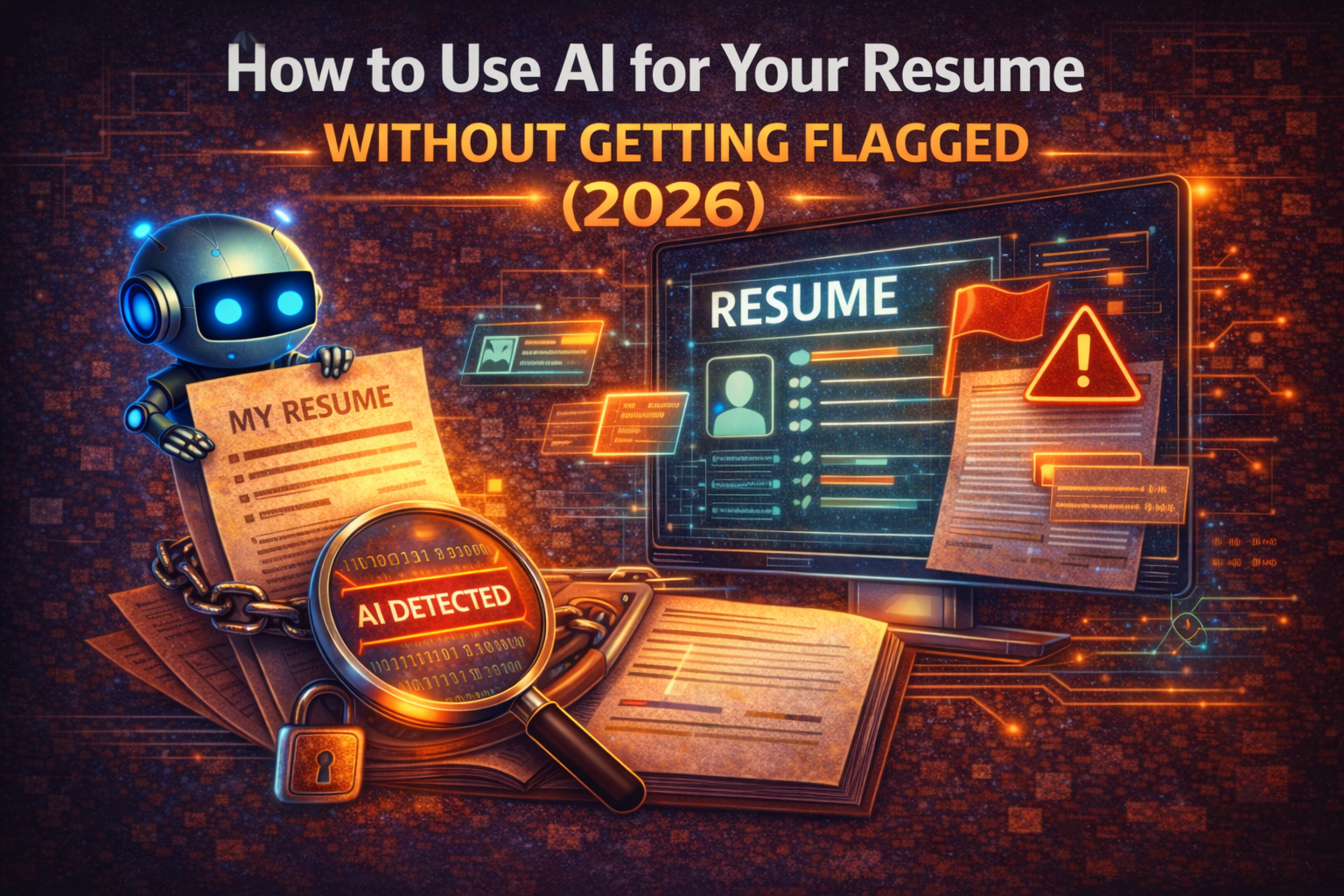
How to Use AI for Your Resume the Right Way (2026)
Learn the smart workflow for using AI to write resumes in 2026. Clean up invisible characters, optimize for ATS systems, and make your application authentically yours.
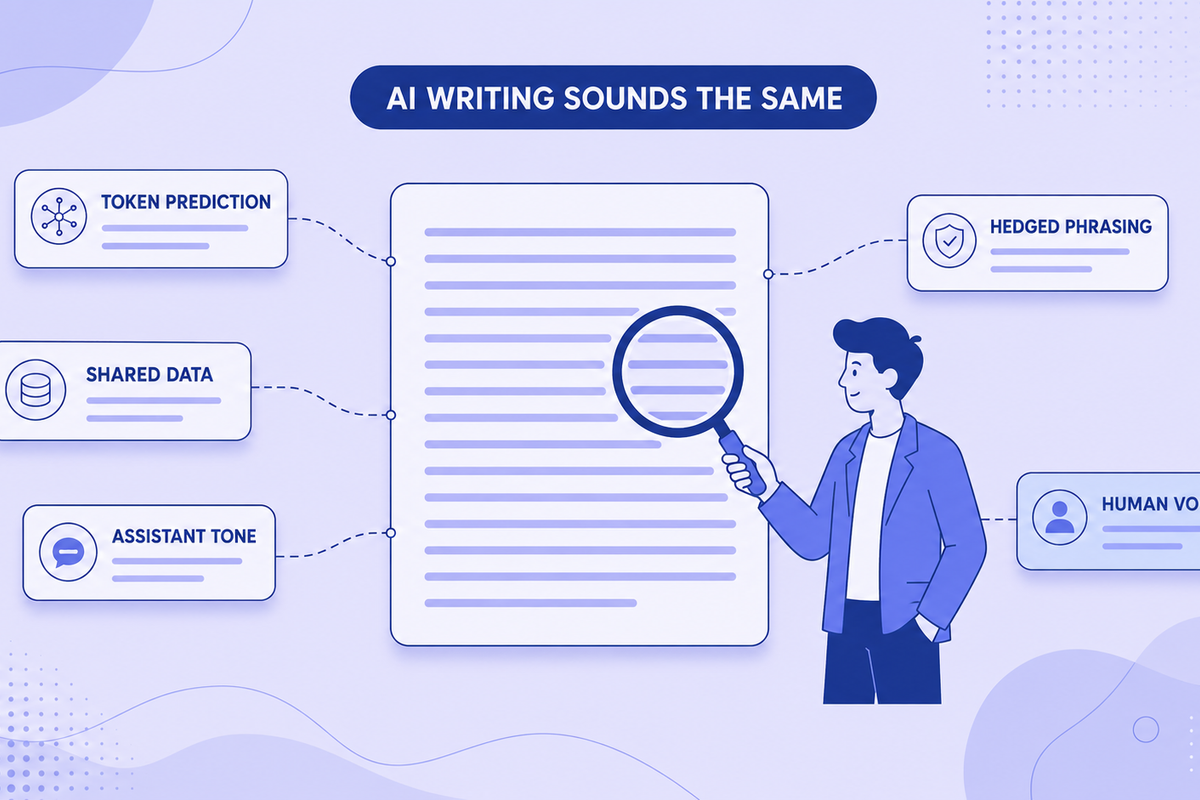
Why All AI Writing Sounds the Same (+ How to Fix It)
AI writing sounds identical due to token prediction and training overlap. Learn the technical causes plus practical fixes for style and watermarks.