Comment verifier si un texte a un filigrane ChatGPT (Guide complet 2025)
Apprenez 7 methodes eprouvees pour verifier si un texte a des filigranes ChatGPT. Des outils en ligne instantanes aux techniques de detection avancees - identifiez les marqueurs IA invisibles dans tout contenu.
Introduction
Besoin de verifier si un texte contient des filigranes ChatGPT ? Que vous verifiez des travaux d'etudiants, examiniez des documents, debuguiez du code ou soyez simplement curieux, ce guide fournit sept methodes fiables pour detecter les marqueurs IA invisibles.
Des verificateurs en ligne instantanes aux approches techniques avancees, vous apprendrez comment identifier les filigranes ChatGPT avec confiance - meme quand ils sont concus pour etre indetectables.
Reponse rapide : La methode la plus rapide pour verifier
La methode en 30 secondes :
- Visitez GPT Watermark Remover
- Collez votre texte (ou telechargez un document)
- Cliquez sur "Verifier les filigranes" ou "Detecter"
- Consultez les resultats instantanes
Ce que vous verrez :
- "Aucun filigrane detecte" (texte propre)
- "47 filigranes trouves" (repartition detaillee)
Temps : 5-10 secondes Precision : 99%+ pour les filigranes bases sur les caracteres Confidentialite : 100% base sur navigateur
Explorons maintenant toutes les methodes en detail.
Methode 1 : Verificateur de filigranes en ligne (Recommande)
Pourquoi cette methode est la meilleure
Avantages :
- Aucune connaissance technique requise
- Resultats instantanes (moins de 10 secondes)
- Detecte tous les types de filigranes courants
- Mise en evidence visuelle des zones problematiques
- Fonctionne avec les documents (Word, Pages, PDF)
- 100% prive (traitement base sur navigateur)
- Verifications gratuites illimitees
Processus etape par etape
Etape 1 : Preparez votre texte
Pour le texte brut :
- Copiez le texte que vous souhaitez verifier
- Aucune preparation speciale necessaire
Pour les documents :
- Gardez le fichier dans son format original (.docx, .pages, .pdf)
- Aucune conversion necessaire
Etape 2 : Accedez au verificateur
Naviguez vers GPT Watermark Remover
Etape 3 : Saisissez votre contenu
Option A - Coller le texte :
- Cliquez dans la zone de texte
- Collez le contenu (
Ctrl+V/Cmd+V) - Le texte peut etre de n'importe quelle longueur
Option B - Telecharger un document :
- Cliquez sur "Telecharger le document"
- Selectionnez le fichier depuis votre ordinateur
- Formats supportes : .docx, .pages, .pdf, .txt, .rtf
Etape 4 : Lancez la detection
Cliquez sur le bouton de detection :
- "Verifier les filigranes"
- "Detecter les caracteres invisibles"
- "Analyser le texte"
Etape 5 : Interpretez les resultats
Resultat texte propre :
Aucun filigrane ChatGPT detecte

Analyse :
- Espaces de largeur nulle : 0
- Non-jointures de largeur nulle : 0
- Jointures de largeur nulle : 0
- Autres caracteres invisibles : 0

Evaluation : Ce texte semble propre
Resultat texte filigrane :
Filigranes detectes : 47 caracteres invisibles

Repartition :
- Espace de largeur nulle (U+200B) : 23 occurrences
- Non-jointure de largeur nulle (U+200C) : 15 occurrences
- Jointure de largeur nulle (U+200D) : 9 occurrences

Distribution : Motif regulier detecte
Densite : 4,7 filigranes pour 100 caracteres
Probabilite : Haute probabilite de filigranage IA

Apercu des emplacements :
Ligne 3 : "L implementation de cette..."
Ligne 7 : "Nous recommandons d'utiliser..."
[Voir tous les emplacements]

Recommandation : Supprimer les filigranes avant utilisation
Etape 6 : Agissez
Selon les resultats :
- Pas de filigranes : Le texte est propre, utilisez-le librement
- Filigranes trouves : Cliquez sur "Supprimer les filigranes" pour obtenir la version nettoyee
Interpreter la densite des filigranes
| Densite | Nombre (pour 1000 caracteres) | Evaluation |
|---|---|---|
| Aucune | 0 | Texte propre |
| Tres faible | 1-5 | Possiblement accidentel |
| Faible | 6-20 | Suspect |
| Moyenne | 21-50 | Probablement filigrane |
| Elevee | 51-100 | Definitivement filigrane |
| Tres elevee | 100+ | Fortement filigrane |
Methode 2 : Test de comparaison du nombre de caracteres
Cette methode simple revele les caracteres invisibles sans aucun outil.
Comment ca fonctionne
Les caracteres invisibles ajoutent a la taille du fichier mais pas au nombre de caracteres visuels.
Processus etape par etape
Etape 1 : Verifier le nombre de caracteres visuels
Dans Microsoft Word :
- Selectionnez tout le texte (
Ctrl+A/Cmd+A) - Verifiez la barre d'etat (affiche le nombre de caracteres)
- Notez : "1 247 caracteres"
Dans Google Docs :
- Outils > Statistiques
- Notez le nombre de caracteres (avec espaces)
Dans n'importe quel editeur de texte :
- Selectionnez tout et copiez
- Collez dans un compteur de caracteres (recherchez "compteur de caracteres en ligne")
- Notez le nombre
Etape 2 : Verifier la taille en octets
Windows :
# Enregistrez le texte en fichier UTF-8, puis :
dir /s filename.txt
# Notez la taille en octets
Mac/Linux :
wc -c filename.txt
# Retourne le nombre d'octets
Ou utilisez la programmation :
const text = "Votre texte ici";
const byteSize = new Blob([text]).size;
console.log(`Octets : ${byteSize}`);
Etape 3 : Comparer
Caracteres visuels : 1 247
Taille en octets : 1 312 octets

Difference : 65 octets
Caracteres invisibles : ~21 (en supposant 3 octets par caractere)

Verdict : Le texte contient des caracteres invisibles (probablement filigranes)
Regle generale :
- Difference < 5 octets : Probablement propre
- Difference 5-20 octets : Possiblement quelques caracteres invisibles
- Difference > 20 octets : Probablement filigrane
Limitations
- N'identifie pas quels caracteres ou ou
- Differents encodages affectent le nombre d'octets
- Ne peut pas distinguer entre filigranes et Unicode legitime
Methode 3 : Verification de visibilite dans l'editeur de texte
La plupart des editeurs de texte peuvent reveler les caracteres invisibles si vous savez ou chercher.
Microsoft Word
Methode A : Afficher les marques de formatage
- Cliquez sur l'onglet "Accueil"
- Cliquez sur le bouton ¶ (Afficher/Masquer) dans le groupe Paragraphe
- Recherchez des points ou marques inhabituels entre les mots
- L'espace normal s'affiche comme un point median
- Les caracteres invisibles s'affichent comme des petites boites ou rien
Methode B : Test de copier-coller
- Copiez le texte dans le Bloc-notes simple
- Collez et recherchez :
- Des sauts de ligne inattendus
- Des espacements inhabituels
- Un comportement etrange du curseur
- Essayez de selectionner le texte - les caracteres invisibles apparaissent comme des ecarts de selection
Methode C : Fonction Rechercher
- Appuyez sur
Ctrl+F - Cliquez sur "Plus >>"
- Recherchez :
^u200B - Si trouve : filigranes presents
- Repetez pour :
^u200C,^u200D,^u00AD,^u2060
VS Code / Editeurs de texte
Activer la visualisation des espaces :
VS Code :
- Affichage > Afficher les espaces
- Ou appuyez sur
Ctrl+Maj+P> "Affichage : Basculer l'affichage des espaces" - Les caracteres invisibles s'affichent comme des points colores ou des symboles
Sublime Text :
- Affichage > Afficher la console
- Collez le code de detection
- Les caracteres invisibles seront comptes
Notepad++ :
- Affichage > Afficher les symboles > Afficher tous les caracteres
- Les caracteres invisibles apparaissent comme des symboles speciaux
- Ou utilisez Rechercher (
Ctrl+F) > Mode etendu - Recherchez les codes hexadecimaux des caracteres invisibles
Methode 4 : Verification avec les DevTools du navigateur
Pour les utilisateurs techniquement avertis, les DevTools du navigateur offrent une detection puissante.
Chrome/Edge DevTools
Etape 1 : Ouvrir les DevTools
- Appuyez sur
F12ouCtrl+Maj+I(Windows) - Appuyez sur
Cmd+Option+I(Mac)
Etape 2 : Allez dans la Console Cliquez sur l'onglet "Console" en haut
Etape 3 : Collez le texte dans une variable
const text = `Collez votre texte ici`;
Etape 4 : Executez le code de detection
// Verification complete des filigranes
function checkWatermarks(text) {
  const types = {
    'Espace de largeur nulle': /\u200B/g,
    'Non-jointure de largeur nulle': /\u200C/g,
    'Jointure de largeur nulle': /\u200D/g,
    'Tiret conditionnel': /\u00AD/g,
    'Jointure de mots': /\u2060/g,
    'Marque ordre des octets': /\uFEFF/g
  };

  console.log('=== Resultats de detection des filigranes ===');

  let totalFound = 0;
  const findings = [];

  for (const [name, pattern] of Object.entries(types)) {
    const matches = text.match(pattern);
    const count = matches ? matches.length : 0;

    if (count > 0) {
      console.log(`${name}: ${count}`);
      totalFound += count;
      findings.push({ name, count });
    }
  }

  if (totalFound === 0) {
    console.log('Aucun filigrane detecte !');
  } else {
    console.log(`Total filigranes trouves : ${totalFound}`);
    const density = (totalFound / text.length * 1000).toFixed(2);
    console.log(`Densite : ${density} pour 1000 caracteres`);
  }

  return { totalFound, findings };
}

// Executer la verification
checkWatermarks(text);
Etape 5 : Examiner la sortie de la console
Les resultats apparaissent dans la console avec le nombre de chaque type de filigrane trouve.
Methode 5 : Detection en ligne de commande
Pour les developpeurs, les scripts fournissent une automatisation puissante.
Script Python
import re
import sys

PATTERN = r'[\u200B-\u200D\uFEFF\u00AD\u2060]'

WATERMARK_TYPES = {
    '\u200B': 'Espace de largeur nulle',
    '\u200C': 'Non-jointure de largeur nulle',
    '\u200D': 'Jointure de largeur nulle',
    '\u00AD': 'Tiret conditionnel',
    '\u2060': 'Jointure de mots',
    '\uFEFF': 'Marque ordre des octets'
}

def check_file(filepath):
    with open(filepath, 'r', encoding='utf-8') as f:
        text = f.read()

    matches = re.finditer(PATTERN, text)
    watermarks = list(matches)

    print(f"Fichier : {filepath}")

    if not watermarks:
        print("Aucun filigrane detecte")
        return False

    print(f"Filigranes trouves : {len(watermarks)}")
    return True

if __name__ == "__main__":
    if len(sys.argv) < 2:
        print("Utilisation : python check_watermarks.py <fichier>")
        sys.exit(1)

    filepath = sys.argv[1]
    has_watermarks = check_file(filepath)
    sys.exit(1 if has_watermarks else 0)
Utilisation :
python check_watermarks.py document.txt
Commande Bash en une ligne
# Afficher si des filigranes existent
if grep -q Remove AI Watermarksfrom ChatGPT Text
Free AI watermark remover. Detect and remove invisible characters like zero-width spaces from text pasted out of AI chat tools. No registration, no data stored.
Removes invisible AI watermarksInstant detection and cleaningPrivate & secure - no data stored


 8,583 writers trust us
 Detected WatermarksExampleThis sample paragraph containshiddencharacters you can't seeCleanedThis sample paragraph contains hidden characters you can't see8,583Users100%In-browserProfessional AI Text Cleaning
Remove AI Watermarks
Professional AI text detection and cleaning
EditPreview500 / 5005/5 scansInstall Chrome ExtensionDashes (— – ‒ ―)60-second cooldown between scans
Sign in for enhanced features
Clean Word Documents (.docx)
Remove AI watermarks from Word files while preserving all formatting
Drop your Word document here
or click to browse files
Only .docx files • Max 50MB
All processing happens locally in your browser. Your document never leaves your device.
Clean Apple Pages Documents (.pages)
Remove AI watermarks from Pages files while preserving all formatting
Drop your Pages document here
or click to browse files
Only .pages files • Max 50MB
All processing happens locally in your browser. Your document never leaves your device.
Fully Private
All processing happens in your browser
Preserves Formatting
Your document stays visually identical
Instant Processing
Cleaned in seconds
New!Remove Gemini Image Watermarks for free
Clean AI-generated images from Google Gemini. Remove the visible watermark and strip EXIF metadata including GPS location - 100% free and private. SynthID embedded in the image pixels is not affected.
Remove visible watermarksStrip all metadata100% privateClean Images Now Before & AfterWhy Remove AI Watermarks?
Here's why you should remove invisible AI watermarks:
With Watermarks
Formatting
Invisible characters can break spacing, line wrapping, and alignment in Word, Google Docs, and PDFs
Code & data
Zero-width characters corrupt code, JSON, and find/search functions
Copy & paste
Hidden markers silently transfer between apps and documents
Privacy
Invisible characters mean what you paste isn't exactly what you copied
After Removal
Formatting
Clean, predictable spacing and layout wherever you paste
Code & data
Text behaves correctly in editors, terminals, and search
Copy & paste
What you copy is exactly what you get, with nothing hidden
Privacy
What you share should be exactly the characters you see. Cleaned text contains nothing you can't see.
Ready for clean text?Specialized Solutions for Every AI Model
Tailored guides and tools for ChatGPT, Gemini, Claude, and more.
ChatGPT Watermarks
What invisible characters appear in ChatGPT text and how to remove them.
Explore ChatGPT WatermarksGemini Watermarks
What's really in Gemini text (including SynthID) and what this tool can clean.
Explore Gemini WatermarksClaude Watermarks
How Claude's watermarking actually works, what this tool can and cannot remove, and how to clean invisible characters from Claude output.
Explore Claude WatermarksFor Students
Remove invisible characters that corrupt essay formatting, break citations, and cause copy-paste glitches in Word and Google Docs, plus guidance on using AI in line with your institution's policy.
Explore For StudentsBlogLatest Articles
Explore our latest guides on AI watermark detection, removal, and privacy.
Does Claude Watermark Its Text? Anthropic's Invisible Watermark, Explained
Claude now embeds an invisible watermark in generated text. Here's what Anthropic has confirmed, what a detected mark actually proves, and what weakens it.
Read more: Does Claude Watermark Its Text...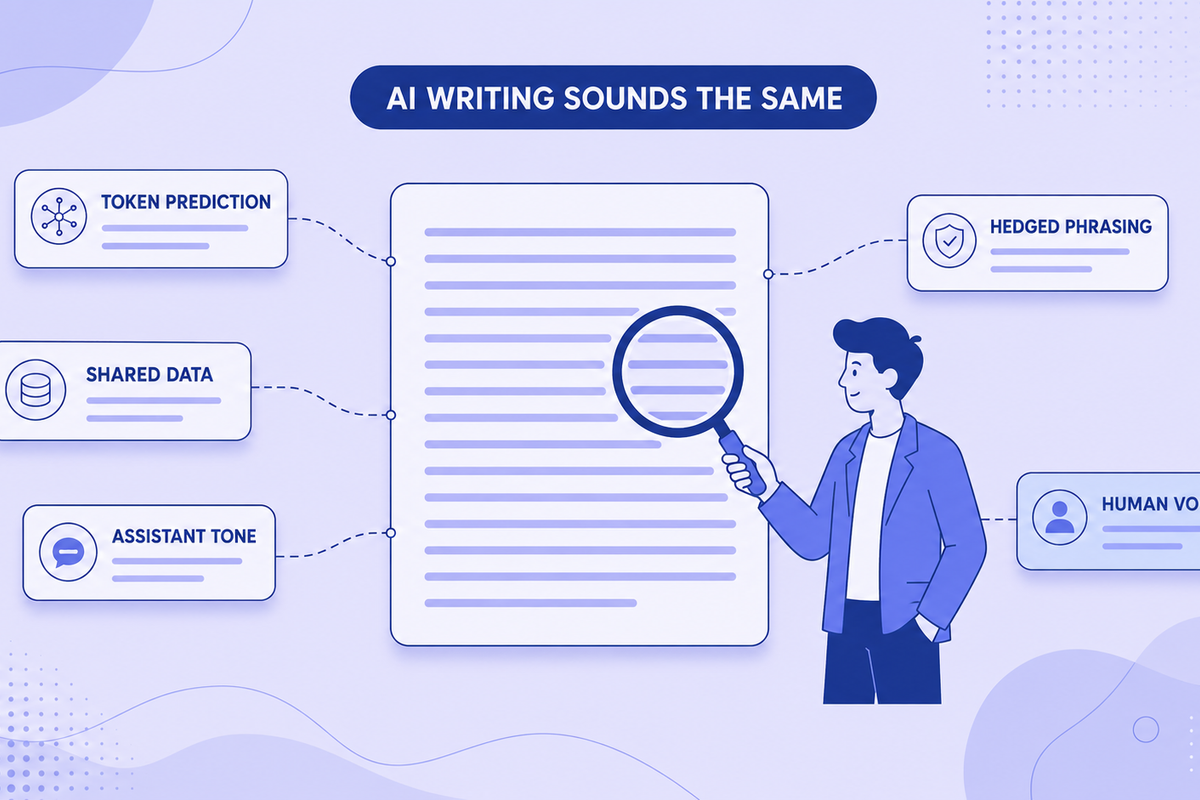
Why All AI Writing Sounds the Same (+ How to Fix It)
AI writing sounds identical due to token prediction and training overlap. Learn the technical causes plus practical fixes for style and watermarks.
Read more: Why All AI Writing Sounds the ...
Can Employers Tell If You Used AI? Spotting AI-Generated Text in Job Applications (2026)
Can recruiters detect an AI-written cover letter? What employers actually check in 2026, why AI detectors get it wrong, and why sounding like yourself matters more than hidden characters.
Read more: Can Employers Tell If You Used...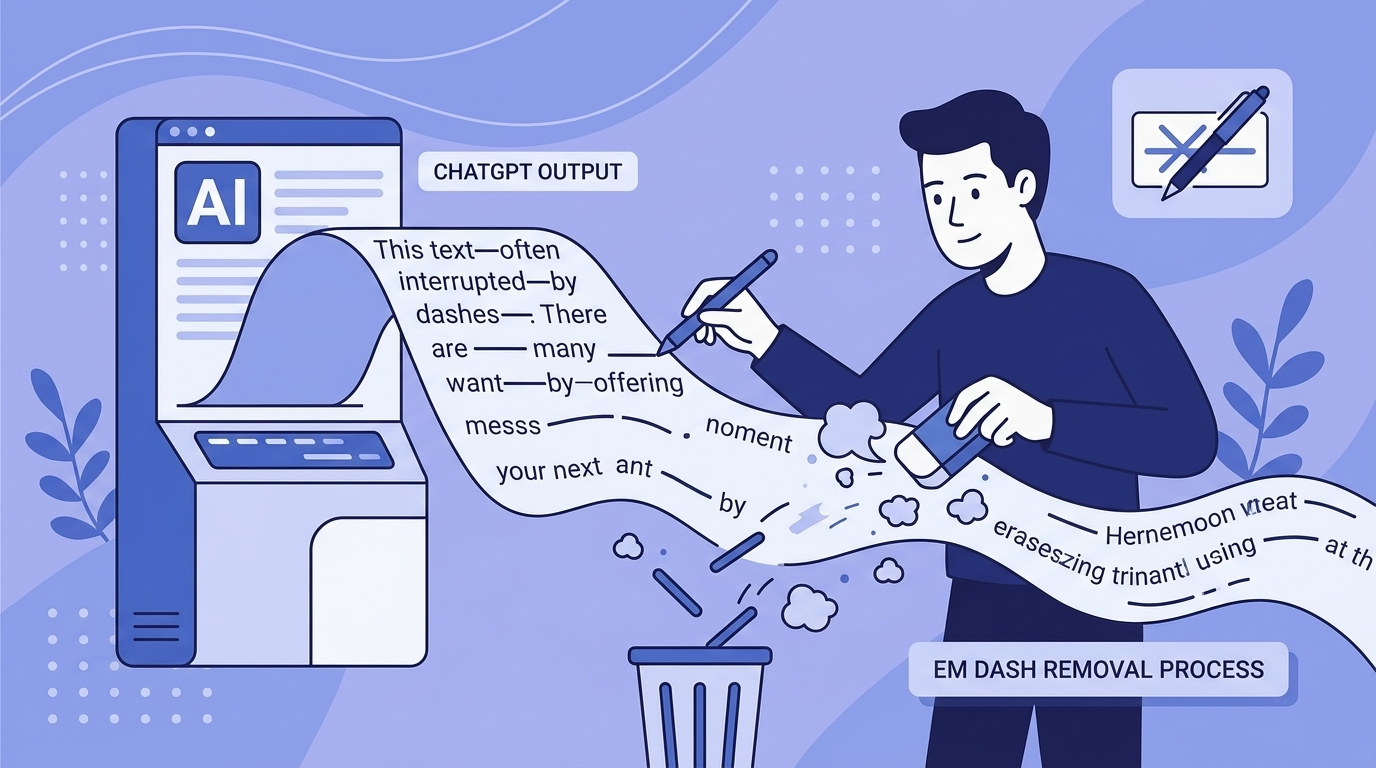
Em Dashes and ChatGPT: Why the Model Loves Them and How to Remove Them
ChatGPT overuses em dashes, a telltale AI signal. Why it happens, prompt-level fixes, and how to clean text that's already generated.
Read more: Em Dashes and ChatGPT: Why the...
Common AI Words to Avoid: The Complete List (Plus Why Your Text Gets Flagged)
50+ common AI words that flag your text as machine-written, with better alternatives. Plus what invisible Unicode characters are and the formatting problems they cause.
Read more: Common AI Words to Avoid: The ...
Does ChatGPT Watermark Text? What We Actually Know in 2026
Does ChatGPT watermark text? Here's what we actually know about invisible characters in AI output, what OpenAI has said, and what it means for detection.
Read more: Does ChatGPT Watermark Text? W...Learn MoreKnowledge Center
Explore technical explanations of AI watermarking, detection methods, and removal techniques. Each article covers mechanisms, applications, and limitations.
What Are AI Watermarks? (Text Watermarks Explained)
AI watermarks are invisible markers embedded into text generated by large language models (LLMs). Their purpose is to help identify whether a piece...
Read article: What Are AI Watermarks? (...Watermark Removal vs AI Detection: What's the Difference?
AI watermark removal and AI content detection are two separate processes that address different parts of how large language models (LLMs) generate ...
Read article: Watermark Removal vs AI D...Token Distribution in AI Watermarking: Why It Matters for Detection
Token distribution in AI watermarking refers to the intentional manipulation of token probability patterns within LLM-generated text to embed a hid...
Read article: Token Distribution in AI ...Why AI Detectors Fail: False Positives, False Negatives, and Model Bias
AI detectors attempt to estimate whether a piece of text was generated by a large language model (LLM). They rely on statistical patterns, token en...
Read article: Why AI Detectors Fail: Fa...Your Feedback MattersMissing Something? Have Ideas for Improvement?
We're constantly improving this tool and your ideas help us make it even better. Tell us what features you'd love to see!
Request a Feature
Have an idea for a new feature? Want to suggest an improvement? We listen and implement the best ideas!
New feature ideasImprovement suggestionsUser experience feedbackGeneral feedbackShare NowEvery idea counts - together we make this tool even better!Help & SupportFrequently Asked Questions
Find answers to the most common questions about our AI watermark remover.
AI watermarks are invisible characters, like zero-width spaces, that some AI tools insert into generated text. They don't affect readability, and their presence or absence has no bearing on whether AI-detection tools flag the text.
Our tool scans your text for invisible characters commonly used as AI watermarks, such as zero-width spaces and ASCII control characters. It then highlights these markers and can remove them completely while preserving your original content.
No. All text processing happens directly in your browser. We don't store, log, or transmit your text anywhere. Your privacy is our priority.
We detect various invisible characters including zero-width spaces, zero-width joiners, soft hyphens, word joiners, and ASCII control characters that AI tools might use as watermarks.
No. The tool only removes invisible characters used as watermarks. Your visible text, formatting, and meaning remain exactly the same.
Yes, the free version currently has a 500-character limit per operation. Signed-in users get 1,500 characters. This helps ensure fast processing and optimal performance.
Yes! You can upload Word (.docx) documents directly to our tool. We'll scan and remove invisible watermark characters from all sections including main content, headers, footers, footnotes, and comments—all while preserving your document's formatting and layout. Processing happens entirely in your browser, so your documents remain private.
Yes! You can upload Apple Pages (.pages) documents directly to our tool. We support both modern and legacy Pages formats. We'll scan and remove invisible watermark characters from your entire document while preserving all formatting, styles, and layout. All processing happens locally in your browser, ensuring your documents stay completely private.
Your documents are 100% secure and never leave your device. All document processing happens entirely in your browser using JavaScript. When you upload a Word or Pages document, it's read and modified locally on your computer—we never send your files to any server. This means your sensitive documents, personal information, and private content remain completely confidential. Even we can't see what you're processing. This client-side approach ensures maximum privacy and security for your documents.
If you clean a document using our document uploader and then copy-paste the text into the text detection area, you might see watermarks detected. This is normal and doesn't mean the cleaning failed. Here's why: Document cleaning preserves all formatting (bold, italics, spacing, etc.) to keep your document looking identical. When you copy this formatted text, some harmless formatting characters (like special spaces or unicode formatting marks) come along. Our text detection tool, which is designed to be more aggressive, might flag these formatting characters as potential watermarks. The document itself is clean—these are just formatting artifacts from the copy-paste process, not actual AI watermarks. For best results, use the cleaned document directly rather than copy-pasting its content.
Zero-width characters are invisible Unicode characters that take up no visual space but exist in the text data. Some AI systems, including ChatGPT, insert these into generated text as a byproduct of how the content was produced. Common types include zero-width spaces (U+200B), zero-width joiners (U+200D), and zero-width non-joiners (U+200C). Our tool detects and removes these invisible markers.
Our tool is free, processes text locally in your browser for privacy, and works on text from any source, because it operates on characters rather than on the model. Unlike other tools, we never store your text, offer document cleaning for Word and Pages files, and give signed-in users a 1,500-character limit, unlimited with Premium.
Yes! Simply copy text from ChatGPT, Claude, Gemini, or any AI chat and paste it directly into our tool. Our invisible character detector highlights any hidden characters, and you can clean the text with one click. This clean paste workflow is designed to be fast and seamless.
Paste your text into our detector tool. We'll scan for dozens of invisible Unicode characters, including zero-width spaces, zero-width joiners and other zero-width and control characters. Detected watermarks are highlighted so you can see exactly where they are in your text.
More Questions?
Try our tool and discover for yourself how easy it is!
Methode 6 : Inspection avec editeur hexadecimal
La methode la plus technique - visualiser les octets bruts.
Utilisation de HxD (Windows) ou Hex Fiend (Mac)
Etape 1 : Ouvrir le fichier dans l'editeur hexadecimal
Etape 2 : Rechercher les motifs d'octets
- Espace de largeur nulle :
E2 80 8B - Non-jointure de largeur nulle :
E2 80 8C - Jointure de largeur nulle :
E2 80 8D
Etape 3 : Compter les occurrences
Les editeurs hexadecimaux montrent la frequence de chaque motif d'octets
Etape 4 : Evaluer
- Occurrences multiples = probablement filigranes
- Espacement regulier = filigranage intentionnel
- Aleatoire = possiblement accidentel
Methode 7 : Verification CI/CD automatisee
Integrez la detection de filigranes dans votre workflow de developpement.
Hook Git Pre-Commit
#!/bin/bash
# .git/hooks/pre-commit
echo "Verification des filigranes..."
FILES=$(git diff --cached --name-only --diff-filter=ACM)
for FILE in $FILES; do
if [ -f "$FILE" ]; then
if grep -q Remove AI Watermarksfrom ChatGPT Text
Free AI watermark remover. Detect and remove invisible characters like zero-width spaces from text pasted out of AI chat tools. No registration, no data stored.
Removes invisible AI watermarksInstant detection and cleaningPrivate & secure - no data stored8,583 writers trust usDetected WatermarksExampleThis sample paragraph containshiddencharacters you can't seeCleanedThis sample paragraph contains hidden characters you can't see8,583Users100%In-browserProfessional AI Text CleaningRemove AI Watermarks
Professional AI text detection and cleaning
EditPreview500 / 5005/5 scansInstall Chrome ExtensionDashes (— – ‒ ―)60-second cooldown between scans
Sign in for enhanced features
Clean Word Documents (.docx)
Remove AI watermarks from Word files while preserving all formatting
Drop your Word document here
or click to browse files
Only .docx files • Max 50MB
All processing happens locally in your browser. Your document never leaves your device.
Clean Apple Pages Documents (.pages)
Remove AI watermarks from Pages files while preserving all formatting
Drop your Pages document here
or click to browse files
Only .pages files • Max 50MB
All processing happens locally in your browser. Your document never leaves your device.
Fully Private
All processing happens in your browser
Preserves Formatting
Your document stays visually identical
Instant Processing
Cleaned in seconds
New!Remove Gemini Image Watermarks for free
Clean AI-generated images from Google Gemini. Remove the visible watermark and strip EXIF metadata including GPS location - 100% free and private. SynthID embedded in the image pixels is not affected.
Remove visible watermarksStrip all metadata100% privateClean Images Now Before & AfterWhy Remove AI Watermarks?
Here's why you should remove invisible AI watermarks:
With Watermarks
Formatting
Invisible characters can break spacing, line wrapping, and alignment in Word, Google Docs, and PDFs
Code & data
Zero-width characters corrupt code, JSON, and find/search functions
Copy & paste
Hidden markers silently transfer between apps and documents
Privacy
Invisible characters mean what you paste isn't exactly what you copied
After Removal
Formatting
Clean, predictable spacing and layout wherever you paste
Code & data
Text behaves correctly in editors, terminals, and search
Copy & paste
What you copy is exactly what you get, with nothing hidden
Privacy
What you share should be exactly the characters you see. Cleaned text contains nothing you can't see.
Ready for clean text?Specialized Solutions for Every AI Model
Tailored guides and tools for ChatGPT, Gemini, Claude, and more.
ChatGPT Watermarks
What invisible characters appear in ChatGPT text and how to remove them.
Explore ChatGPT WatermarksGemini Watermarks
What's really in Gemini text (including SynthID) and what this tool can clean.
Explore Gemini WatermarksClaude Watermarks
How Claude's watermarking actually works, what this tool can and cannot remove, and how to clean invisible characters from Claude output.
Explore Claude WatermarksFor Students
Remove invisible characters that corrupt essay formatting, break citations, and cause copy-paste glitches in Word and Google Docs, plus guidance on using AI in line with your institution's policy.
Explore For StudentsBlogLatest Articles
Explore our latest guides on AI watermark detection, removal, and privacy.
Does Claude Watermark Its Text? Anthropic's Invisible Watermark, Explained
Claude now embeds an invisible watermark in generated text. Here's what Anthropic has confirmed, what a detected mark actually proves, and what weakens it.
Read more: Does Claude Watermark Its Text...Why All AI Writing Sounds the Same (+ How to Fix It)
AI writing sounds identical due to token prediction and training overlap. Learn the technical causes plus practical fixes for style and watermarks.
Read more: Why All AI Writing Sounds the ...Can Employers Tell If You Used AI? Spotting AI-Generated Text in Job Applications (2026)
Can recruiters detect an AI-written cover letter? What employers actually check in 2026, why AI detectors get it wrong, and why sounding like yourself matters more than hidden characters.
Read more: Can Employers Tell If You Used...Em Dashes and ChatGPT: Why the Model Loves Them and How to Remove Them
ChatGPT overuses em dashes, a telltale AI signal. Why it happens, prompt-level fixes, and how to clean text that's already generated.
Read more: Em Dashes and ChatGPT: Why the...Common AI Words to Avoid: The Complete List (Plus Why Your Text Gets Flagged)
50+ common AI words that flag your text as machine-written, with better alternatives. Plus what invisible Unicode characters are and the formatting problems they cause.
Read more: Common AI Words to Avoid: The ...Does ChatGPT Watermark Text? What We Actually Know in 2026
Does ChatGPT watermark text? Here's what we actually know about invisible characters in AI output, what OpenAI has said, and what it means for detection.
Read more: Does ChatGPT Watermark Text? W...Learn MoreKnowledge Center
Explore technical explanations of AI watermarking, detection methods, and removal techniques. Each article covers mechanisms, applications, and limitations.
What Are AI Watermarks? (Text Watermarks Explained)
AI watermarks are invisible markers embedded into text generated by large language models (LLMs). Their purpose is to help identify whether a piece...
Read article: What Are AI Watermarks? (...Watermark Removal vs AI Detection: What's the Difference?
AI watermark removal and AI content detection are two separate processes that address different parts of how large language models (LLMs) generate ...
Read article: Watermark Removal vs AI D...Token Distribution in AI Watermarking: Why It Matters for Detection
Token distribution in AI watermarking refers to the intentional manipulation of token probability patterns within LLM-generated text to embed a hid...
Read article: Token Distribution in AI ...Why AI Detectors Fail: False Positives, False Negatives, and Model Bias
AI detectors attempt to estimate whether a piece of text was generated by a large language model (LLM). They rely on statistical patterns, token en...
Read article: Why AI Detectors Fail: Fa...Your Feedback MattersMissing Something? Have Ideas for Improvement?
We're constantly improving this tool and your ideas help us make it even better. Tell us what features you'd love to see!
Request a Feature
Have an idea for a new feature? Want to suggest an improvement? We listen and implement the best ideas!
New feature ideasImprovement suggestionsUser experience feedbackGeneral feedbackShare NowEvery idea counts - together we make this tool even better!Help & SupportFrequently Asked Questions
Find answers to the most common questions about our AI watermark remover.
AI watermarks are invisible characters, like zero-width spaces, that some AI tools insert into generated text. They don't affect readability, and their presence or absence has no bearing on whether AI-detection tools flag the text.
Our tool scans your text for invisible characters commonly used as AI watermarks, such as zero-width spaces and ASCII control characters. It then highlights these markers and can remove them completely while preserving your original content.
No. All text processing happens directly in your browser. We don't store, log, or transmit your text anywhere. Your privacy is our priority.
We detect various invisible characters including zero-width spaces, zero-width joiners, soft hyphens, word joiners, and ASCII control characters that AI tools might use as watermarks.
No. The tool only removes invisible characters used as watermarks. Your visible text, formatting, and meaning remain exactly the same.
Yes, the free version currently has a 500-character limit per operation. Signed-in users get 1,500 characters. This helps ensure fast processing and optimal performance.
Yes! You can upload Word (.docx) documents directly to our tool. We'll scan and remove invisible watermark characters from all sections including main content, headers, footers, footnotes, and comments—all while preserving your document's formatting and layout. Processing happens entirely in your browser, so your documents remain private.
Yes! You can upload Apple Pages (.pages) documents directly to our tool. We support both modern and legacy Pages formats. We'll scan and remove invisible watermark characters from your entire document while preserving all formatting, styles, and layout. All processing happens locally in your browser, ensuring your documents stay completely private.
Your documents are 100% secure and never leave your device. All document processing happens entirely in your browser using JavaScript. When you upload a Word or Pages document, it's read and modified locally on your computer—we never send your files to any server. This means your sensitive documents, personal information, and private content remain completely confidential. Even we can't see what you're processing. This client-side approach ensures maximum privacy and security for your documents.
If you clean a document using our document uploader and then copy-paste the text into the text detection area, you might see watermarks detected. This is normal and doesn't mean the cleaning failed. Here's why: Document cleaning preserves all formatting (bold, italics, spacing, etc.) to keep your document looking identical. When you copy this formatted text, some harmless formatting characters (like special spaces or unicode formatting marks) come along. Our text detection tool, which is designed to be more aggressive, might flag these formatting characters as potential watermarks. The document itself is clean—these are just formatting artifacts from the copy-paste process, not actual AI watermarks. For best results, use the cleaned document directly rather than copy-pasting its content.
Zero-width characters are invisible Unicode characters that take up no visual space but exist in the text data. Some AI systems, including ChatGPT, insert these into generated text as a byproduct of how the content was produced. Common types include zero-width spaces (U+200B), zero-width joiners (U+200D), and zero-width non-joiners (U+200C). Our tool detects and removes these invisible markers.
Our tool is free, processes text locally in your browser for privacy, and works on text from any source, because it operates on characters rather than on the model. Unlike other tools, we never store your text, offer document cleaning for Word and Pages files, and give signed-in users a 1,500-character limit, unlimited with Premium.
Yes! Simply copy text from ChatGPT, Claude, Gemini, or any AI chat and paste it directly into our tool. Our invisible character detector highlights any hidden characters, and you can clean the text with one click. This clean paste workflow is designed to be fast and seamless.
Paste your text into our detector tool. We'll scan for dozens of invisible Unicode characters, including zero-width spaces, zero-width joiners and other zero-width and control characters. Detected watermarks are highlighted so you can see exactly where they are in your text.
More Questions?
Try our tool and discover for yourself how easy it is!
Comprendre les resultats de verification
Ce que signifient les differents resultats
Resultat : "0 filigranes detectes"
- Le texte est propre
- Utilisable tel quel
- Aucun caractere invisible present
Resultat : "1-5 filigranes detectes, faible densite"
- Possiblement accidentel
- Peut etre une utilisation legitime d'Unicode
- Verifiez le contexte avant de conclure
Resultat : "10-50 filigranes detectes, densite moyenne"
- Probablement filigranage intentionnel
- Haute probabilite de generation IA
- Envisagez la suppression si cela cause des problemes
Resultat : "50+ filigranes detectes, haute densite"
- Definitivement filigranage intentionnel
- Presque certainement genere par IA
- Suppression fortement recommandee
Bonnes pratiques pour la verification reguliere
Pour les educateurs
Workflow :
- Recevoir le travail de l'etudiant
- Executer une verification rapide avec l'outil en ligne
- Si filigranes trouves, examiner le contenu
- Si suspect, utiliser des detecteurs IA supplementaires
Pour les developpeurs
Workflow Git :
- Ajouter un hook pre-commit
- Verifier avant les pull requests
- Integrer dans le pipeline CI/CD
Pour les gestionnaires de contenu
Checklist de publication :
- Executer la verification des filigranes sur tout le contenu
- Supprimer si trouve (sauf si divulgation requise)
- Verifier que le formatage est intact apres suppression
- Revue QA finale
Conclusion
Verifier les filigranes ChatGPT n'a pas besoin d'etre complique. Que vous utilisiez le verificateur en ligne instantane, des scripts en ligne de commande ou des methodes d'editeur de texte, la cle est d'avoir un processus fiable auquel vous pouvez faire confiance.
Recommandations rapides :
- Le plus rapide : Verificateur en ligne (5-10 secondes)
- Le plus complet : DevTools du navigateur avec cartographie des positions
- Automatisation : Script Python ou hooks pre-commit
- Non technique : Visibilite editeur de texte + test de comptage de caracteres
N'oubliez pas : detecter les filigranes est la premiere etape. Comprendre quoi faire de cette information - respecter l'integrite academique, corriger les problemes techniques, maintenir la confidentialite - est tout aussi important.
Verifiez votre texte maintenant - Outil gratuit
Pret a verifier les filigranes ChatGPT ?
Verifier les filigranes - Gratuit et instantane
Fonctionnalites :
- Resultats en 5-10 secondes
- Detecte tous les types de filigranes
- Analyse detaillee avec visualisation
- Supporte le texte et les documents
- 100% prive (base sur navigateur)
- Suppression en un clic si trouve
- Verifications gratuites illimitees
Articles connexes :
- Comment detecter les filigranes ChatGPT
- Caracteres invisibles dans le texte ChatGPT
- Comment supprimer les filigranes ChatGPT
Questions ? Visitez notre FAQ ou verifiez votre texte maintenant.
Prêt à supprimer les filigranes IA ?
Essayez notre outil gratuit de suppression de filigrane IA. Détectez et nettoyez les caractères invisibles de vos textes et documents en quelques secondes.
Essayer le suppresseur de filigrane GPTArticles recommandés
Lettre de motivation IA : comment savoir si elle sera détectée comme IA (et ce que voient les recruteurs en 2026)
Votre lettre de motivation ou CV ChatGPT risque-t-il d'être détecté comme IA ? Ce que repèrent recruteurs et logiciels ATS en 2026, et comment l'éviter.
Où Vérifier l'Écriture IA : Les Meilleurs Outils et Méthodes pour 2026
Découvrez les meilleurs outils et méthodes pour vérifier les textes générés par IA en 2026, des détecteurs basés sur les motifs comme GPTZero aux scanners de filigranes invisibles.
Tiret cadratin et ChatGPT : pourquoi l'IA en abuse et comment le supprimer
ChatGPT abuse du tiret cadratin (—), un signal qui trahit immédiatement le texte IA. Pourquoi cela arrive, prompts qui l'arrêtent et nettoyage du texte déjà généré.
Mots typiques de l'IA à éviter : la liste complète (et pourquoi votre texte reste détecté)
La liste des mots et expressions qui trahissent ChatGPT en français. Plus de 60 termes à bannir, des alternatives naturelles, et l'astuce que la plupart ignorent.