テキストにChatGPT透かしがあるかを確認する方法(2025年完全ガイド)
テキストにChatGPT透かしがあるかを確認する7つの実証済みの方法。即座のオンラインツールから高度な検出技術まで、あらゆるコンテンツで不可視のAIマーカーを特定します。

はじめに
テキストにChatGPT透かしが含まれているかを確認する必要がありますか?学生の提出物をチェックする場合、ドキュメントをレビューする場合、コードをデバッグする場合、または単に興味がある場合でも、このガイドでは不可視のAIマーカーを検出するための7つの信頼性の高い方法を提供します。
即座のオンラインチェッカーから高度な技術的アプローチまで、検出不可能に設計されている場合でも、ChatGPT透かしを自信を持って識別する方法を学べます。
クイックアンサー:最速の確認方法
30秒の方法:
- GPT Watermark Removerにアクセス
- テキストを貼り付け(またはドキュメントをアップロード)
- 「透かしを確認」または「検出」をクリック
- 即座の結果を表示
表示される内容:
- 「透かしは検出されませんでした」(クリーンなテキスト)
- 「47個の透かしを検出」(詳細な内訳)
時間: 5〜10秒 精度: 文字ベースの透かしに対して99%以上 プライバシー: 100%ブラウザベース
それでは、すべての方法を詳しく見ていきましょう。
方法1:オンライン透かしチェッカー(推奨)
この方法が最良な理由
利点:
- 技術的な知識不要
- 即座の結果(10秒以内)
- すべての一般的な透かしタイプを検出
- 問題のある領域の視覚的ハイライト
- ドキュメントに対応(Word、Pages、PDF)
- 100%プライベート(ブラウザベース処理)
- 無料で無制限にチェック
ステップバイステップのプロセス
ステップ1:テキストを準備
プレーンテキストの場合:
- 確認したいテキストをコピー
- 特別な準備は不要
ドキュメントの場合:
- ファイルを元の形式で保持(.docx、.pages、.pdf)
- 変換不要
ステップ2:チェッカーにアクセス
ステップ3:コンテンツを入力
オプションA - テキストを貼り付け:
- テキストエリアをクリック
- コンテンツを貼り付け(
Ctrl+V/Cmd+V) - テキストは任意の長さ可能
オプションB - ドキュメントをアップロード:
- 「ドキュメントをアップロード」をクリック
- コンピュータからファイルを選択
- サポート形式:.docx、.pages、.pdf、.txt、.rtf
ステップ4:検出を実行
検出ボタンをクリック:
- 「透かしを確認」
- 「不可視文字を検出」
- 「テキストを分析」
ステップ5:結果を解釈
クリーンなテキストの結果:
✓ ChatGPT透かしは検出されませんでした

分析:
- ゼロ幅スペース: 0
- ゼロ幅非接合子: 0
- ゼロ幅接合子: 0
- その他の不可視文字: 0

評価: このテキストはクリーンです
透かし付きテキストの結果:
⚠ 検出された透かし: 47個の不可視文字
内訳:
- ゼロ幅スペース (U+200B): 23個
- ゼロ幅非接合子 (U+200C): 15個
- ゼロ幅接合子 (U+200D): 9個
分布: 規則的なパターンを検出
密度: 100文字あたり4.7個の透かし
可能性: AI透かしの可能性が高い
場所のプレビュー:
行3: "この実装の..."
行7: "私たちは使用を..."
[すべての場所を表示]
推奨: 使用前に透かしを削除
ステップ6:アクションを取る
結果に基づいて:
- 透かしなし: テキストはクリーン、自由に使用
- 透かしあり: 「透かしを削除」をクリックしてクリーンバージョンを取得
透かし密度の解釈
| 密度 | カウント(1000文字あたり) | 評価 |
|---|---|---|
| なし | 0 | クリーンなテキスト |
| 非常に低い | 1-5 | 偶発的な可能性 |
| 低い | 6-20 | 疑わしい |
| 中程度 | 21-50 | 透かしの可能性が高い |
| 高い | 51-100 | 確実に透かしあり |
| 非常に高い | 100+ | 重度の透かし |
方法2:文字カウント比較テスト
このシンプルな方法は、ツールなしで不可視文字を明らかにします。
仕組み
不可視文字はファイルサイズに追加されますが、視覚的な文字数には追加されません。
ステップバイステップのプロセス
ステップ1:視覚的な文字数を確認
Microsoft Wordで:
- すべてのテキストを選択(
Ctrl+A/Cmd+A) - ステータスバーを確認(文字数を表示)
- メモ:「1,247文字」
Google Docsで:
- ツール → 文字カウント
- 文字数(スペースを含む)をメモ
任意のテキストエディタで:
- すべてを選択してコピー
- 文字カウンターに貼り付け(「文字カウンター オンライン」で検索)
- 数をメモ
ステップ2:バイトサイズを確認
Windows:
# テキストをUTF-8ファイルとして保存し、その後:
dir /s filename.txt
# バイト単位のサイズをメモ
Mac/Linux:
wc -c filename.txt
# バイトカウントを返す
またはプログラミングを使用:
const text = "ここにテキスト";
const byteSize = new Blob([text]).size;
console.log(`バイト: ${byteSize}`);
ステップ3:比較
視覚的な文字: 1,247
バイトサイズ: 1,312バイト

差分: 65バイト
不可視文字: 約21(1文字あたり3バイトと仮定)

判定: テキストに不可視文字が含まれている(透かしの可能性)
目安:
- 差分 < 5バイト:おそらくクリーン
- 差分 5〜20バイト:不可視文字がいくつかある可能性
- 差分 > 20バイト:透かしの可能性が高い
制限
- どの文字がどこにあるかは特定しない
- 異なるエンコーディングがバイトカウントに影響
- 透かしと正当なUnicodeを区別できない
方法3:テキストエディタの可視化チェック
ほとんどのテキストエディタは、どこを見ればよいかわかれば不可視文字を明らかにできます。
Microsoft Word
方法A:フォーマット記号を表示
- 「ホーム」タブをクリック
- 「段落」グループで¶(表示/非表示)ボタンをクリック
- 単語間の異常なドットやマークを探す
- 通常のスペースは
·(中点)として表示 - 不可視文字は小さなボックスまたは何も表示されない
方法B:コピー&ペーストテスト
- テキストをプレーンなメモ帳にコピー
- 貼り付けて以下を探す:
- 予期しない改行
- 異常な間隔
- 奇妙なカーソルの動作
- テキストを選択してみる - 不可視文字は選択のギャップとして表示
方法C:検索機能
Ctrl+Fを押す- 「詳細オプション>>」をクリック
- 検索:
^u200B - 見つかった場合:透かしあり
- 繰り返し:
^u200C、^u200D、^u00AD、^u2060
VS Code / テキストエディタ
空白の可視化を有効にする:
VS Code:
- 表示 → 空白をレンダリング
- または
Ctrl+Shift+P→ 「View: Toggle Render Whitespace」と入力 - 不可視文字が色付きのドットまたは記号として表示
Sublime Text:
- 表示 → コンソールを表示
- 検出コードを貼り付け:
import re
text = view.substr(sublime.Region(0, view.size()))
count = len(re.findall(r'[\u200B-\u200D\uFEFF\u00AD\u2060]', text))
sublime.message_dialog(f"検出された透かし: {count}")
Notepad++:
- 表示 → 記号を表示 → すべての文字を表示
- 不可視文字が特殊な記号として表示
- または検索(
Ctrl+F)→ 拡張モード - 検索:
\x{200B}、\x{200C}、\x{200D}
方法4:ブラウザ開発者ツールでのチェック
技術的なユーザー向けに、ブラウザの開発者ツールは強力な検出機能を提供します。
Chrome/Edge開発者ツール
ステップ1:開発者ツールを開く
F12またはCtrl+Shift+Iを押す(Windows)Cmd+Option+Iを押す(Mac)
ステップ2:コンソールに移動 上部の「コンソール」タブをクリック
ステップ3:テキストを変数に貼り付け
const text = `ここにテキストを貼り付け`;
ステップ4:検出コードを実行
// 包括的な透かしチェック
function checkWatermarks(text) {
  const types = {
    'ゼロ幅スペース': /\u200B/g,
    'ゼロ幅非接合子': /\u200C/g,
    'ゼロ幅接合子': /\u200D/g,
    'ソフトハイフン': /\u00AD/g,
    'ワードジョイナー': /\u2060/g,
    'バイトオーダーマーク': /\uFEFF/g
  };

  console.log('%c=== 透かし検出結果 ===', 'color: blue; font-size: 16px; font-weight: bold');

  let totalFound = 0;
  const findings = [];

  for (const [name, pattern] of Object.entries(types)) {
    const matches = text.match(pattern);
    const count = matches ? matches.length : 0;

    if (count > 0) {
      console.log(`%c${name}: ${count}`, 'color: red; font-weight: bold');
      totalFound += count;
      findings.push({ name, count });
    }
  }

  if (totalFound === 0) {
    console.log('%c✓ 透かしは検出されませんでした!', 'color: green; font-size: 14px; font-weight: bold');
  } else {
    console.log(`%c\n⚠ 検出された透かし総数: ${totalFound}`, 'color: red; font-size: 14px; font-weight: bold');

    // 密度を計算
    const density = (totalFound / text.length * 1000).toFixed(2);
    console.log(`%c密度: 1000文字あたり${density}個`, 'color: orange');
  }

  return { totalFound, findings };
}

// チェックを実行
checkWatermarks(text);
ステップ5:コンソール出力を確認
結果は色分けされて表示:
- 緑:透かしなし
- 赤:透かしあり
- タイプ別のカウントを表示
方法5:コマンドライン検出
開発者向けに、スクリプトは強力な自動化を提供します。
Python検出スクリプト
#!/usr/bin/env python3
"""
テキストのChatGPT透かしを確認
使用方法: python check_watermarks.py file.txt
"""

import sys
import re
from pathlib import Path

# 不可視文字パターン
PATTERN = r'[\u200B-\u200D\uFEFF\u00AD\u2060]'

WATERMARK_TYPES = {
    '\u200B': 'ゼロ幅スペース',
    '\u200C': 'ゼロ幅非接合子',
    '\u200D': 'ゼロ幅接合子',
    '\u00AD': 'ソフトハイフン',
    '\u2060': 'ワードジョイナー',
    '\uFEFF': 'バイトオーダーマーク'
}

def check_file(filepath):
    """ファイルの透かしを確認"""
    try:
        with open(filepath, 'r', encoding='utf-8') as f:
            text = f.read()

        # すべての透かしを検索
        matches = re.finditer(PATTERN, text)
        watermarks = list(matches)

        print(f"\n{'='*60}")
        print(f"ファイル: {filepath}")
        print(f"{'='*60}")

        if not watermarks:
            print("✓ 透かしは検出されませんでした")
            return False

        # タイプ別にカウント
        type_counts = {}
        for match in watermarks:
            char = match.group()
            char_type = WATERMARK_TYPES.get(char, '不明')
            type_counts[char_type] = type_counts.get(char_type, 0) + 1

        # 結果を報告
        total = len(watermarks)
        print(f"⚠ 検出された透かし: {total}\n")

        print("内訳:")
        for char_type, count in sorted(type_counts.items()):
            print(f"  - {char_type}: {count}")

        # 密度を計算
        density = (total / len(text) * 1000) if text else 0
        print(f"\n密度: 1000文字あたり{density:.2f}")

        return True

    except Exception as e:
        print(f"エラー: {e}")
        return False

if __name__ == "__main__":
    if len(sys.argv) < 2:
        print("使用方法: python check_watermarks.py <ファイル>")
        sys.exit(1)

    filepath = sys.argv[1]
    has_watermarks = check_file(filepath)
    sys.exit(1 if has_watermarks else 0)
使用方法:
# 単一ファイルを確認
python check_watermarks.py document.txt

# 終了コードをキャプチャ
python check_watermarks.py file.txt && echo "クリーン" || echo "透かしあり"

# 複数ファイルを確認
for file in *.txt; do
  python check_watermarks.py "$file"
done
Bashワンライナー
素早いターミナルチェック:
# 透かしをカウント
grep -o Remove AI Watermarksfrom ChatGPT Text
Free AI watermark remover. Detect and remove invisible characters like zero-width spaces from text pasted out of AI chat tools. No registration, no data stored.
Removes invisible AI watermarksInstant detection and cleaningPrivate & secure - no data stored


 8,583 writers trust us
 Detected WatermarksExampleThis sample paragraph containshiddencharacters you can't seeCleanedThis sample paragraph contains hidden characters you can't see8,583Users100%In-browserProfessional AI Text Cleaning
Remove AI Watermarks
Professional AI text detection and cleaning
EditPreview500 / 5005/5 scansInstall Chrome ExtensionDashes (— – ‒ ―)60-second cooldown between scans
Sign in for enhanced features
Clean Word Documents (.docx)
Remove AI watermarks from Word files while preserving all formatting
Drop your Word document here
or click to browse files
Only .docx files • Max 50MB
All processing happens locally in your browser. Your document never leaves your device.
Clean Apple Pages Documents (.pages)
Remove AI watermarks from Pages files while preserving all formatting
Drop your Pages document here
or click to browse files
Only .pages files • Max 50MB
All processing happens locally in your browser. Your document never leaves your device.
Fully Private
All processing happens in your browser
Preserves Formatting
Your document stays visually identical
Instant Processing
Cleaned in seconds
New!Remove Gemini Image Watermarks for free
Clean AI-generated images from Google Gemini. Remove the visible watermark and strip EXIF metadata including GPS location - 100% free and private. SynthID embedded in the image pixels is not affected.
Remove visible watermarksStrip all metadata100% privateClean Images Now Before & AfterWhy Remove AI Watermarks?
Here's why you should remove invisible AI watermarks:
With Watermarks
Formatting
Invisible characters can break spacing, line wrapping, and alignment in Word, Google Docs, and PDFs
Code & data
Zero-width characters corrupt code, JSON, and find/search functions
Copy & paste
Hidden markers silently transfer between apps and documents
Privacy
Invisible characters mean what you paste isn't exactly what you copied
After Removal
Formatting
Clean, predictable spacing and layout wherever you paste
Code & data
Text behaves correctly in editors, terminals, and search
Copy & paste
What you copy is exactly what you get, with nothing hidden
Privacy
What you share should be exactly the characters you see. Cleaned text contains nothing you can't see.
Ready for clean text?Specialized Solutions for Every AI Model
Tailored guides and tools for ChatGPT, Gemini, Claude, and more.
ChatGPT Watermarks
What invisible characters appear in ChatGPT text and how to remove them.
Explore ChatGPT WatermarksGemini Watermarks
What's really in Gemini text (including SynthID) and what this tool can clean.
Explore Gemini WatermarksClaude Watermarks
How Claude's watermarking actually works, what this tool can and cannot remove, and how to clean invisible characters from Claude output.
Explore Claude WatermarksFor Students
Remove invisible characters that corrupt essay formatting, break citations, and cause copy-paste glitches in Word and Google Docs, plus guidance on using AI in line with your institution's policy.
Explore For StudentsBlogLatest Articles
Explore our latest guides on AI watermark detection, removal, and privacy.
Does Claude Watermark Its Text? Anthropic's Invisible Watermark, Explained
Claude now embeds an invisible watermark in generated text. Here's what Anthropic has confirmed, what a detected mark actually proves, and what weakens it.
Read more: Does Claude Watermark Its Text...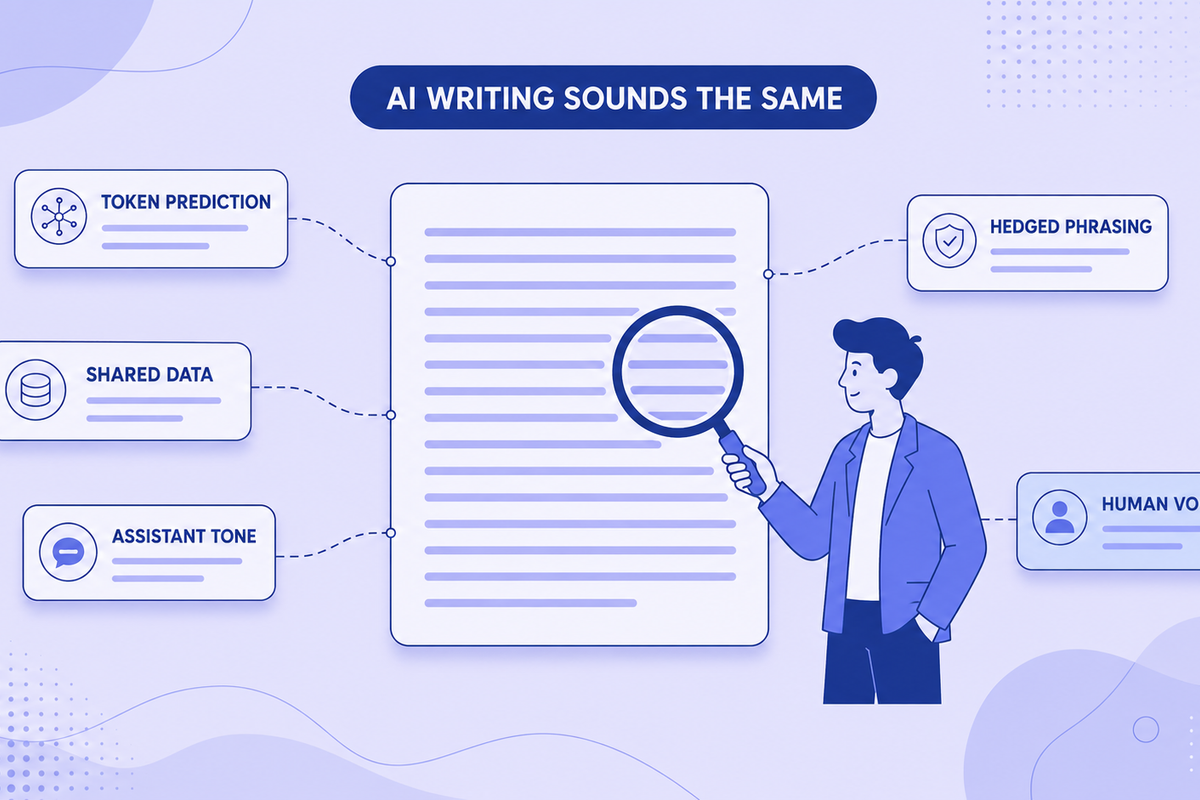
Why All AI Writing Sounds the Same (+ How to Fix It)
AI writing sounds identical due to token prediction and training overlap. Learn the technical causes plus practical fixes for style and watermarks.
Read more: Why All AI Writing Sounds the ...
Can Employers Tell If You Used AI? Spotting AI-Generated Text in Job Applications (2026)
Can recruiters detect an AI-written cover letter? What employers actually check in 2026, why AI detectors get it wrong, and why sounding like yourself matters more than hidden characters.
Read more: Can Employers Tell If You Used...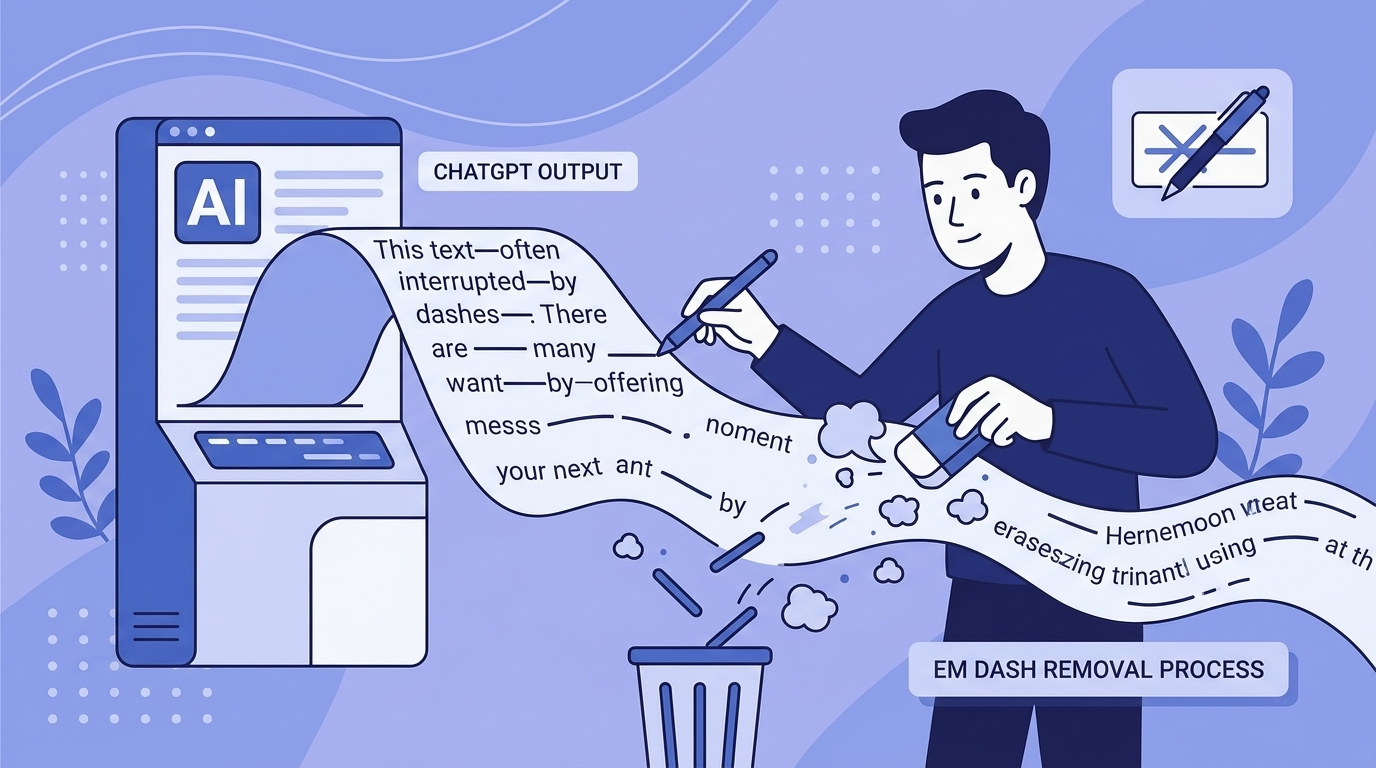
Em Dashes and ChatGPT: Why the Model Loves Them and How to Remove Them
ChatGPT overuses em dashes, a telltale AI signal. Why it happens, prompt-level fixes, and how to clean text that's already generated.
Read more: Em Dashes and ChatGPT: Why the...
Common AI Words to Avoid: The Complete List (Plus Why Your Text Gets Flagged)
50+ common AI words that flag your text as machine-written, with better alternatives. Plus what invisible Unicode characters are and the formatting problems they cause.
Read more: Common AI Words to Avoid: The ...
Does ChatGPT Watermark Text? What We Actually Know in 2026
Does ChatGPT watermark text? Here's what we actually know about invisible characters in AI output, what OpenAI has said, and what it means for detection.
Read more: Does ChatGPT Watermark Text? W...Learn MoreKnowledge Center
Explore technical explanations of AI watermarking, detection methods, and removal techniques. Each article covers mechanisms, applications, and limitations.
What Are AI Watermarks? (Text Watermarks Explained)
AI watermarks are invisible markers embedded into text generated by large language models (LLMs). Their purpose is to help identify whether a piece...
Read article: What Are AI Watermarks? (...Watermark Removal vs AI Detection: What's the Difference?
AI watermark removal and AI content detection are two separate processes that address different parts of how large language models (LLMs) generate ...
Read article: Watermark Removal vs AI D...Token Distribution in AI Watermarking: Why It Matters for Detection
Token distribution in AI watermarking refers to the intentional manipulation of token probability patterns within LLM-generated text to embed a hid...
Read article: Token Distribution in AI ...Why AI Detectors Fail: False Positives, False Negatives, and Model Bias
AI detectors attempt to estimate whether a piece of text was generated by a large language model (LLM). They rely on statistical patterns, token en...
Read article: Why AI Detectors Fail: Fa...Your Feedback MattersMissing Something? Have Ideas for Improvement?
We're constantly improving this tool and your ideas help us make it even better. Tell us what features you'd love to see!
Request a Feature
Have an idea for a new feature? Want to suggest an improvement? We listen and implement the best ideas!
New feature ideasImprovement suggestionsUser experience feedbackGeneral feedbackShare NowEvery idea counts - together we make this tool even better!Help & SupportFrequently Asked Questions
Find answers to the most common questions about our AI watermark remover.
AI watermarks are invisible characters, like zero-width spaces, that some AI tools insert into generated text. They don't affect readability, and their presence or absence has no bearing on whether AI-detection tools flag the text.
Our tool scans your text for invisible characters commonly used as AI watermarks, such as zero-width spaces and ASCII control characters. It then highlights these markers and can remove them completely while preserving your original content.
No. All text processing happens directly in your browser. We don't store, log, or transmit your text anywhere. Your privacy is our priority.
We detect various invisible characters including zero-width spaces, zero-width joiners, soft hyphens, word joiners, and ASCII control characters that AI tools might use as watermarks.
No. The tool only removes invisible characters used as watermarks. Your visible text, formatting, and meaning remain exactly the same.
Yes, the free version currently has a 500-character limit per operation. Signed-in users get 1,500 characters. This helps ensure fast processing and optimal performance.
Yes! You can upload Word (.docx) documents directly to our tool. We'll scan and remove invisible watermark characters from all sections including main content, headers, footers, footnotes, and comments—all while preserving your document's formatting and layout. Processing happens entirely in your browser, so your documents remain private.
Yes! You can upload Apple Pages (.pages) documents directly to our tool. We support both modern and legacy Pages formats. We'll scan and remove invisible watermark characters from your entire document while preserving all formatting, styles, and layout. All processing happens locally in your browser, ensuring your documents stay completely private.
Your documents are 100% secure and never leave your device. All document processing happens entirely in your browser using JavaScript. When you upload a Word or Pages document, it's read and modified locally on your computer—we never send your files to any server. This means your sensitive documents, personal information, and private content remain completely confidential. Even we can't see what you're processing. This client-side approach ensures maximum privacy and security for your documents.
If you clean a document using our document uploader and then copy-paste the text into the text detection area, you might see watermarks detected. This is normal and doesn't mean the cleaning failed. Here's why: Document cleaning preserves all formatting (bold, italics, spacing, etc.) to keep your document looking identical. When you copy this formatted text, some harmless formatting characters (like special spaces or unicode formatting marks) come along. Our text detection tool, which is designed to be more aggressive, might flag these formatting characters as potential watermarks. The document itself is clean—these are just formatting artifacts from the copy-paste process, not actual AI watermarks. For best results, use the cleaned document directly rather than copy-pasting its content.
Zero-width characters are invisible Unicode characters that take up no visual space but exist in the text data. Some AI systems, including ChatGPT, insert these into generated text as a byproduct of how the content was produced. Common types include zero-width spaces (U+200B), zero-width joiners (U+200D), and zero-width non-joiners (U+200C). Our tool detects and removes these invisible markers.
Our tool is free, processes text locally in your browser for privacy, and works on text from any source, because it operates on characters rather than on the model. Unlike other tools, we never store your text, offer document cleaning for Word and Pages files, and give signed-in users a 1,500-character limit, unlimited with Premium.
Yes! Simply copy text from ChatGPT, Claude, Gemini, or any AI chat and paste it directly into our tool. Our invisible character detector highlights any hidden characters, and you can clean the text with one click. This clean paste workflow is designed to be fast and seamless.
Paste your text into our detector tool. We'll scan for dozens of invisible Unicode characters, including zero-width spaces, zero-width joiners and other zero-width and control characters. Detected watermarks are highlighted so you can see exactly where they are in your text.
More Questions?
Try our tool and discover for yourself how easy it is!
Remove AI Watermarksfrom ChatGPT Text
Free AI watermark remover. Detect and remove invisible characters like zero-width spaces from text pasted out of AI chat tools. No registration, no data stored.
Removes invisible AI watermarksInstant detection and cleaningPrivate & secure - no data stored8,583 writers trust usDetected WatermarksExampleThis sample paragraph containshiddencharacters you can't seeCleanedThis sample paragraph contains hidden characters you can't see8,583Users100%In-browserProfessional AI Text CleaningRemove AI Watermarks
Professional AI text detection and cleaning
EditPreview500 / 5005/5 scansInstall Chrome ExtensionDashes (— – ‒ ―)60-second cooldown between scans
Sign in for enhanced features
Clean Word Documents (.docx)
Remove AI watermarks from Word files while preserving all formatting
Drop your Word document here
or click to browse files
Only .docx files • Max 50MB
All processing happens locally in your browser. Your document never leaves your device.
Clean Apple Pages Documents (.pages)
Remove AI watermarks from Pages files while preserving all formatting
Drop your Pages document here
or click to browse files
Only .pages files • Max 50MB
All processing happens locally in your browser. Your document never leaves your device.
Fully Private
All processing happens in your browser
Preserves Formatting
Your document stays visually identical
Instant Processing
Cleaned in seconds
New!Remove Gemini Image Watermarks for free
Clean AI-generated images from Google Gemini. Remove the visible watermark and strip EXIF metadata including GPS location - 100% free and private. SynthID embedded in the image pixels is not affected.
Remove visible watermarksStrip all metadata100% privateClean Images Now Before & AfterWhy Remove AI Watermarks?
Here's why you should remove invisible AI watermarks:
With Watermarks
Formatting
Invisible characters can break spacing, line wrapping, and alignment in Word, Google Docs, and PDFs
Code & data
Zero-width characters corrupt code, JSON, and find/search functions
Copy & paste
Hidden markers silently transfer between apps and documents
Privacy
Invisible characters mean what you paste isn't exactly what you copied
After Removal
Formatting
Clean, predictable spacing and layout wherever you paste
Code & data
Text behaves correctly in editors, terminals, and search
Copy & paste
What you copy is exactly what you get, with nothing hidden
Privacy
What you share should be exactly the characters you see. Cleaned text contains nothing you can't see.
Ready for clean text?Specialized Solutions for Every AI Model
Tailored guides and tools for ChatGPT, Gemini, Claude, and more.
ChatGPT Watermarks
What invisible characters appear in ChatGPT text and how to remove them.
Explore ChatGPT WatermarksGemini Watermarks
What's really in Gemini text (including SynthID) and what this tool can clean.
Explore Gemini WatermarksClaude Watermarks
How Claude's watermarking actually works, what this tool can and cannot remove, and how to clean invisible characters from Claude output.
Explore Claude WatermarksFor Students
Remove invisible characters that corrupt essay formatting, break citations, and cause copy-paste glitches in Word and Google Docs, plus guidance on using AI in line with your institution's policy.
Explore For StudentsBlogLatest Articles
Explore our latest guides on AI watermark detection, removal, and privacy.
Does Claude Watermark Its Text? Anthropic's Invisible Watermark, Explained
Claude now embeds an invisible watermark in generated text. Here's what Anthropic has confirmed, what a detected mark actually proves, and what weakens it.
Read more: Does Claude Watermark Its Text...Why All AI Writing Sounds the Same (+ How to Fix It)
AI writing sounds identical due to token prediction and training overlap. Learn the technical causes plus practical fixes for style and watermarks.
Read more: Why All AI Writing Sounds the ...Can Employers Tell If You Used AI? Spotting AI-Generated Text in Job Applications (2026)
Can recruiters detect an AI-written cover letter? What employers actually check in 2026, why AI detectors get it wrong, and why sounding like yourself matters more than hidden characters.
Read more: Can Employers Tell If You Used...Em Dashes and ChatGPT: Why the Model Loves Them and How to Remove Them
ChatGPT overuses em dashes, a telltale AI signal. Why it happens, prompt-level fixes, and how to clean text that's already generated.
Read more: Em Dashes and ChatGPT: Why the...Common AI Words to Avoid: The Complete List (Plus Why Your Text Gets Flagged)
50+ common AI words that flag your text as machine-written, with better alternatives. Plus what invisible Unicode characters are and the formatting problems they cause.
Read more: Common AI Words to Avoid: The ...Does ChatGPT Watermark Text? What We Actually Know in 2026
Does ChatGPT watermark text? Here's what we actually know about invisible characters in AI output, what OpenAI has said, and what it means for detection.
Read more: Does ChatGPT Watermark Text? W...Learn MoreKnowledge Center
Explore technical explanations of AI watermarking, detection methods, and removal techniques. Each article covers mechanisms, applications, and limitations.
What Are AI Watermarks? (Text Watermarks Explained)
AI watermarks are invisible markers embedded into text generated by large language models (LLMs). Their purpose is to help identify whether a piece...
Read article: What Are AI Watermarks? (...Watermark Removal vs AI Detection: What's the Difference?
AI watermark removal and AI content detection are two separate processes that address different parts of how large language models (LLMs) generate ...
Read article: Watermark Removal vs AI D...Token Distribution in AI Watermarking: Why It Matters for Detection
Token distribution in AI watermarking refers to the intentional manipulation of token probability patterns within LLM-generated text to embed a hid...
Read article: Token Distribution in AI ...Why AI Detectors Fail: False Positives, False Negatives, and Model Bias
AI detectors attempt to estimate whether a piece of text was generated by a large language model (LLM). They rely on statistical patterns, token en...
Read article: Why AI Detectors Fail: Fa...Your Feedback MattersMissing Something? Have Ideas for Improvement?
We're constantly improving this tool and your ideas help us make it even better. Tell us what features you'd love to see!
Request a Feature
Have an idea for a new feature? Want to suggest an improvement? We listen and implement the best ideas!
New feature ideasImprovement suggestionsUser experience feedbackGeneral feedbackShare NowEvery idea counts - together we make this tool even better!Help & SupportFrequently Asked Questions
Find answers to the most common questions about our AI watermark remover.
AI watermarks are invisible characters, like zero-width spaces, that some AI tools insert into generated text. They don't affect readability, and their presence or absence has no bearing on whether AI-detection tools flag the text.
Our tool scans your text for invisible characters commonly used as AI watermarks, such as zero-width spaces and ASCII control characters. It then highlights these markers and can remove them completely while preserving your original content.
No. All text processing happens directly in your browser. We don't store, log, or transmit your text anywhere. Your privacy is our priority.
We detect various invisible characters including zero-width spaces, zero-width joiners, soft hyphens, word joiners, and ASCII control characters that AI tools might use as watermarks.
No. The tool only removes invisible characters used as watermarks. Your visible text, formatting, and meaning remain exactly the same.
Yes, the free version currently has a 500-character limit per operation. Signed-in users get 1,500 characters. This helps ensure fast processing and optimal performance.
Yes! You can upload Word (.docx) documents directly to our tool. We'll scan and remove invisible watermark characters from all sections including main content, headers, footers, footnotes, and comments—all while preserving your document's formatting and layout. Processing happens entirely in your browser, so your documents remain private.
Yes! You can upload Apple Pages (.pages) documents directly to our tool. We support both modern and legacy Pages formats. We'll scan and remove invisible watermark characters from your entire document while preserving all formatting, styles, and layout. All processing happens locally in your browser, ensuring your documents stay completely private.
Your documents are 100% secure and never leave your device. All document processing happens entirely in your browser using JavaScript. When you upload a Word or Pages document, it's read and modified locally on your computer—we never send your files to any server. This means your sensitive documents, personal information, and private content remain completely confidential. Even we can't see what you're processing. This client-side approach ensures maximum privacy and security for your documents.
If you clean a document using our document uploader and then copy-paste the text into the text detection area, you might see watermarks detected. This is normal and doesn't mean the cleaning failed. Here's why: Document cleaning preserves all formatting (bold, italics, spacing, etc.) to keep your document looking identical. When you copy this formatted text, some harmless formatting characters (like special spaces or unicode formatting marks) come along. Our text detection tool, which is designed to be more aggressive, might flag these formatting characters as potential watermarks. The document itself is clean—these are just formatting artifacts from the copy-paste process, not actual AI watermarks. For best results, use the cleaned document directly rather than copy-pasting its content.
Zero-width characters are invisible Unicode characters that take up no visual space but exist in the text data. Some AI systems, including ChatGPT, insert these into generated text as a byproduct of how the content was produced. Common types include zero-width spaces (U+200B), zero-width joiners (U+200D), and zero-width non-joiners (U+200C). Our tool detects and removes these invisible markers.
Our tool is free, processes text locally in your browser for privacy, and works on text from any source, because it operates on characters rather than on the model. Unlike other tools, we never store your text, offer document cleaning for Word and Pages files, and give signed-in users a 1,500-character limit, unlimited with Premium.
Yes! Simply copy text from ChatGPT, Claude, Gemini, or any AI chat and paste it directly into our tool. Our invisible character detector highlights any hidden characters, and you can clean the text with one click. This clean paste workflow is designed to be fast and seamless.
Paste your text into our detector tool. We'll scan for dozens of invisible Unicode characters, including zero-width spaces, zero-width joiners and other zero-width and control characters. Detected watermarks are highlighted so you can see exactly where they are in your text.
More Questions?
Try our tool and discover for yourself how easy it is!
Remove AI Watermarksfrom ChatGPT Text
Free AI watermark remover. Detect and remove invisible characters like zero-width spaces from text pasted out of AI chat tools. No registration, no data stored.
Removes invisible AI watermarksInstant detection and cleaningPrivate & secure - no data stored8,583 writers trust usDetected WatermarksExampleThis sample paragraph containshiddencharacters you can't seeCleanedThis sample paragraph contains hidden characters you can't see8,583Users100%In-browserProfessional AI Text CleaningRemove AI Watermarks
Professional AI text detection and cleaning
EditPreview500 / 5005/5 scansInstall Chrome ExtensionDashes (— – ‒ ―)60-second cooldown between scans
Sign in for enhanced features
Clean Word Documents (.docx)
Remove AI watermarks from Word files while preserving all formatting
Drop your Word document here
or click to browse files
Only .docx files • Max 50MB
All processing happens locally in your browser. Your document never leaves your device.
Clean Apple Pages Documents (.pages)
Remove AI watermarks from Pages files while preserving all formatting
Drop your Pages document here
or click to browse files
Only .pages files • Max 50MB
All processing happens locally in your browser. Your document never leaves your device.
Fully Private
All processing happens in your browser
Preserves Formatting
Your document stays visually identical
Instant Processing
Cleaned in seconds
New!Remove Gemini Image Watermarks for free
Clean AI-generated images from Google Gemini. Remove the visible watermark and strip EXIF metadata including GPS location - 100% free and private. SynthID embedded in the image pixels is not affected.
Remove visible watermarksStrip all metadata100% privateClean Images Now Before & AfterWhy Remove AI Watermarks?
Here's why you should remove invisible AI watermarks:
With Watermarks
Formatting
Invisible characters can break spacing, line wrapping, and alignment in Word, Google Docs, and PDFs
Code & data
Zero-width characters corrupt code, JSON, and find/search functions
Copy & paste
Hidden markers silently transfer between apps and documents
Privacy
Invisible characters mean what you paste isn't exactly what you copied
After Removal
Formatting
Clean, predictable spacing and layout wherever you paste
Code & data
Text behaves correctly in editors, terminals, and search
Copy & paste
What you copy is exactly what you get, with nothing hidden
Privacy
What you share should be exactly the characters you see. Cleaned text contains nothing you can't see.
Ready for clean text?Specialized Solutions for Every AI Model
Tailored guides and tools for ChatGPT, Gemini, Claude, and more.
ChatGPT Watermarks
What invisible characters appear in ChatGPT text and how to remove them.
Explore ChatGPT WatermarksGemini Watermarks
What's really in Gemini text (including SynthID) and what this tool can clean.
Explore Gemini WatermarksClaude Watermarks
How Claude's watermarking actually works, what this tool can and cannot remove, and how to clean invisible characters from Claude output.
Explore Claude WatermarksFor Students
Remove invisible characters that corrupt essay formatting, break citations, and cause copy-paste glitches in Word and Google Docs, plus guidance on using AI in line with your institution's policy.
Explore For StudentsBlogLatest Articles
Explore our latest guides on AI watermark detection, removal, and privacy.
Does Claude Watermark Its Text? Anthropic's Invisible Watermark, Explained
Claude now embeds an invisible watermark in generated text. Here's what Anthropic has confirmed, what a detected mark actually proves, and what weakens it.
Read more: Does Claude Watermark Its Text...Why All AI Writing Sounds the Same (+ How to Fix It)
AI writing sounds identical due to token prediction and training overlap. Learn the technical causes plus practical fixes for style and watermarks.
Read more: Why All AI Writing Sounds the ...Can Employers Tell If You Used AI? Spotting AI-Generated Text in Job Applications (2026)
Can recruiters detect an AI-written cover letter? What employers actually check in 2026, why AI detectors get it wrong, and why sounding like yourself matters more than hidden characters.
Read more: Can Employers Tell If You Used...Em Dashes and ChatGPT: Why the Model Loves Them and How to Remove Them
ChatGPT overuses em dashes, a telltale AI signal. Why it happens, prompt-level fixes, and how to clean text that's already generated.
Read more: Em Dashes and ChatGPT: Why the...Common AI Words to Avoid: The Complete List (Plus Why Your Text Gets Flagged)
50+ common AI words that flag your text as machine-written, with better alternatives. Plus what invisible Unicode characters are and the formatting problems they cause.
Read more: Common AI Words to Avoid: The ...Does ChatGPT Watermark Text? What We Actually Know in 2026
Does ChatGPT watermark text? Here's what we actually know about invisible characters in AI output, what OpenAI has said, and what it means for detection.
Read more: Does ChatGPT Watermark Text? W...Learn MoreKnowledge Center
Explore technical explanations of AI watermarking, detection methods, and removal techniques. Each article covers mechanisms, applications, and limitations.
What Are AI Watermarks? (Text Watermarks Explained)
AI watermarks are invisible markers embedded into text generated by large language models (LLMs). Their purpose is to help identify whether a piece...
Read article: What Are AI Watermarks? (...Watermark Removal vs AI Detection: What's the Difference?
AI watermark removal and AI content detection are two separate processes that address different parts of how large language models (LLMs) generate ...
Read article: Watermark Removal vs AI D...Token Distribution in AI Watermarking: Why It Matters for Detection
Token distribution in AI watermarking refers to the intentional manipulation of token probability patterns within LLM-generated text to embed a hid...
Read article: Token Distribution in AI ...Why AI Detectors Fail: False Positives, False Negatives, and Model Bias
AI detectors attempt to estimate whether a piece of text was generated by a large language model (LLM). They rely on statistical patterns, token en...
Read article: Why AI Detectors Fail: Fa...Your Feedback MattersMissing Something? Have Ideas for Improvement?
We're constantly improving this tool and your ideas help us make it even better. Tell us what features you'd love to see!
Request a Feature
Have an idea for a new feature? Want to suggest an improvement? We listen and implement the best ideas!
New feature ideasImprovement suggestionsUser experience feedbackGeneral feedbackShare NowEvery idea counts - together we make this tool even better!Help & SupportFrequently Asked Questions
Find answers to the most common questions about our AI watermark remover.
AI watermarks are invisible characters, like zero-width spaces, that some AI tools insert into generated text. They don't affect readability, and their presence or absence has no bearing on whether AI-detection tools flag the text.
Our tool scans your text for invisible characters commonly used as AI watermarks, such as zero-width spaces and ASCII control characters. It then highlights these markers and can remove them completely while preserving your original content.
No. All text processing happens directly in your browser. We don't store, log, or transmit your text anywhere. Your privacy is our priority.
We detect various invisible characters including zero-width spaces, zero-width joiners, soft hyphens, word joiners, and ASCII control characters that AI tools might use as watermarks.
No. The tool only removes invisible characters used as watermarks. Your visible text, formatting, and meaning remain exactly the same.
Yes, the free version currently has a 500-character limit per operation. Signed-in users get 1,500 characters. This helps ensure fast processing and optimal performance.
Yes! You can upload Word (.docx) documents directly to our tool. We'll scan and remove invisible watermark characters from all sections including main content, headers, footers, footnotes, and comments—all while preserving your document's formatting and layout. Processing happens entirely in your browser, so your documents remain private.
Yes! You can upload Apple Pages (.pages) documents directly to our tool. We support both modern and legacy Pages formats. We'll scan and remove invisible watermark characters from your entire document while preserving all formatting, styles, and layout. All processing happens locally in your browser, ensuring your documents stay completely private.
Your documents are 100% secure and never leave your device. All document processing happens entirely in your browser using JavaScript. When you upload a Word or Pages document, it's read and modified locally on your computer—we never send your files to any server. This means your sensitive documents, personal information, and private content remain completely confidential. Even we can't see what you're processing. This client-side approach ensures maximum privacy and security for your documents.
If you clean a document using our document uploader and then copy-paste the text into the text detection area, you might see watermarks detected. This is normal and doesn't mean the cleaning failed. Here's why: Document cleaning preserves all formatting (bold, italics, spacing, etc.) to keep your document looking identical. When you copy this formatted text, some harmless formatting characters (like special spaces or unicode formatting marks) come along. Our text detection tool, which is designed to be more aggressive, might flag these formatting characters as potential watermarks. The document itself is clean—these are just formatting artifacts from the copy-paste process, not actual AI watermarks. For best results, use the cleaned document directly rather than copy-pasting its content.
Zero-width characters are invisible Unicode characters that take up no visual space but exist in the text data. Some AI systems, including ChatGPT, insert these into generated text as a byproduct of how the content was produced. Common types include zero-width spaces (U+200B), zero-width joiners (U+200D), and zero-width non-joiners (U+200C). Our tool detects and removes these invisible markers.
Our tool is free, processes text locally in your browser for privacy, and works on text from any source, because it operates on characters rather than on the model. Unlike other tools, we never store your text, offer document cleaning for Word and Pages files, and give signed-in users a 1,500-character limit, unlimited with Premium.
Yes! Simply copy text from ChatGPT, Claude, Gemini, or any AI chat and paste it directly into our tool. Our invisible character detector highlights any hidden characters, and you can clean the text with one click. This clean paste workflow is designed to be fast and seamless.
Paste your text into our detector tool. We'll scan for dozens of invisible Unicode characters, including zero-width spaces, zero-width joiners and other zero-width and control characters. Detected watermarks are highlighted so you can see exactly where they are in your text.
More Questions?
Try our tool and discover for yourself how easy it is!
方法6:自動化されたCI/CD検出
透かし検出を開発ワークフローに統合します。
GitHub Actions
name: 透かしを確認
on: [push, pull_request]
jobs:
watermark-check:
runs-on: ubuntu-latest
steps:
- uses: actions/checkout@v2
- name: ファイルの透かしを確認
run: |
#!/bin/bash
found_watermarks=false
for file in $(find . -name "*.txt" -o -name "*.md" -o -name "*.py"); do
if grep -q Remove AI Watermarksfrom ChatGPT Text
Free AI watermark remover. Detect and remove invisible characters like zero-width spaces from text pasted out of AI chat tools. No registration, no data stored.
Removes invisible AI watermarksInstant detection and cleaningPrivate & secure - no data stored8,583 writers trust usDetected WatermarksExampleThis sample paragraph containshiddencharacters you can't seeCleanedThis sample paragraph contains hidden characters you can't see8,583Users100%In-browserProfessional AI Text CleaningRemove AI Watermarks
Professional AI text detection and cleaning
EditPreview500 / 5005/5 scansInstall Chrome ExtensionDashes (— – ‒ ―)60-second cooldown between scans
Sign in for enhanced features
Clean Word Documents (.docx)
Remove AI watermarks from Word files while preserving all formatting
Drop your Word document here
or click to browse files
Only .docx files • Max 50MB
All processing happens locally in your browser. Your document never leaves your device.
Clean Apple Pages Documents (.pages)
Remove AI watermarks from Pages files while preserving all formatting
Drop your Pages document here
or click to browse files
Only .pages files • Max 50MB
All processing happens locally in your browser. Your document never leaves your device.
Fully Private
All processing happens in your browser
Preserves Formatting
Your document stays visually identical
Instant Processing
Cleaned in seconds
New!Remove Gemini Image Watermarks for free
Clean AI-generated images from Google Gemini. Remove the visible watermark and strip EXIF metadata including GPS location - 100% free and private. SynthID embedded in the image pixels is not affected.
Remove visible watermarksStrip all metadata100% privateClean Images Now Before & AfterWhy Remove AI Watermarks?
Here's why you should remove invisible AI watermarks:
With Watermarks
Formatting
Invisible characters can break spacing, line wrapping, and alignment in Word, Google Docs, and PDFs
Code & data
Zero-width characters corrupt code, JSON, and find/search functions
Copy & paste
Hidden markers silently transfer between apps and documents
Privacy
Invisible characters mean what you paste isn't exactly what you copied
After Removal
Formatting
Clean, predictable spacing and layout wherever you paste
Code & data
Text behaves correctly in editors, terminals, and search
Copy & paste
What you copy is exactly what you get, with nothing hidden
Privacy
What you share should be exactly the characters you see. Cleaned text contains nothing you can't see.
Ready for clean text?Specialized Solutions for Every AI Model
Tailored guides and tools for ChatGPT, Gemini, Claude, and more.
ChatGPT Watermarks
What invisible characters appear in ChatGPT text and how to remove them.
Explore ChatGPT WatermarksGemini Watermarks
What's really in Gemini text (including SynthID) and what this tool can clean.
Explore Gemini WatermarksClaude Watermarks
How Claude's watermarking actually works, what this tool can and cannot remove, and how to clean invisible characters from Claude output.
Explore Claude WatermarksFor Students
Remove invisible characters that corrupt essay formatting, break citations, and cause copy-paste glitches in Word and Google Docs, plus guidance on using AI in line with your institution's policy.
Explore For StudentsBlogLatest Articles
Explore our latest guides on AI watermark detection, removal, and privacy.
Does Claude Watermark Its Text? Anthropic's Invisible Watermark, Explained
Claude now embeds an invisible watermark in generated text. Here's what Anthropic has confirmed, what a detected mark actually proves, and what weakens it.
Read more: Does Claude Watermark Its Text...Why All AI Writing Sounds the Same (+ How to Fix It)
AI writing sounds identical due to token prediction and training overlap. Learn the technical causes plus practical fixes for style and watermarks.
Read more: Why All AI Writing Sounds the ...Can Employers Tell If You Used AI? Spotting AI-Generated Text in Job Applications (2026)
Can recruiters detect an AI-written cover letter? What employers actually check in 2026, why AI detectors get it wrong, and why sounding like yourself matters more than hidden characters.
Read more: Can Employers Tell If You Used...Em Dashes and ChatGPT: Why the Model Loves Them and How to Remove Them
ChatGPT overuses em dashes, a telltale AI signal. Why it happens, prompt-level fixes, and how to clean text that's already generated.
Read more: Em Dashes and ChatGPT: Why the...Common AI Words to Avoid: The Complete List (Plus Why Your Text Gets Flagged)
50+ common AI words that flag your text as machine-written, with better alternatives. Plus what invisible Unicode characters are and the formatting problems they cause.
Read more: Common AI Words to Avoid: The ...Does ChatGPT Watermark Text? What We Actually Know in 2026
Does ChatGPT watermark text? Here's what we actually know about invisible characters in AI output, what OpenAI has said, and what it means for detection.
Read more: Does ChatGPT Watermark Text? W...Learn MoreKnowledge Center
Explore technical explanations of AI watermarking, detection methods, and removal techniques. Each article covers mechanisms, applications, and limitations.
What Are AI Watermarks? (Text Watermarks Explained)
AI watermarks are invisible markers embedded into text generated by large language models (LLMs). Their purpose is to help identify whether a piece...
Read article: What Are AI Watermarks? (...Watermark Removal vs AI Detection: What's the Difference?
AI watermark removal and AI content detection are two separate processes that address different parts of how large language models (LLMs) generate ...
Read article: Watermark Removal vs AI D...Token Distribution in AI Watermarking: Why It Matters for Detection
Token distribution in AI watermarking refers to the intentional manipulation of token probability patterns within LLM-generated text to embed a hid...
Read article: Token Distribution in AI ...Why AI Detectors Fail: False Positives, False Negatives, and Model Bias
AI detectors attempt to estimate whether a piece of text was generated by a large language model (LLM). They rely on statistical patterns, token en...
Read article: Why AI Detectors Fail: Fa...Your Feedback MattersMissing Something? Have Ideas for Improvement?
We're constantly improving this tool and your ideas help us make it even better. Tell us what features you'd love to see!
Request a Feature
Have an idea for a new feature? Want to suggest an improvement? We listen and implement the best ideas!
New feature ideasImprovement suggestionsUser experience feedbackGeneral feedbackShare NowEvery idea counts - together we make this tool even better!Help & SupportFrequently Asked Questions
Find answers to the most common questions about our AI watermark remover.
AI watermarks are invisible characters, like zero-width spaces, that some AI tools insert into generated text. They don't affect readability, and their presence or absence has no bearing on whether AI-detection tools flag the text.
Our tool scans your text for invisible characters commonly used as AI watermarks, such as zero-width spaces and ASCII control characters. It then highlights these markers and can remove them completely while preserving your original content.
No. All text processing happens directly in your browser. We don't store, log, or transmit your text anywhere. Your privacy is our priority.
We detect various invisible characters including zero-width spaces, zero-width joiners, soft hyphens, word joiners, and ASCII control characters that AI tools might use as watermarks.
No. The tool only removes invisible characters used as watermarks. Your visible text, formatting, and meaning remain exactly the same.
Yes, the free version currently has a 500-character limit per operation. Signed-in users get 1,500 characters. This helps ensure fast processing and optimal performance.
Yes! You can upload Word (.docx) documents directly to our tool. We'll scan and remove invisible watermark characters from all sections including main content, headers, footers, footnotes, and comments—all while preserving your document's formatting and layout. Processing happens entirely in your browser, so your documents remain private.
Yes! You can upload Apple Pages (.pages) documents directly to our tool. We support both modern and legacy Pages formats. We'll scan and remove invisible watermark characters from your entire document while preserving all formatting, styles, and layout. All processing happens locally in your browser, ensuring your documents stay completely private.
Your documents are 100% secure and never leave your device. All document processing happens entirely in your browser using JavaScript. When you upload a Word or Pages document, it's read and modified locally on your computer—we never send your files to any server. This means your sensitive documents, personal information, and private content remain completely confidential. Even we can't see what you're processing. This client-side approach ensures maximum privacy and security for your documents.
If you clean a document using our document uploader and then copy-paste the text into the text detection area, you might see watermarks detected. This is normal and doesn't mean the cleaning failed. Here's why: Document cleaning preserves all formatting (bold, italics, spacing, etc.) to keep your document looking identical. When you copy this formatted text, some harmless formatting characters (like special spaces or unicode formatting marks) come along. Our text detection tool, which is designed to be more aggressive, might flag these formatting characters as potential watermarks. The document itself is clean—these are just formatting artifacts from the copy-paste process, not actual AI watermarks. For best results, use the cleaned document directly rather than copy-pasting its content.
Zero-width characters are invisible Unicode characters that take up no visual space but exist in the text data. Some AI systems, including ChatGPT, insert these into generated text as a byproduct of how the content was produced. Common types include zero-width spaces (U+200B), zero-width joiners (U+200D), and zero-width non-joiners (U+200C). Our tool detects and removes these invisible markers.
Our tool is free, processes text locally in your browser for privacy, and works on text from any source, because it operates on characters rather than on the model. Unlike other tools, we never store your text, offer document cleaning for Word and Pages files, and give signed-in users a 1,500-character limit, unlimited with Premium.
Yes! Simply copy text from ChatGPT, Claude, Gemini, or any AI chat and paste it directly into our tool. Our invisible character detector highlights any hidden characters, and you can clean the text with one click. This clean paste workflow is designed to be fast and seamless.
Paste your text into our detector tool. We'll scan for dozens of invisible Unicode characters, including zero-width spaces, zero-width joiners and other zero-width and control characters. Detected watermarks are highlighted so you can see exactly where they are in your text.
More Questions?
Try our tool and discover for yourself how easy it is!
プリコミットフック
#!/bin/bash
# .git/hooks/pre-commit
echo "透かしを確認中..."
FILES=$(git diff --cached --name-only --diff-filter=ACM)
for FILE in $FILES; do
if [ -f "$FILE" ]; then
if grep -q Remove AI Watermarksfrom ChatGPT Text
Free AI watermark remover. Detect and remove invisible characters like zero-width spaces from text pasted out of AI chat tools. No registration, no data stored.
Removes invisible AI watermarksInstant detection and cleaningPrivate & secure - no data stored8,583 writers trust usDetected WatermarksExampleThis sample paragraph containshiddencharacters you can't seeCleanedThis sample paragraph contains hidden characters you can't see8,583Users100%In-browserProfessional AI Text CleaningRemove AI Watermarks
Professional AI text detection and cleaning
EditPreview500 / 5005/5 scansInstall Chrome ExtensionDashes (— – ‒ ―)60-second cooldown between scans
Sign in for enhanced features
Clean Word Documents (.docx)
Remove AI watermarks from Word files while preserving all formatting
Drop your Word document here
or click to browse files
Only .docx files • Max 50MB
All processing happens locally in your browser. Your document never leaves your device.
Clean Apple Pages Documents (.pages)
Remove AI watermarks from Pages files while preserving all formatting
Drop your Pages document here
or click to browse files
Only .pages files • Max 50MB
All processing happens locally in your browser. Your document never leaves your device.
Fully Private
All processing happens in your browser
Preserves Formatting
Your document stays visually identical
Instant Processing
Cleaned in seconds
New!Remove Gemini Image Watermarks for free
Clean AI-generated images from Google Gemini. Remove the visible watermark and strip EXIF metadata including GPS location - 100% free and private. SynthID embedded in the image pixels is not affected.
Remove visible watermarksStrip all metadata100% privateClean Images Now Before & AfterWhy Remove AI Watermarks?
Here's why you should remove invisible AI watermarks:
With Watermarks
Formatting
Invisible characters can break spacing, line wrapping, and alignment in Word, Google Docs, and PDFs
Code & data
Zero-width characters corrupt code, JSON, and find/search functions
Copy & paste
Hidden markers silently transfer between apps and documents
Privacy
Invisible characters mean what you paste isn't exactly what you copied
After Removal
Formatting
Clean, predictable spacing and layout wherever you paste
Code & data
Text behaves correctly in editors, terminals, and search
Copy & paste
What you copy is exactly what you get, with nothing hidden
Privacy
What you share should be exactly the characters you see. Cleaned text contains nothing you can't see.
Ready for clean text?Specialized Solutions for Every AI Model
Tailored guides and tools for ChatGPT, Gemini, Claude, and more.
ChatGPT Watermarks
What invisible characters appear in ChatGPT text and how to remove them.
Explore ChatGPT WatermarksGemini Watermarks
What's really in Gemini text (including SynthID) and what this tool can clean.
Explore Gemini WatermarksClaude Watermarks
How Claude's watermarking actually works, what this tool can and cannot remove, and how to clean invisible characters from Claude output.
Explore Claude WatermarksFor Students
Remove invisible characters that corrupt essay formatting, break citations, and cause copy-paste glitches in Word and Google Docs, plus guidance on using AI in line with your institution's policy.
Explore For StudentsBlogLatest Articles
Explore our latest guides on AI watermark detection, removal, and privacy.
Does Claude Watermark Its Text? Anthropic's Invisible Watermark, Explained
Claude now embeds an invisible watermark in generated text. Here's what Anthropic has confirmed, what a detected mark actually proves, and what weakens it.
Read more: Does Claude Watermark Its Text...Why All AI Writing Sounds the Same (+ How to Fix It)
AI writing sounds identical due to token prediction and training overlap. Learn the technical causes plus practical fixes for style and watermarks.
Read more: Why All AI Writing Sounds the ...Can Employers Tell If You Used AI? Spotting AI-Generated Text in Job Applications (2026)
Can recruiters detect an AI-written cover letter? What employers actually check in 2026, why AI detectors get it wrong, and why sounding like yourself matters more than hidden characters.
Read more: Can Employers Tell If You Used...Em Dashes and ChatGPT: Why the Model Loves Them and How to Remove Them
ChatGPT overuses em dashes, a telltale AI signal. Why it happens, prompt-level fixes, and how to clean text that's already generated.
Read more: Em Dashes and ChatGPT: Why the...Common AI Words to Avoid: The Complete List (Plus Why Your Text Gets Flagged)
50+ common AI words that flag your text as machine-written, with better alternatives. Plus what invisible Unicode characters are and the formatting problems they cause.
Read more: Common AI Words to Avoid: The ...Does ChatGPT Watermark Text? What We Actually Know in 2026
Does ChatGPT watermark text? Here's what we actually know about invisible characters in AI output, what OpenAI has said, and what it means for detection.
Read more: Does ChatGPT Watermark Text? W...Learn MoreKnowledge Center
Explore technical explanations of AI watermarking, detection methods, and removal techniques. Each article covers mechanisms, applications, and limitations.
What Are AI Watermarks? (Text Watermarks Explained)
AI watermarks are invisible markers embedded into text generated by large language models (LLMs). Their purpose is to help identify whether a piece...
Read article: What Are AI Watermarks? (...Watermark Removal vs AI Detection: What's the Difference?
AI watermark removal and AI content detection are two separate processes that address different parts of how large language models (LLMs) generate ...
Read article: Watermark Removal vs AI D...Token Distribution in AI Watermarking: Why It Matters for Detection
Token distribution in AI watermarking refers to the intentional manipulation of token probability patterns within LLM-generated text to embed a hid...
Read article: Token Distribution in AI ...Why AI Detectors Fail: False Positives, False Negatives, and Model Bias
AI detectors attempt to estimate whether a piece of text was generated by a large language model (LLM). They rely on statistical patterns, token en...
Read article: Why AI Detectors Fail: Fa...Your Feedback MattersMissing Something? Have Ideas for Improvement?
We're constantly improving this tool and your ideas help us make it even better. Tell us what features you'd love to see!
Request a Feature
Have an idea for a new feature? Want to suggest an improvement? We listen and implement the best ideas!
New feature ideasImprovement suggestionsUser experience feedbackGeneral feedbackShare NowEvery idea counts - together we make this tool even better!Help & SupportFrequently Asked Questions
Find answers to the most common questions about our AI watermark remover.
AI watermarks are invisible characters, like zero-width spaces, that some AI tools insert into generated text. They don't affect readability, and their presence or absence has no bearing on whether AI-detection tools flag the text.
Our tool scans your text for invisible characters commonly used as AI watermarks, such as zero-width spaces and ASCII control characters. It then highlights these markers and can remove them completely while preserving your original content.
No. All text processing happens directly in your browser. We don't store, log, or transmit your text anywhere. Your privacy is our priority.
We detect various invisible characters including zero-width spaces, zero-width joiners, soft hyphens, word joiners, and ASCII control characters that AI tools might use as watermarks.
No. The tool only removes invisible characters used as watermarks. Your visible text, formatting, and meaning remain exactly the same.
Yes, the free version currently has a 500-character limit per operation. Signed-in users get 1,500 characters. This helps ensure fast processing and optimal performance.
Yes! You can upload Word (.docx) documents directly to our tool. We'll scan and remove invisible watermark characters from all sections including main content, headers, footers, footnotes, and comments—all while preserving your document's formatting and layout. Processing happens entirely in your browser, so your documents remain private.
Yes! You can upload Apple Pages (.pages) documents directly to our tool. We support both modern and legacy Pages formats. We'll scan and remove invisible watermark characters from your entire document while preserving all formatting, styles, and layout. All processing happens locally in your browser, ensuring your documents stay completely private.
Your documents are 100% secure and never leave your device. All document processing happens entirely in your browser using JavaScript. When you upload a Word or Pages document, it's read and modified locally on your computer—we never send your files to any server. This means your sensitive documents, personal information, and private content remain completely confidential. Even we can't see what you're processing. This client-side approach ensures maximum privacy and security for your documents.
If you clean a document using our document uploader and then copy-paste the text into the text detection area, you might see watermarks detected. This is normal and doesn't mean the cleaning failed. Here's why: Document cleaning preserves all formatting (bold, italics, spacing, etc.) to keep your document looking identical. When you copy this formatted text, some harmless formatting characters (like special spaces or unicode formatting marks) come along. Our text detection tool, which is designed to be more aggressive, might flag these formatting characters as potential watermarks. The document itself is clean—these are just formatting artifacts from the copy-paste process, not actual AI watermarks. For best results, use the cleaned document directly rather than copy-pasting its content.
Zero-width characters are invisible Unicode characters that take up no visual space but exist in the text data. Some AI systems, including ChatGPT, insert these into generated text as a byproduct of how the content was produced. Common types include zero-width spaces (U+200B), zero-width joiners (U+200D), and zero-width non-joiners (U+200C). Our tool detects and removes these invisible markers.
Our tool is free, processes text locally in your browser for privacy, and works on text from any source, because it operates on characters rather than on the model. Unlike other tools, we never store your text, offer document cleaning for Word and Pages files, and give signed-in users a 1,500-character limit, unlimited with Premium.
Yes! Simply copy text from ChatGPT, Claude, Gemini, or any AI chat and paste it directly into our tool. Our invisible character detector highlights any hidden characters, and you can clean the text with one click. This clean paste workflow is designed to be fast and seamless.
Paste your text into our detector tool. We'll scan for dozens of invisible Unicode characters, including zero-width spaces, zero-width joiners and other zero-width and control characters. Detected watermarks are highlighted so you can see exactly where they are in your text.
More Questions?
Try our tool and discover for yourself how easy it is!
確認結果の理解
異なる結果の意味
結果:「0個の透かしを検出」
- テキストはクリーン
- そのまま使用可能
- 不可視文字なし
結果:「1〜5個の透かしを検出、低密度」
- 偶発的な可能性
- 正当なUnicode使用(RTLテキストなど)の可能性
- AI生成を結論付ける前にコンテキストを確認
結果:「10〜50個の透かしを検出、中程度の密度」
- 意図的な透かしの可能性が高い
- AI生成の可能性が高い
- 問題を引き起こしている場合は削除を検討
結果:「50個以上の透かしを検出、高密度」
- 確実に意図的な透かし
- ほぼ確実にAI生成
- 削除を強く推奨
定期的な確認のベストプラクティス
教育者向け
ワークフロー:
1. 学生の提出物を受け取る
2. [オンラインツール](/)で素早く確認
3. 透かしが見つかった場合:
   - コンテンツをレビュー
   - AI使用が開示されているか確認
   - 適切性を評価
4. 疑わしい場合:
   - 追加のAI検出器を使用
   - 学生と会話
開発者向け
Gitワークフロー:
# プリコミットフックを追加
cp check_watermarks.sh .git/hooks/pre-commit
chmod +x .git/hooks/pre-commit

# プルリクエスト前に確認
python check_watermarks.py $(git diff --name-only main...HEAD)
コンテンツマネージャー向け
公開チェックリスト:
☐ すべてのコンテンツで透かしチェックを実行
☐ 見つかった場合は削除(開示が必要でない限り)
☐ 削除後にフォーマットが無傷であることを確認
☐ 最終QAレビュー
☐ 公開
まとめ
ChatGPT透かしを確認することは複雑である必要はありません。即座のオンラインチェッカー、コマンドラインスクリプト、またはテキストエディタの方法を使用するかどうかにかかわらず、鍵は信頼できるプロセスを持つことです。
クイック推奨:
- 最速: オンラインチェッカー(5〜10秒)
- 最も徹底的: ブラウザ開発者ツールで位置マッピング
- 自動化: Pythonスクリプトまたはプリコミットフック
- 非技術者: テキストエディタの可視化 + 文字カウントテスト
透かしを検出することは最初のステップです。その情報をどう扱うか - 学術的誠実性の尊重、技術的問題の修正、プライバシーの維持 - も同様に重要です。
今すぐテキストを確認 - 無料ツール
ChatGPT透かしを確認する準備はできましたか?
機能:
- 5〜10秒で結果
- すべての透かしタイプを検出
- 視覚化を含む詳細な分析
- テキストとドキュメントに対応
- 100%プライベート(ブラウザベース)
- 見つかった場合はワンクリックで削除
- 無制限で無料チェック
関連記事:
ご質問は? FAQにアクセスするか、今すぐテキストを確認してください。
おすすめの記事
【2026年最新】就活でChatGPTはバレる?ES・志望動機がAIと見抜かれる理由と採用担当者のチェック方法
就活でChatGPTを使うとバレる?ES・志望動機・自己PRがAIと見抜かれる5つの理由を採用担当者目線で解説。リクナビ・マイナビでの応募前にできる不自然な文章のチェック方法と対策を2026年版で紹介します。
AIライティングをチェックする方法:2026年のベストツールと方法
2026年にAI生成テキストをチェックするための最良のツールと方法を発見。GPTZeroなどのパターンベース検出器から不可視ウォーターマークスキャナーまで。
ChatGPTのダッシュ多用(em dash):なぜ使うのか、英文と和文での削除手順
ChatGPTは英文の出力で em dash(—)を異常な頻度で使い、AI生成の決定的なサインになっている。原因とプロンプトでの抑制、生成後のクリーンアップ方法。
AIらしい単語を避ける完全ガイド:ChatGPTの特徴的な言葉とAI検出される本当の理由
ChatGPT・Claude・Geminiが多用するAIらしい単語と言い回しを徹底解説。日本語特有のAI文章パターンと、AI検出ツールが実際に何を分析しているのか(目に見える文章の統計的パターン)を実例で示します。